We are delighted to welcome IES Plurilingüe Castro da Uz as another Partner School Plus to our network!

Teacher María Trastoi Rego gives us an insight into her many years of experience using MathCityMap in maths lessons at her school in Spain:


“IES Plurilingüe Castro da Uz, a MathCityMap Associated School, has been integrating this tool into its Mathematics teaching practice for several academic years. During this time, our students have participated as users of the platform, completing contextualized routes and tasks that enabled them to discover mathematics in their surroundings and apply curricular content to real-life situations.

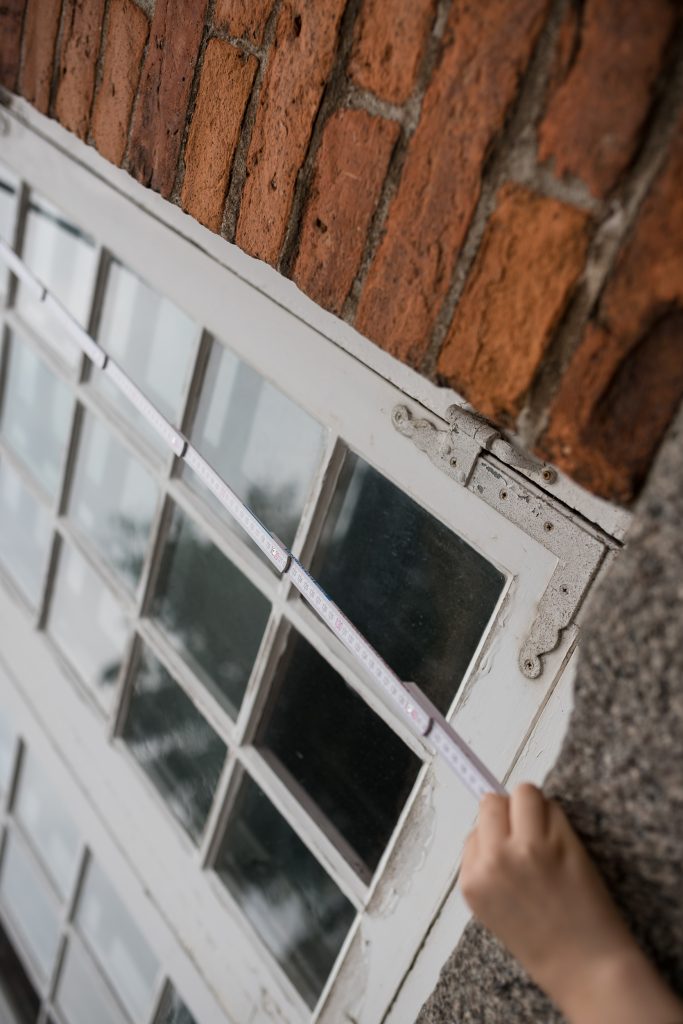
During the current academic year, we took a further step in this journey. As part of the « Geometry in Space » unit, the students in the 4th year of compulsory secondary education (15–16 years old) assumed an active role as content creators for the platform. Working in small groups, they identified elements of the school environment that could be explored mathematically, carried out measurements, designed problems related to both plane and solid geometry, and created complete MathCityMap tasks ready to be published on the platform.

As a result of this work, we created two routes on MathCityMap, which include the tasks designed by the students themselves. These routes are fully functional educational resources and demonstrate the students’ ability to apply the knowledge they acquired to authentic problem-solving situations while also enriching the collection of resources available to the MathCityMap community.

This experience proved to be highly valuable from a pedagogical perspective. Moving from being users of the platform to becoming activity designers enabled students to develop a deeper understanding of mathematical concepts, strengthen their mathematical, digital, and scientific competences, improve their communication and teamwork skills, and increase their motivation by seeing that their work could be used by other learners.

Furthermore, this change in approach is fully aligned with the active learning methodologies promoted at our school. It supports project-based learning, encourages student autonomy, and strengthens the connection between mathematics and the real world.

Looking ahead to the next academic year, we plan to continue developing this initiative. While this first phase focused on designing tasks and routes within the school grounds, our next objective is to extend the project to the urban environment by creating new routes throughout different areas of our town. In this way, we aim to offer richer and more varied learning experiences that allow students to explore the mathematics found in architecture, urban planning, and other elements of public spaces.”


We are delighted to welcome IES Plurilingüe Castro da Uz into our growing network of Partner Schools Plus and look forward to more new trails from Spain!

The package with the official partner school badge and the MCM measuring instruments is on its way and we are looking forward to receiving more applications from all over the world.

All further information on the partner school programme and the requirements for application can be found both in the article on the first MCM partner school and on the homepage of our MaSCE³ project.
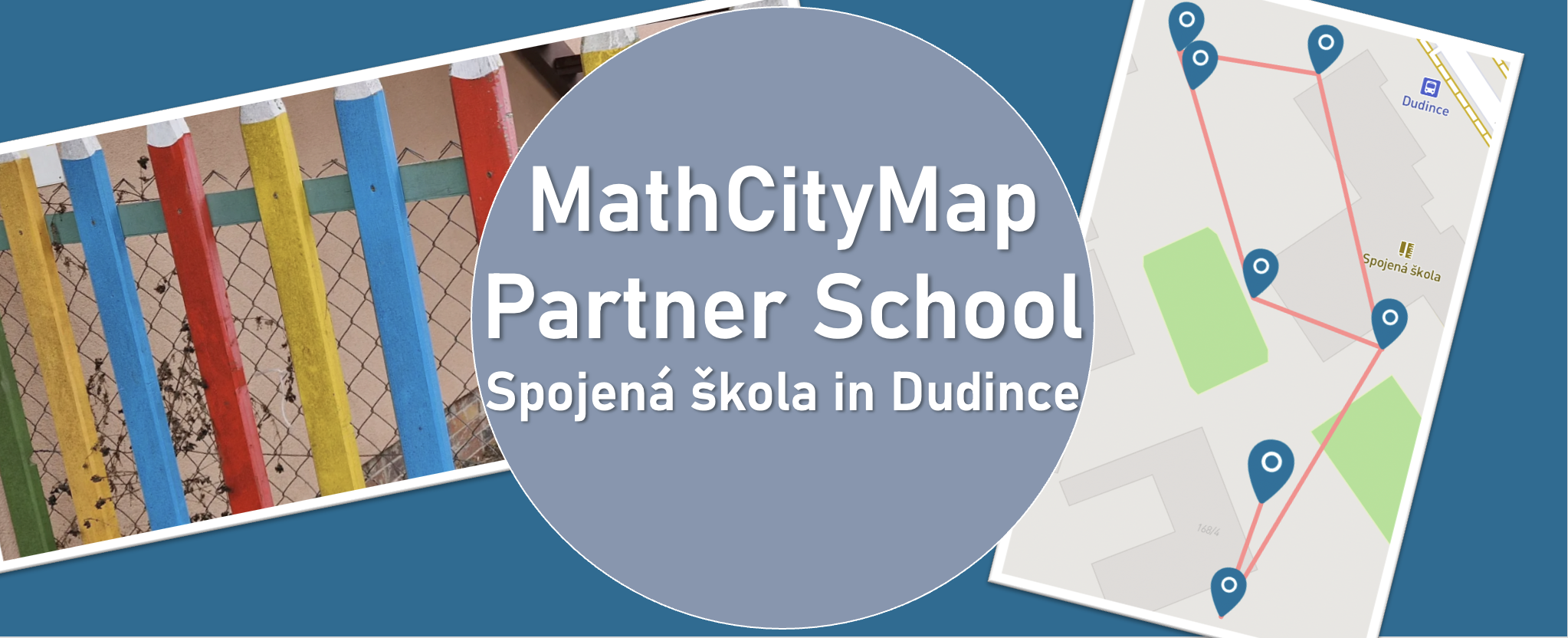
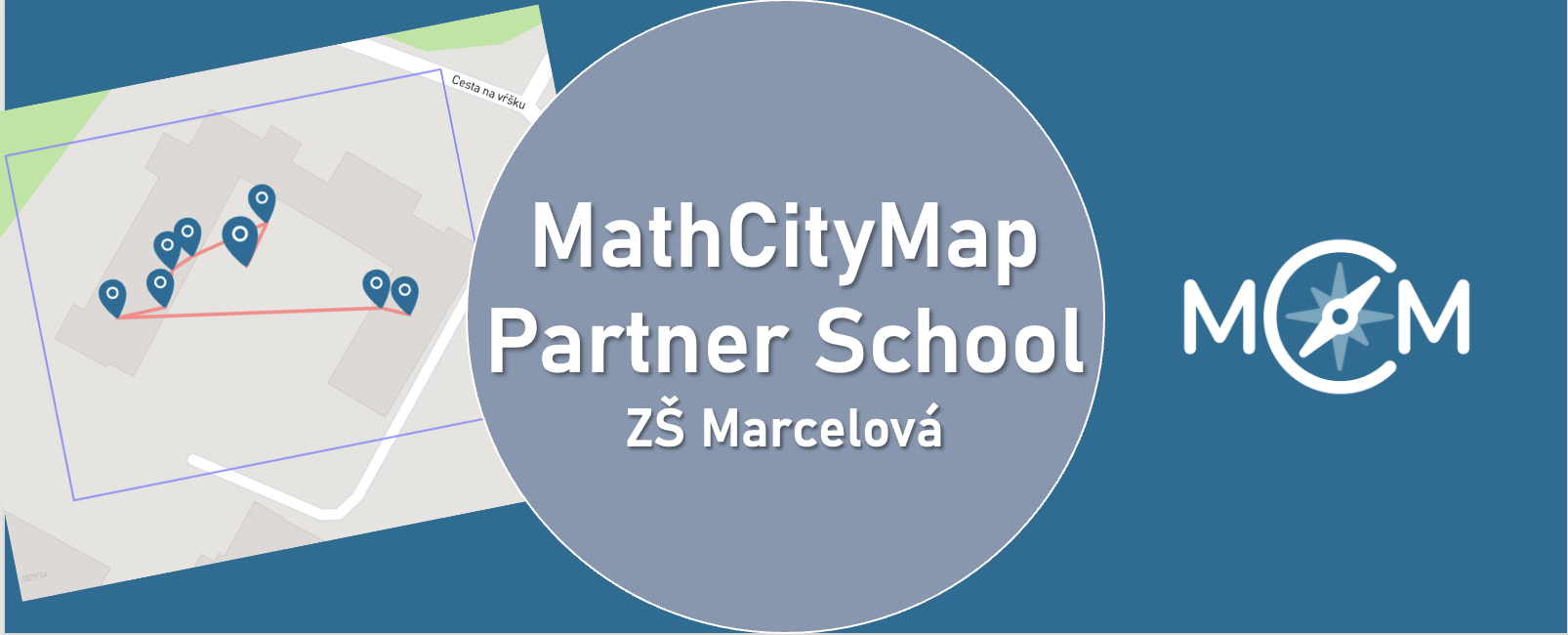
We warmly welcome ZŠ Marcelová as our new MathCityMap Partner School!

The school shares its experiences:

“During our teaching practice at the school, university students visited mathematics classes to engage and motivate pupils through interactive activities. At our school, we continuously try to teach mathematics in an interactive way, helping students not only improve their calculation skills but also recognize mathematics in the world around them. We believe that MathCityMap is an excellent opportunity to connect mathematics with real-life situations and make learning more enjoyable and meaningful for our students.”

Two new trails are now available to explore:

We’re looking forward to an exciting collaboration with ZŠ Marcelová and to discovering inspiring new trails from Slovakia!

The package with the official partner school badge and the MCM measuring instruments is on its way and we are looking forward to receiving more applications from all over the world.

All further information on the partner school programme and the requirements for application can be found both in the article on the first MCM partner school and on the homepage of our MaSCE³ project.
Préparation des cours avec les comptes des élèves

Grâce aux comptes élèves de MathCityMap, vous pouvez permettre à vos élèves de créer leurs propres activités en plein air. Outre la méthode traditionnelle consistant à suivre un parcours Mathtrail, cela leur offre une occasion unique d’aborder les choses sous un angle mathématique. Vous trouverez ici des instructions détaillées pour vous aider à préparer vos élèves à cette activité.

Étape 1 – Découvrez un parcours MathCityMap

Avant le cours prévu sur la création de tâches, vous devriez familiariser vos élèves avec le concept de MathCityMap.

Demandez-leur de parcourir un parcours mathématique et de noter leurs impressions sur les exercices.

Étape 2 – Changement de perspective et enjeux organisationnels

Changez ensuite de perspective avec eux : discutez de l’idée de créer des tâches individuelles et un parcours mathématique collectif comme projet de classe.

Précisez davantage quels seront les objectifs de vos élèves dans le cadre de ces activités : s’agira-t-il, par exemple, d’exercices de modélisation ? Ce parcours mathématique est-il destiné à un public spécifique, comme les plus jeunes élèves ? Ou bien est-il prévu pour un événement particulier, tel que la prochaine fête de l’école ? Combien d’activités faut-il créer ?

Il est conseillé de clarifier ces points au préalable afin de s’accorder sur le type d’exercices, les thèmes abordés et le public cible. Vous pouvez également donner à vos apprenants des conseils pour la création d’exercices.

Autres instructions

Créer des tâches avec les comptes des élèves

Grâce aux comptes élèves de MathCityMap, vous pouvez permettre à vos élèves de créer leurs propres activités en plein air. En plus du parcours mathématique classique, cela offre une occasion unique d’explorer des concepts mathématiques. Vous trouverez ici des instructions détaillées expliquant comment rechercher et créer des activités sur le portail.

Remarque : dans le cadre du projet MATRIX, nous avons mis au point un module d’autoformation destiné à vos élèves, qui les guide à travers certaines des étapes décrites ici. Vos élèves auront accès à ce module dès qu’ils se connecteront au portail avec leur compte élève. Il contient des instructions sur la création de devoirs et l’utilisation du portail web, et vous pouvez le leur attribuer à l’avance comme devoir à la maison si nécessaire.

Étape 1 – Rechercher des idées d’activités

Une fois tous les détails pratiques réglés, vous pouvez diviser votre classe en équipes de trois et fournir à chaque équipe des instruments de mesure. Veillez également à leur distribuer suffisamment d’exemplaires de la fiche de travail pour mener à bien l’activité (voir la page « Matériel »).

Emmenez votre classe à l’extérieur, à l’endroit où les activités seront mises en place. Laissez suffisamment de temps à vos élèves pour trouver des idées d’activités et les noter sur la fiche de travail.

Aidez-les s’ils manquent d’idées et donnez-leur votre avis sur leurs propositions.

Étape 2 – Suggestions de tâches

Une fois que chaque petit groupe a rassemblé des idées d’activités, vous retournez en classe.

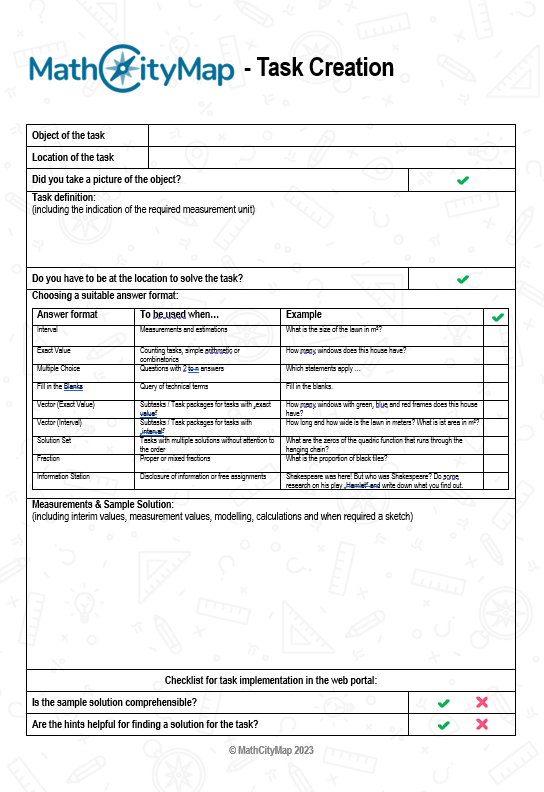
Les élèves commencent par remplir la fiche de travail destinée à la création de tâches (voir la page « Matériel ») ; ils y notent leurs idées de tâches, accompagnées d’indications et d’un exemple de solution.

Étape 3 – Créer des tâches dans le portail

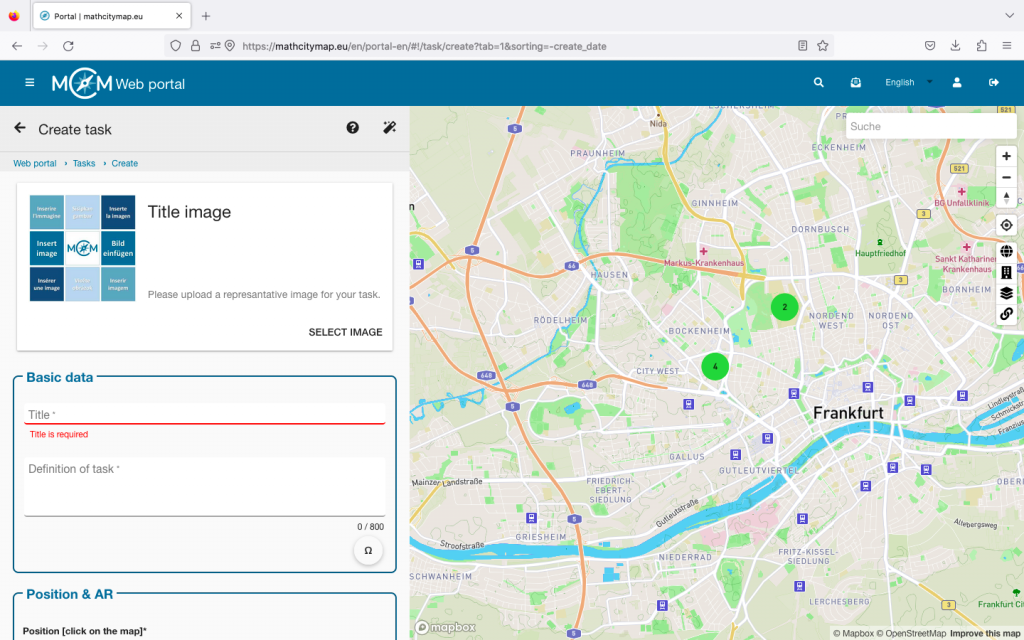
Ensuite, vous présentez aux élèves le fonctionnement du portail web, en particulier la manière de créer un devoir à l’aide de leur compte étudiant. La procédure est exactement la même que pour les comptes classiques.

À l’étape suivante, vous remettez à chaque élève les identifiants de connexion d’un compte élève que vous avez créé au préalable. Vous trouverez des instructions sur la création de ces comptes dans les tutoriels « Créer des groupes d’apprentissage » et « Gérer les groupes d’apprentissage ».

Demandez maintenant à vos apprenants de créer les tâches sur le portail web.

Autres instructions

Évaluation par les pairs et création d’un parcours

Grâce aux comptes élèves de MathCityMap, vous pouvez permettre à vos élèves de créer leurs propres activités en plein air. Au-delà du parcours mathématique classique, cela offre une occasion unique d’explorer des concepts mathématiques. Ce guide étape par étape vous montrera comment améliorer vos activités et les regrouper en un parcours commun.

Étape 1 – Lancer l’évaluation par les pairs

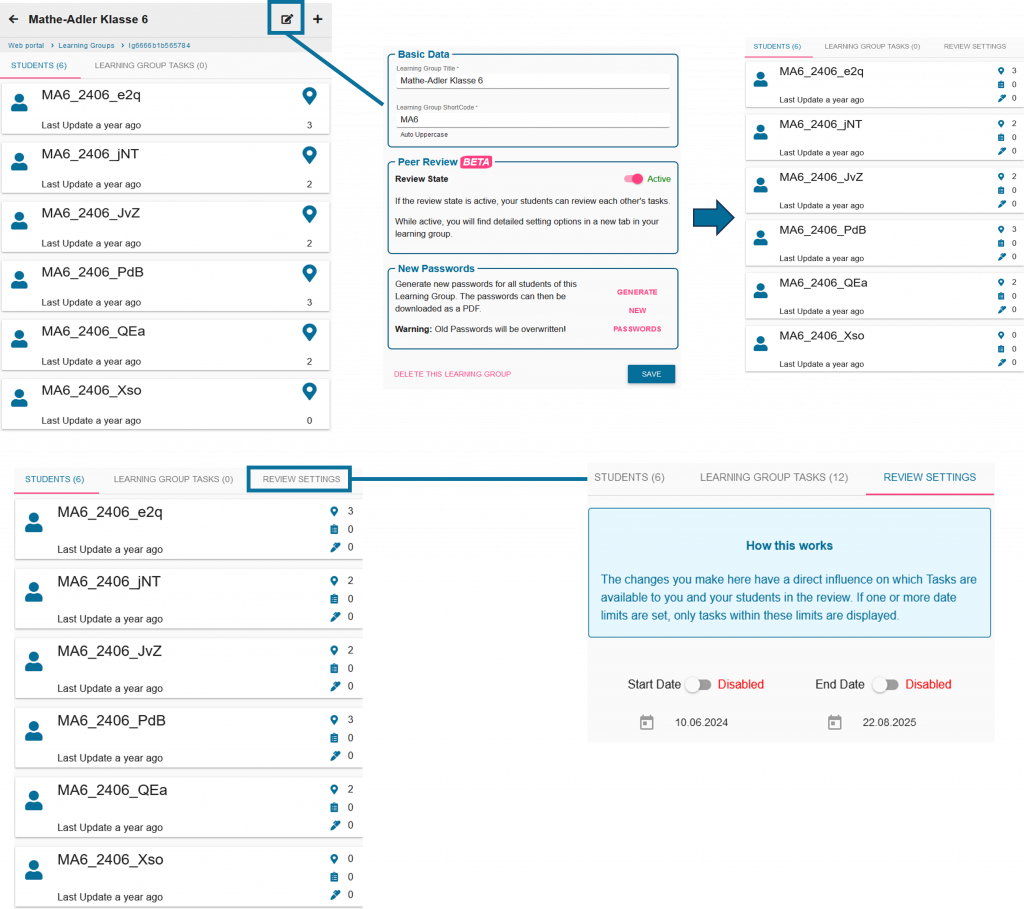
Une fois que vos apprenants ont créé leurs devoirs sur le portail web, vous pouvez lancer l’évaluation par les pairs. Cela implique la configuration technique du portail web, qui permettra à vos apprenants d’y rédiger des commentaires.

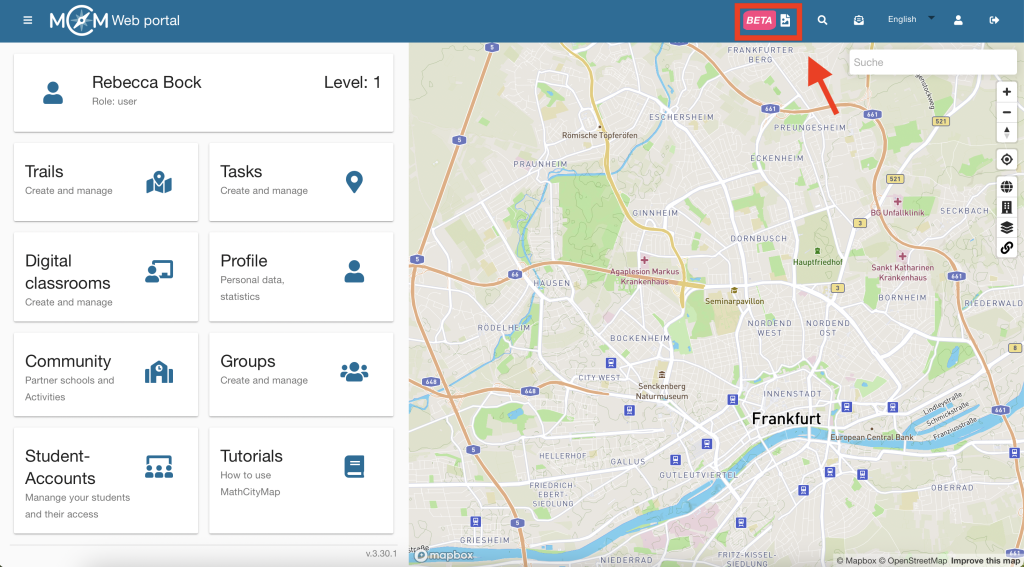
pour faire cela, cliquez sur le symbole de modification à côté de votre groupe d’étude et activez la révision par les pairs

Vous pouvez également définir une heure de début et une heure de fin dans les paramètres de révision.

Étape 2 – Organisation de l’évaluation par les pairs

Discutez avec vos élèves pour déterminer quels petits groupes testeront quelles tâches. Vos élèves retourneront ensuite dehors avec leurs instruments de mesure.

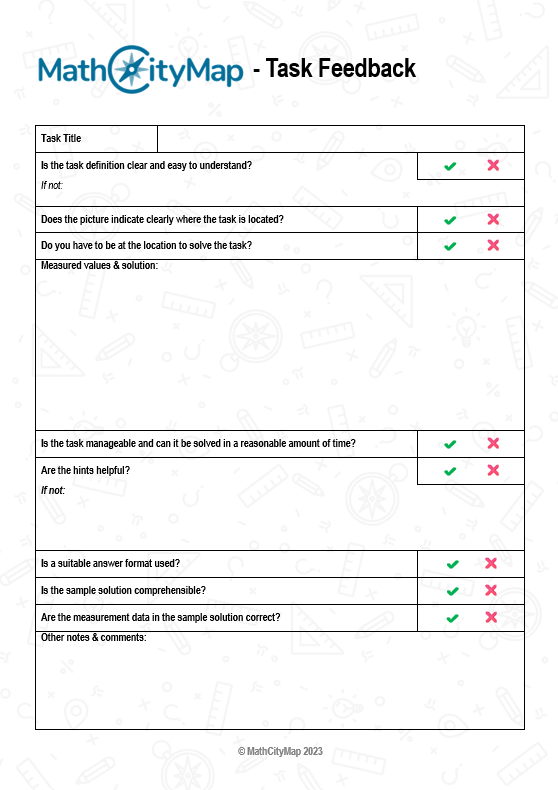
De plus, ils s’appuient sur la fiche d’évaluation par les pairs (voir la page « Ressources ») sous la forme d’une liste de contrôle afin de fournir des commentaires pertinents.

Étape 3 – Rédigez des commentaires et intégrez les remarques

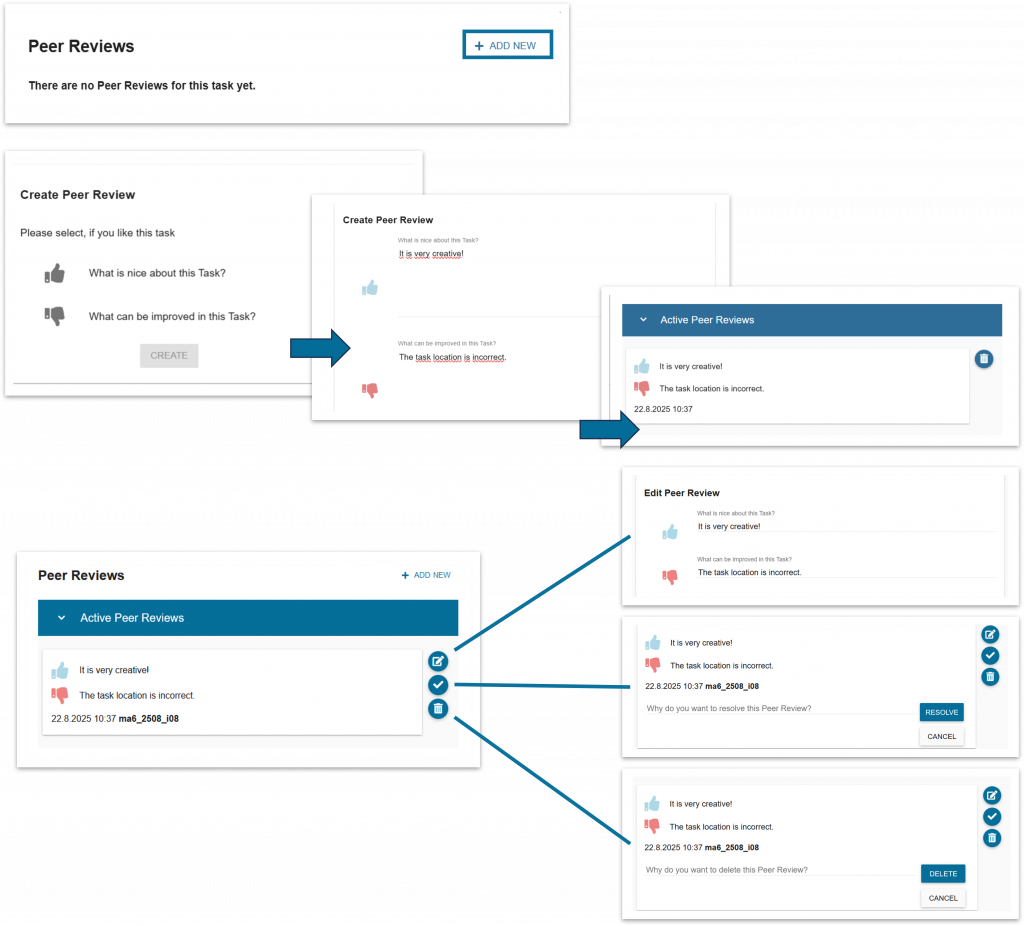
Une fois les exercices testés, les apprenants saisissent leurs commentaires sur le portail web.

Vous pouvez également consulter les commentaires de vos apprenants et intervenir si nécessaire.

Donnez ensuite à vos apprenants le temps d’intégrer les commentaires de la classe et de revoir leurs travaux.

Étape 4 – Créer le parcours

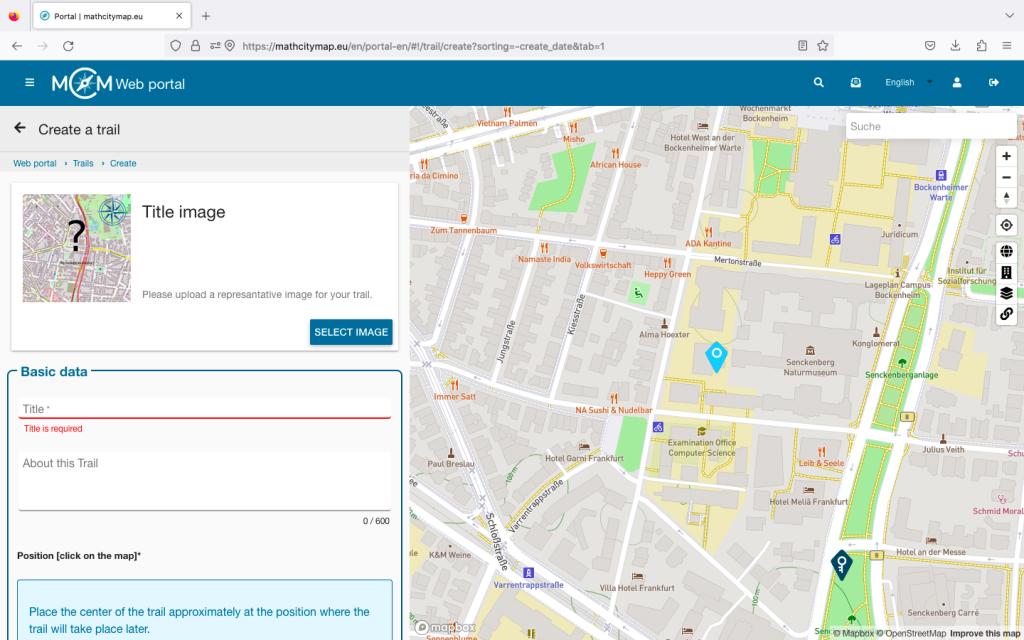
Une fois que tout le monde aura terminé ce processus, vous pourrez créer un parcours à partir des tâches de vos apprenants.

Cela fonctionne via le champ « trail » habituel.

Les tâches des élèves sont toujours représentées par des repères roses.

Autres instructions

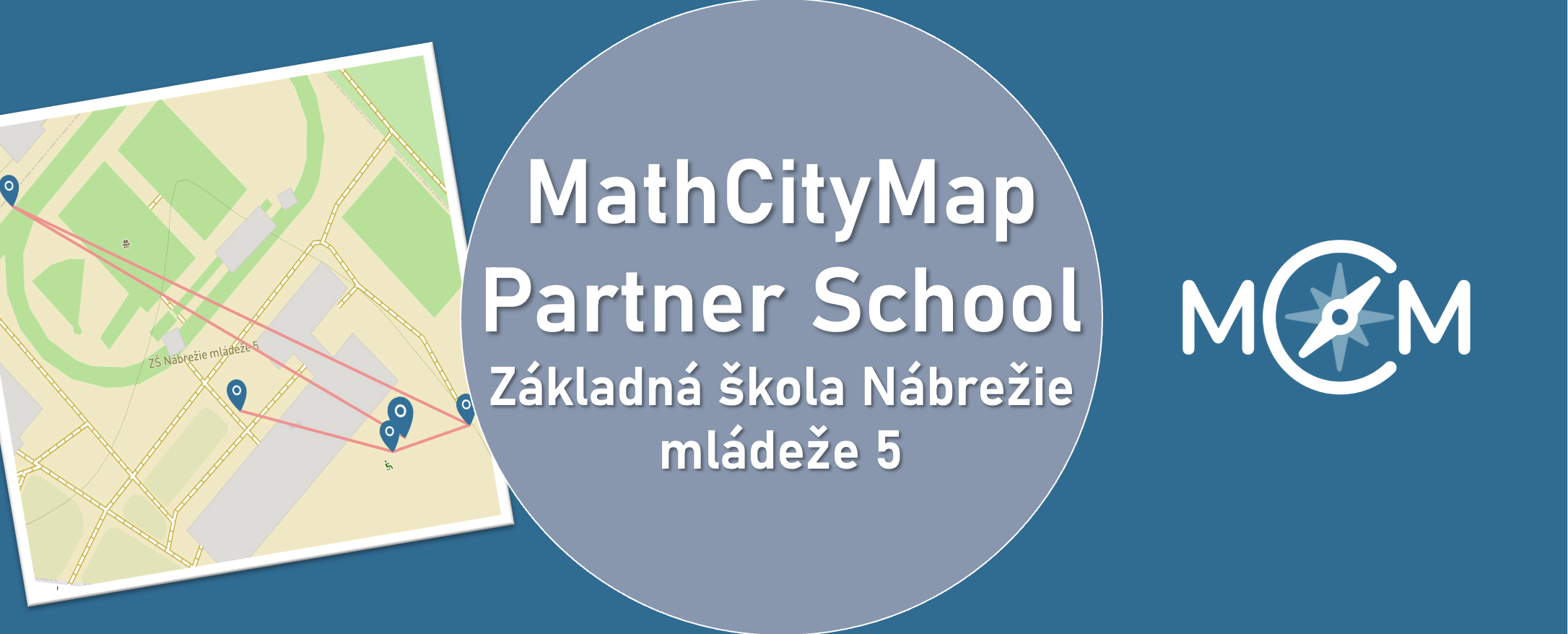
We are happy to announce Základná škola Nábrežie mládeže 5, Nitra as our new MathCityMap Partner School!

Three trails comprising a total of 19 tasks have already been created and published. They can be found in the portal under the following codes:


Teacher Eva Grunnerová reports her experiences:

“The tasks were developed in cooperation with students of our school. They subsequently implemented and solved them together with younger classmates, which helped identify and eliminate shortcomings in the wording of individual assignments.

We consider mathematical walks to be an innovative teaching method that effectively connects theoretical knowledge with its practical application in a real-world environment while also supporting active student learning.”


We are thankful for the engagement and are looking forward to continuing working together.


The package with the official partner school badge and the MCM measuring instruments is on its way and we are looking forward to receiving more applications from all over the world.


All further information on the partner school programme and the requirements for application can be found both in the article on the first MCM partner school and on the homepage of our MaSCE³ project.

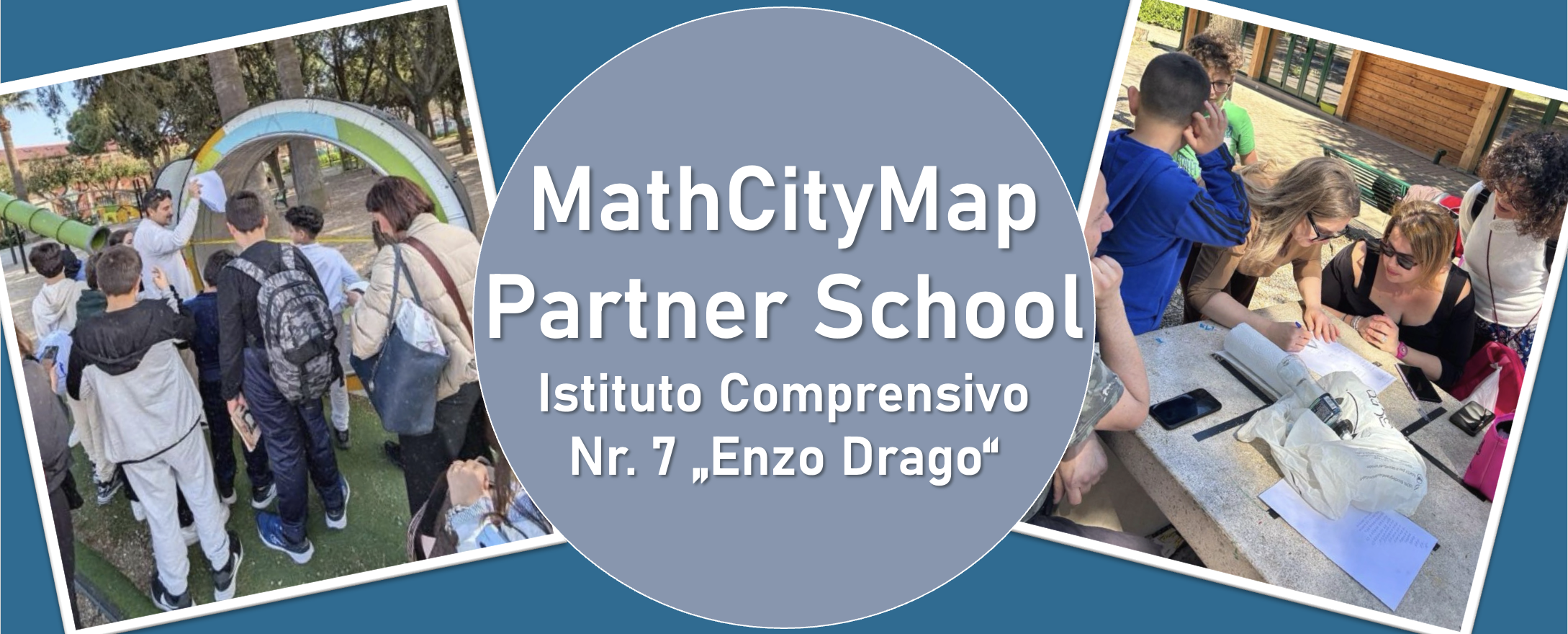
We are very pleased to welcome l’Istituto Comprensivo n. 7 “Enzo Drago” in Messina as a new MathCityMap Partner School!


Teacher Virginia Ruggeri shares her experiences with MathCityMap:

“At our school, we have successfully developed and trialled various outdoor educational activities based on the MathCityMap platform, aimed at promoting active, hands-on and engaging mathematics learning through exploration of the local area and problem-solving in real-world contexts.

In particular, the following courses have been developed and already tested with students:


  • “Math in Action” – Code: 7931657
  • “Calcoli in villa” – Code: 3831314
  • “Matematica in Villa” – Code: 8931302


All the courses have been designed with the aim of bringing mathematics to life outdoors, encouraging problem-solving, collaboration and motivation among pupils. The activities have been enthusiastically embraced by pupils from both the school and the local school district.”


We are thrilled to welcome l’Istituto Comprensivo n. 7 “Enzo Drago” to the growing network of schools using MathCityMap and look forward to seeing many more exciting trails from Italy in the future!


The package with the official partner school badge and the MCM measuring instruments has already been delivered and we are looking forward to receiving more applications from all over the world.


All further information on the partner school programme and the requirements for application can be found both in the article on the first MCM partner school and on the homepage of our MaSCE³ project.