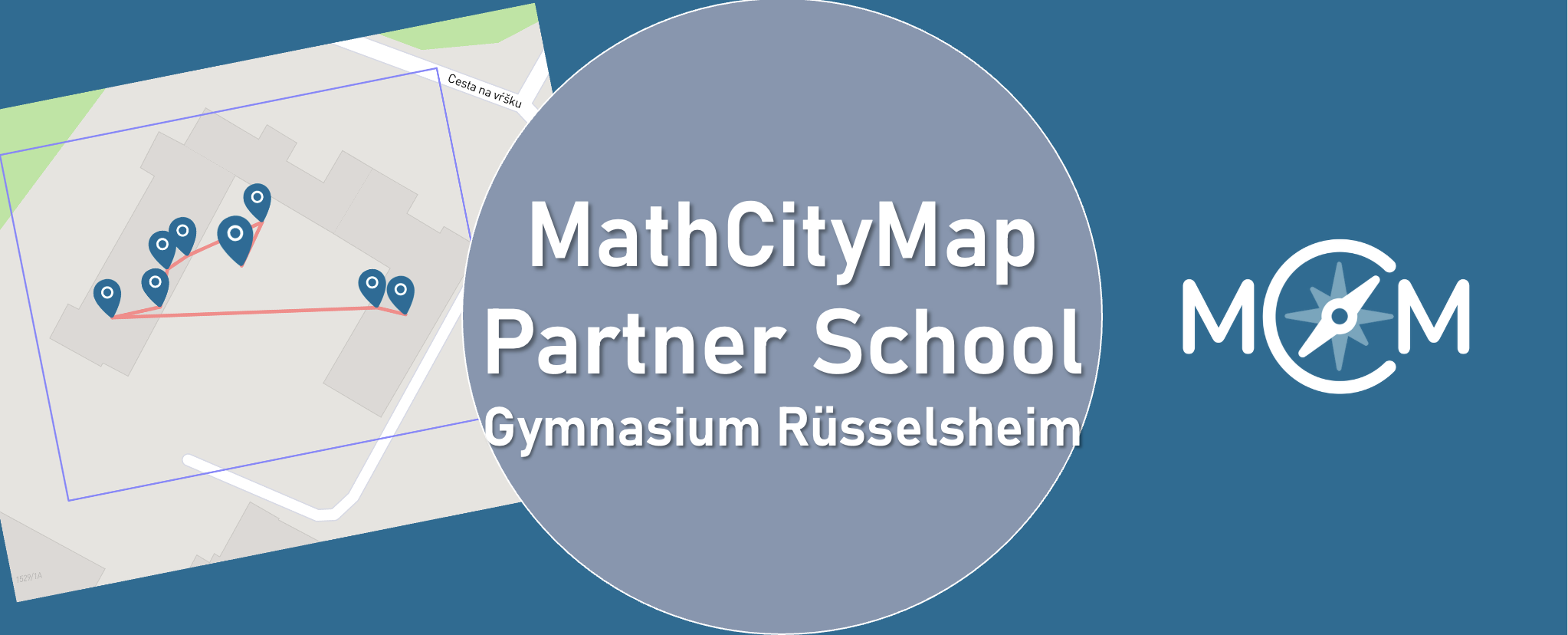
We are delighted to welcome IES Plurilingüe Castro da Uz as another Partner School Plus to our network!

Teacher María Trastoi Rego gives us an insight into her many years of experience using MathCityMap in maths lessons at her school in Spain:


“IES Plurilingüe Castro da Uz, a MathCityMap Associated School, has been integrating this tool into its Mathematics teaching practice for several academic years. During this time, our students have participated as users of the platform, completing contextualized routes and tasks that enabled them to discover mathematics in their surroundings and apply curricular content to real-life situations.

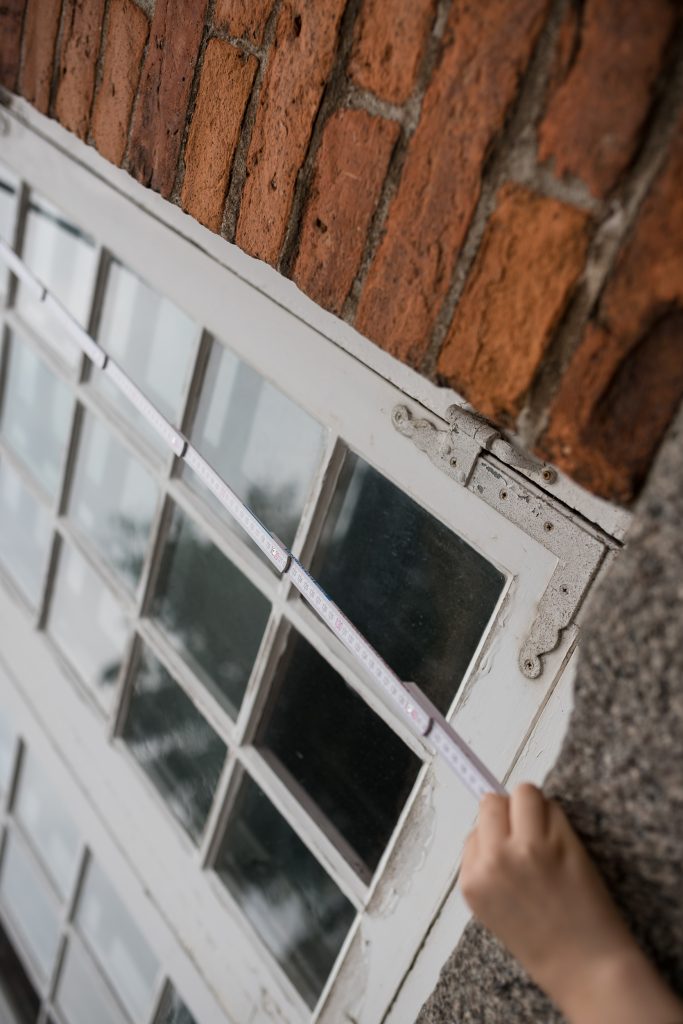
During the current academic year, we took a further step in this journey. As part of the “Geometry in Space” unit, the students in the 4th year of compulsory secondary education (15–16 years old) assumed an active role as content creators for the platform. Working in small groups, they identified elements of the school environment that could be explored mathematically, carried out measurements, designed problems related to both plane and solid geometry, and created complete MathCityMap tasks ready to be published on the platform.

As a result of this work, we created two routes on MathCityMap, which include the tasks designed by the students themselves. These routes are fully functional educational resources and demonstrate the students’ ability to apply the knowledge they acquired to authentic problem-solving situations while also enriching the collection of resources available to the MathCityMap community.

This experience proved to be highly valuable from a pedagogical perspective. Moving from being users of the platform to becoming activity designers enabled students to develop a deeper understanding of mathematical concepts, strengthen their mathematical, digital, and scientific competences, improve their communication and teamwork skills, and increase their motivation by seeing that their work could be used by other learners.

Furthermore, this change in approach is fully aligned with the active learning methodologies promoted at our school. It supports project-based learning, encourages student autonomy, and strengthens the connection between mathematics and the real world.

Looking ahead to the next academic year, we plan to continue developing this initiative. While this first phase focused on designing tasks and routes within the school grounds, our next objective is to extend the project to the urban environment by creating new routes throughout different areas of our town. In this way, we aim to offer richer and more varied learning experiences that allow students to explore the mathematics found in architecture, urban planning, and other elements of public spaces.”


We are delighted to welcome IES Plurilingüe Castro da Uz into our growing network of Partner Schools Plus and look forward to more new trails from Spain!

The package with the official partner school badge and the MCM measuring instruments is on its way and we are looking forward to receiving more applications from all over the world.

All further information on the partner school programme and the requirements for application can be found both in the article on the first MCM partner school and on the homepage of our MaSCE³ project.
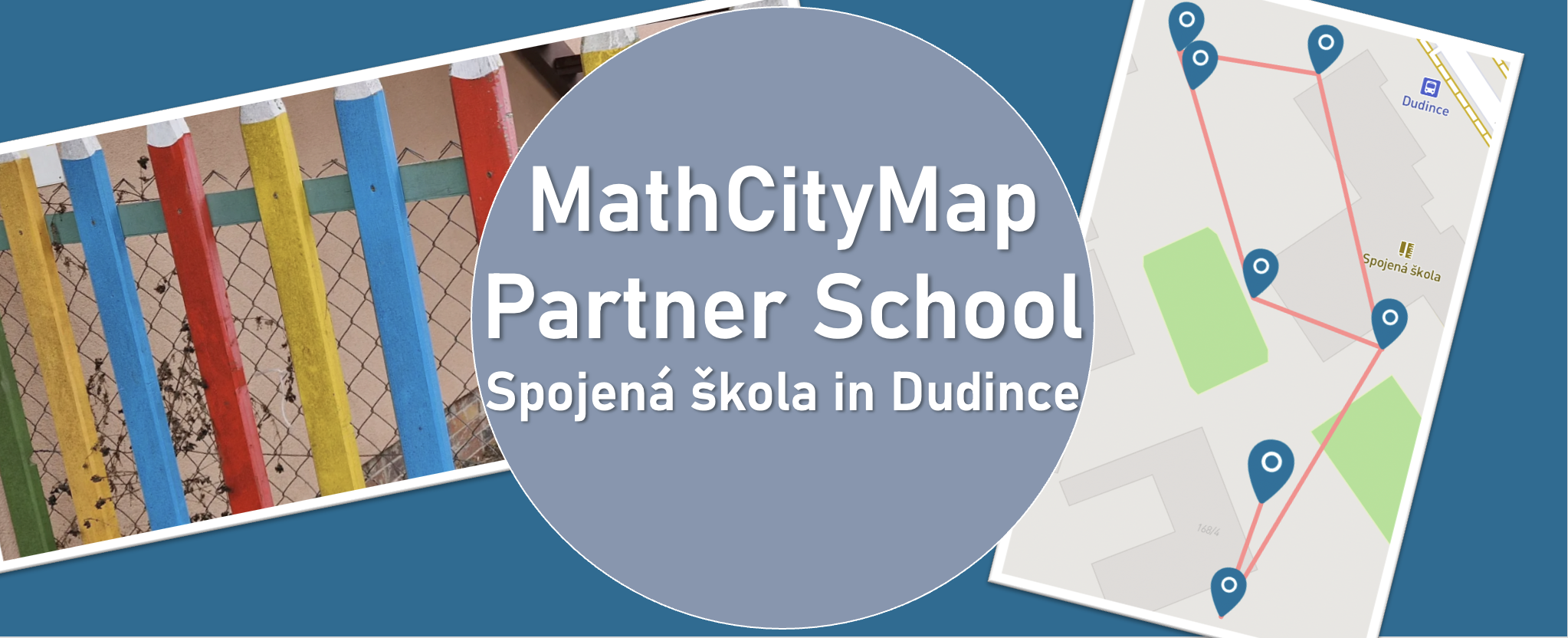
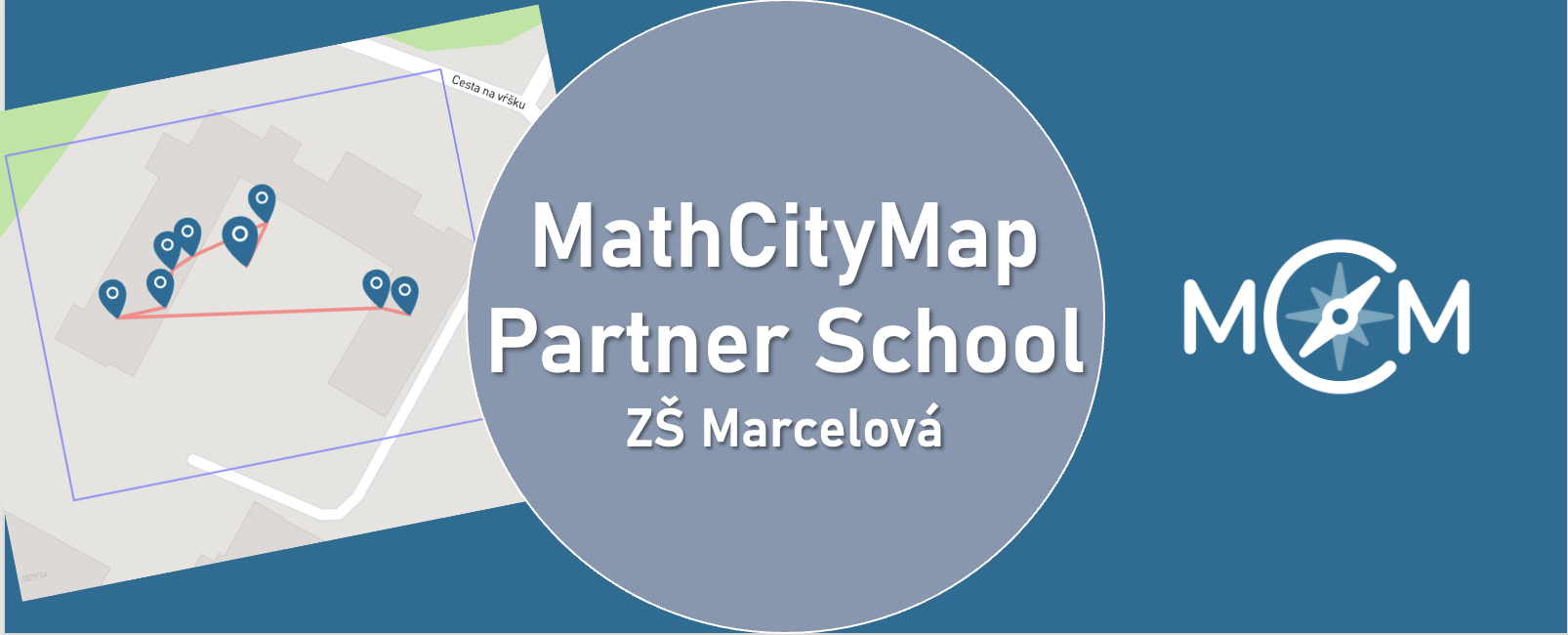
We warmly welcome ZŠ Marcelová as our new MathCityMap Partner School!

The school shares its experiences:

“During our teaching practice at the school, university students visited mathematics classes to engage and motivate pupils through interactive activities. At our school, we continuously try to teach mathematics in an interactive way, helping students not only improve their calculation skills but also recognize mathematics in the world around them. We believe that MathCityMap is an excellent opportunity to connect mathematics with real-life situations and make learning more enjoyable and meaningful for our students.”

Two new trails are now available to explore:

We’re looking forward to an exciting collaboration with ZŠ Marcelová and to discovering inspiring new trails from Slovakia!

The package with the official partner school badge and the MCM measuring instruments is on its way and we are looking forward to receiving more applications from all over the world.

All further information on the partner school programme and the requirements for application can be found both in the article on the first MCM partner school and on the homepage of our MaSCE³ project.
Preparazione delle lezioni con gli account degli studenti

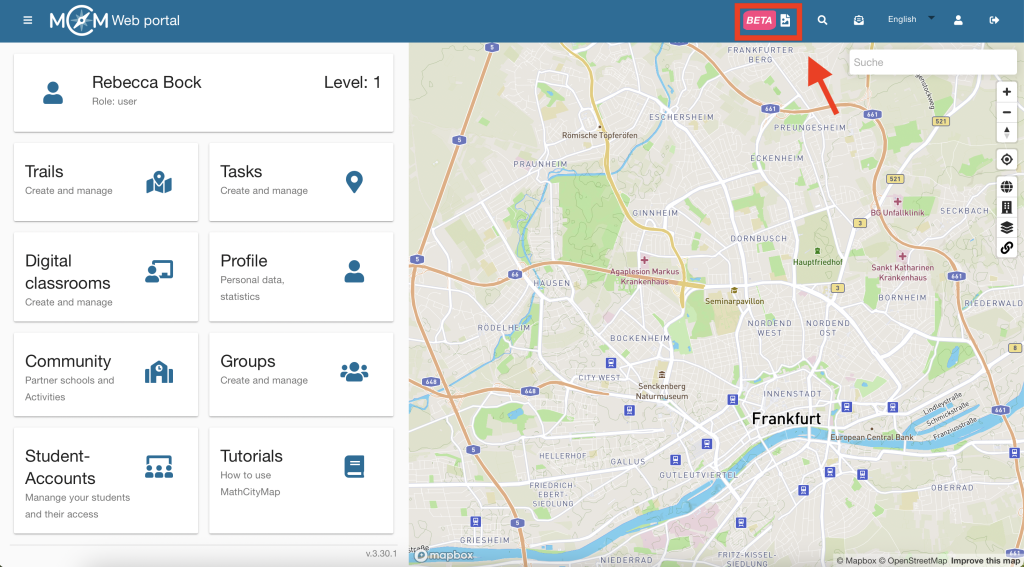
Grazie agli account per studenti di MathCityMap, puoi consentire ai tuoi alunni di creare le proprie attività all’aperto. Oltre al tradizionale percorso Mathtrail, questa funzionalità offre un’opportunità unica per osservare le cose attraverso una lente matematica. Qui troverai istruzioni dettagliate che ti aiuteranno a preparare i tuoi alunni a questa esperienza.

Passo 1 – Scopri un percorso MathCityMap

Prima della lezione prevista sulla creazione di attività, dovresti far conoscere ai tuoi studenti il concetto di MathCityMap.

Fai in modo che percorrano un percorso matematico e raccolgano le loro impressioni sugli esercizi.

Fase 2 – Cambiamento di prospettiva e questioni organizzative

Cambiate poi prospettiva insieme a loro: discutete l’idea di creare compiti individuali e un percorso matematico collettivo come risultato del lavoro di classe.

Chiarisci meglio quali saranno gli obiettivi dei tuoi studenti nelle attività: si tratterà, ad esempio, di attività di modellizzazione? Il percorso matematico è destinato a un gruppo specifico, come gli studenti più giovani? Oppure va realizzato in occasione di un evento speciale, come la prossima festa della scuola? Quante attività andrebbero create?

È consigliabile chiarire questi aspetti in anticipo per concordare il tipo di attività, gli argomenti e il gruppo di destinatari. Potresti anche fornire ai tuoi studenti alcune indicazioni su come creare le attività.

Ulteriori istruzioni

Crea attività con gli account degli studenti

Con gli account studenti di MathCityMap, puoi consentire ai tuoi studenti di creare i propri compiti all’aperto. Oltre al classico percorso matematico, ciò offre un’opportunità unica per approfondire i concetti matematici. Qui troverai istruzioni dettagliate che spiegano come trovare e creare compiti sul portale.

Nota: nell’ambito del progetto MATRIX, abbiamo creato un corso di autoapprendimento per i vostri studenti che li guida attraverso alcune delle fasi qui elencate. I vostri studenti troveranno questo corso non appena accederanno al portale con un account studente. Il corso include istruzioni su come creare compiti e utilizzare il portale web, e potete assegnarlo come compito a casa in anticipo, se necessario.

Passaggio 1 – Cerca idee per le attività

Una volta sistemati tutti i dettagli organizzativi, potete dividere la classe in gruppi di tre e fornire a ciascun gruppo gli strumenti di misurazione necessari. Inoltre, distribuite loro un numero sufficiente di copie del foglio di lavoro per svolgere l’attività (vedi la pagina dei materiali).

Porta la tua classe all’aperto, nel luogo in cui verranno svolti i compiti. Concedi agli studenti il tempo necessario per cercare spunti per i compiti e per annotarli sul foglio di lavoro.

Aiutali se non hanno idee proprie e dai loro un riscontro sulle loro idee.

Fase 2 – Suggerimenti per le attività da svolgere

Una volta che ogni piccolo gruppo avrà raccolto delle idee per i compiti, tornate in classe.

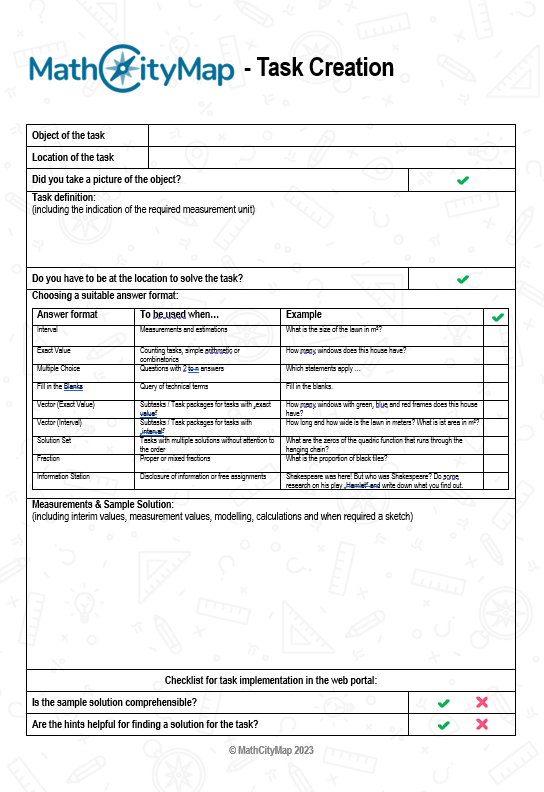
Gli studenti compilano innanzitutto il foglio di lavoro per la creazione di compiti (vedi pagina del materiale), ovvero completano le loro idee di compiti con suggerimenti e un esempio di soluzione.

Passaggio 3 – Creare attività nel portale

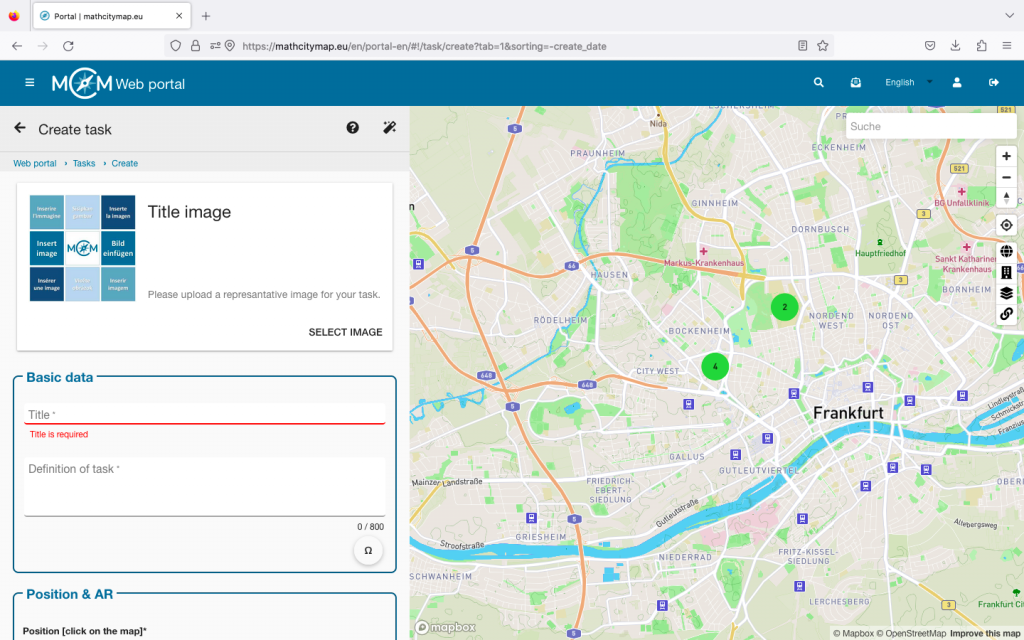
Successivamente, fornite agli studenti una guida introduttiva all’uso del portale web, in particolare su come creare un compito utilizzando i loro account studenteschi. Il procedimento è esattamente lo stesso che si segue con gli account normali.

Nella fase successiva, fornisci a ogni studente le credenziali di accesso per un account studente che hai creato in precedenza. Puoi scoprire come creare questi account nei tutorial “Creazione di gruppi di apprendimento” e “Gestione dei gruppi di apprendimento”.

Ora chiedi ai tuoi studenti di creare le attività nel portale web.

Ulteriori istruzioni

Revisione tra pari e creazione di un percorso

With MathCityMap’s student accounts, you can let your students create their own outdoor activities. In addition to the classic math trail, this offers a unique opportunity to explore mathematical concepts. This step-by-step guide will show you how to improve your activities and combine them into a shared trail.

Fase 1 – Avviare la revisione tra pari

Una volta che i tuoi studenti avranno creato i loro compiti sul portale web, potrai avviare la revisione tra pari. Ciò comporta la configurazione tecnica del portale web, in modo da consentire ai tuoi studenti di inserire i propri commenti.

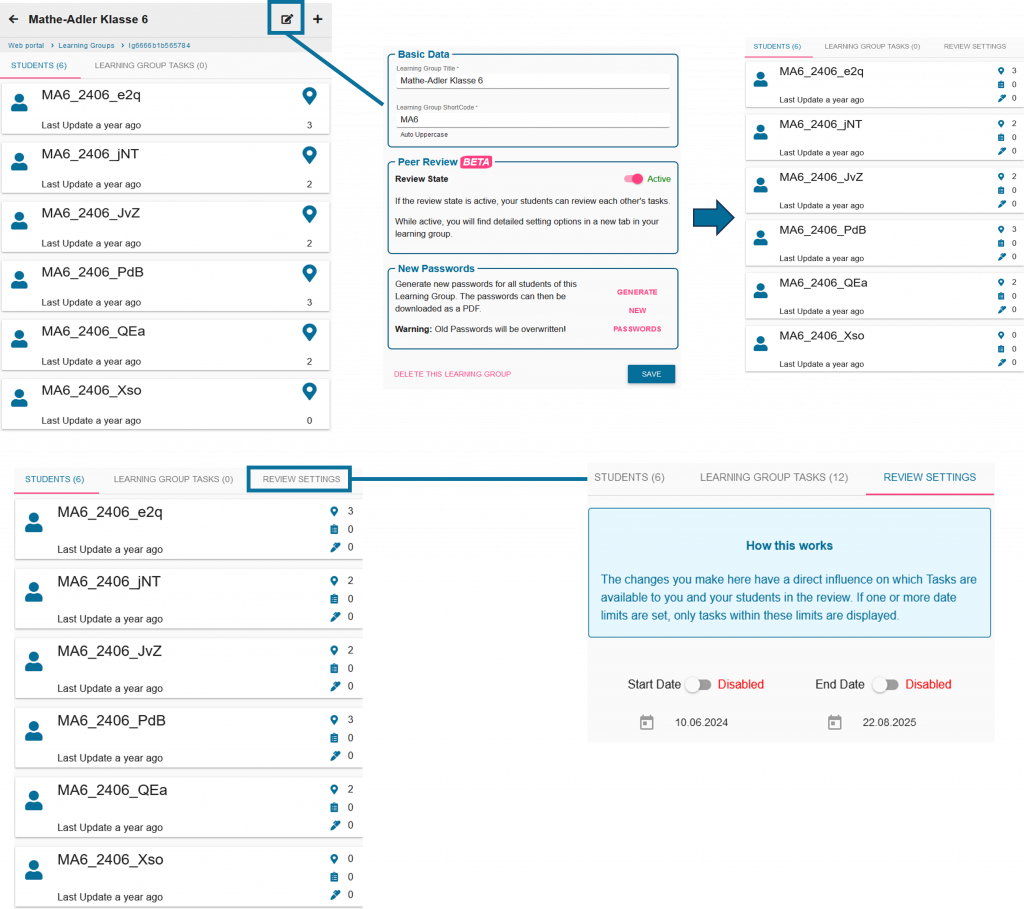
Per fare questo, clicca sul simbolo di modifica accanto al tuo gruppo di studio e attiva la revisione tra pari.

È inoltre possibile impostare un’ora di inizio e di fine tramite le impostazioni della revisione.

Fase 2 – Organizzazione della revisione tra pari

Discuti con i tuoi studenti quali piccoli gruppi si occuperanno di verificare quali compiti. I tuoi studenti usciranno quindi di nuovo all’aperto con i loro strumenti di misurazione.

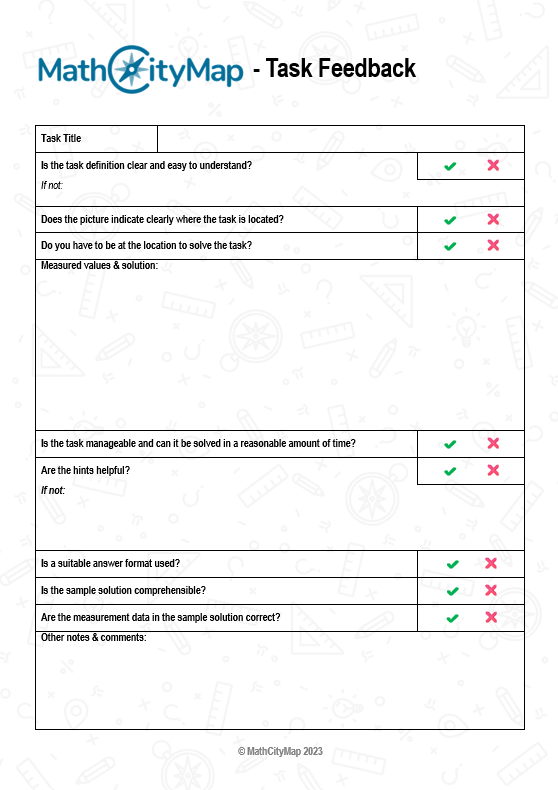
Inoltre, possono avvalersi del foglio di lavoro sulla revisione tra pari (vedi la pagina dei materiali), strutturato come una lista di controllo, per fornire un feedback adeguato.

Fase 3 – Scrivere commenti e integrare i suggerimenti

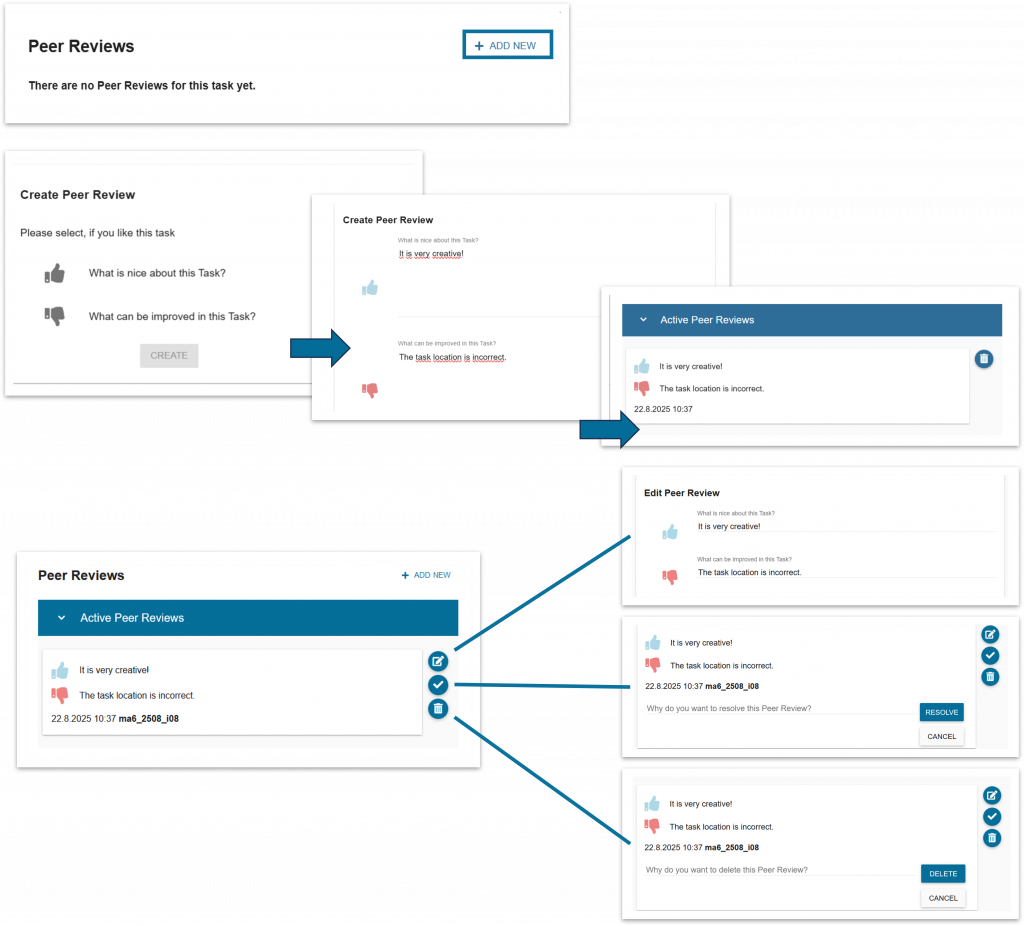
Una volta completati i compiti, gli studenti inseriscono i propri commenti nel portale web.

Puoi anche leggere i commenti dei tuoi studenti e intervenire se necessario.

Concedi quindi ai tuoi studenti il tempo necessario per mettere in pratica i suggerimenti ricevuti in classe e rivedere i compiti.

Fase 4 – Creare il percorso

Una volta che tutti avranno completato questa procedura, potrai creare un percorso basato sui compiti svolti dai tuoi studenti.

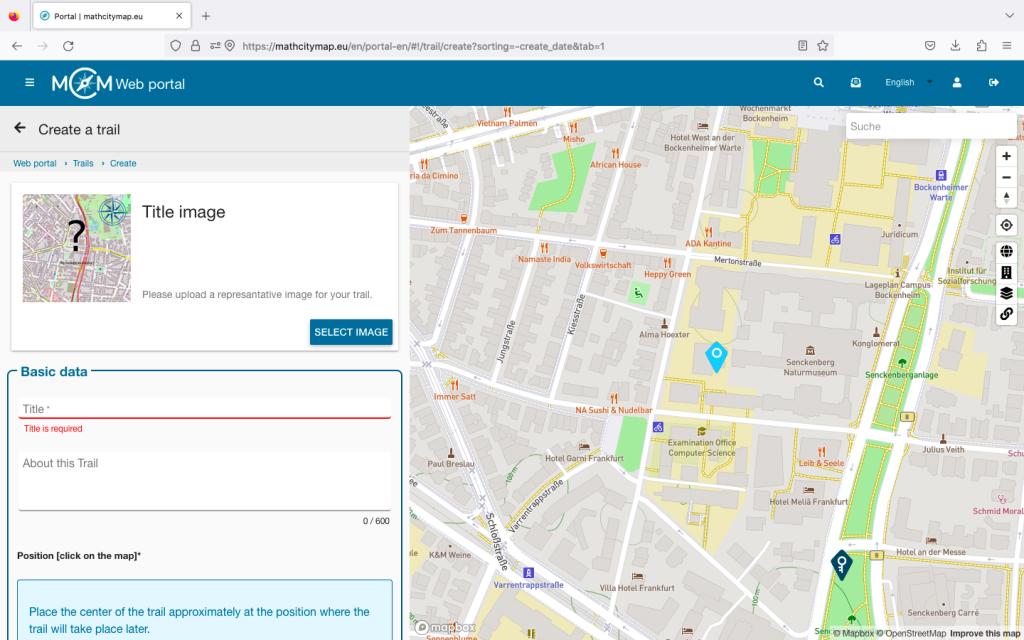
Funziona tramite il normale campo di tracciamento.

I compiti degli studenti vengono sempre visualizzati come puntini rosa.

Ulteriori istruzioni

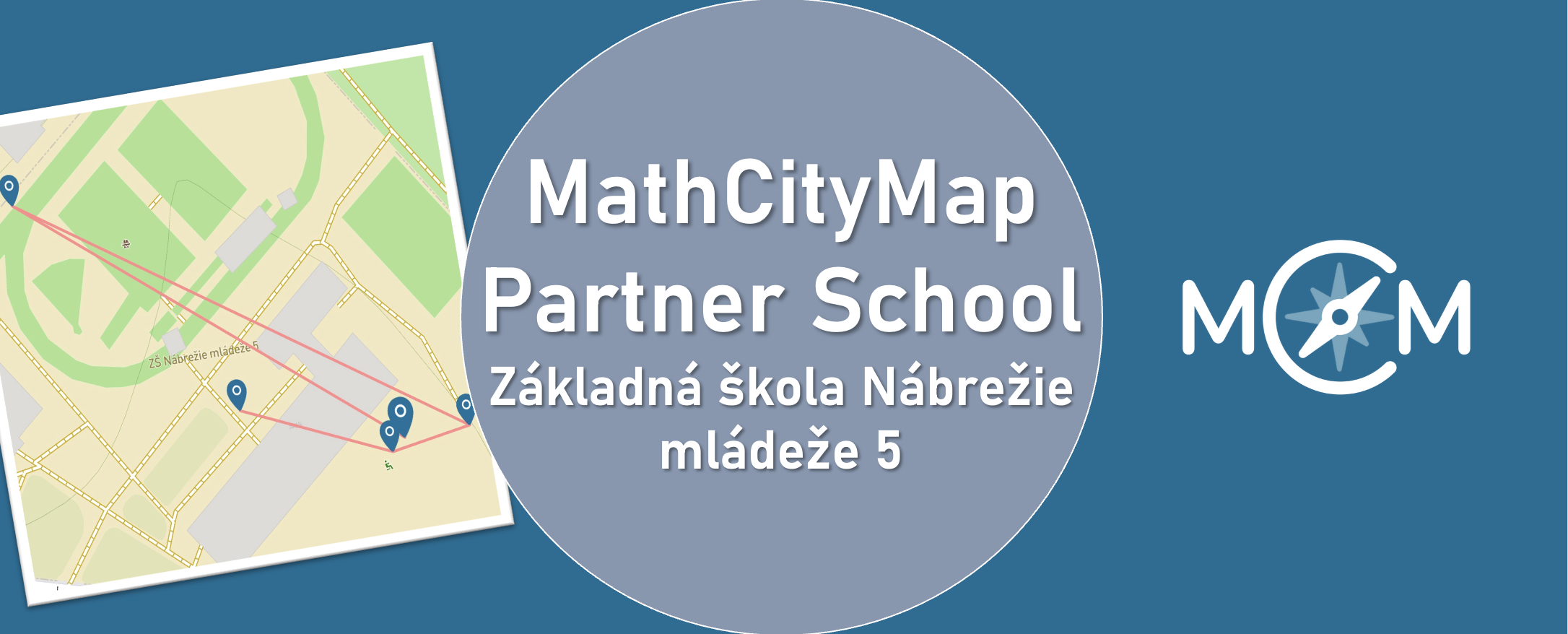
We are happy to announce Základná škola Nábrežie mládeže 5, Nitra as our new MathCityMap Partner School!

Three trails comprising a total of 19 tasks have already been created and published. They can be found in the portal under the following codes:


Teacher Eva Grunnerová reports her experiences:

“The tasks were developed in cooperation with students of our school. They subsequently implemented and solved them together with younger classmates, which helped identify and eliminate shortcomings in the wording of individual assignments.

We consider mathematical walks to be an innovative teaching method that effectively connects theoretical knowledge with its practical application in a real-world environment while also supporting active student learning.”


We are thankful for the engagement and are looking forward to continuing working together.


The package with the official partner school badge and the MCM measuring instruments is on its way and we are looking forward to receiving more applications from all over the world.


All further information on the partner school programme and the requirements for application can be found both in the article on the first MCM partner school and on the homepage of our MaSCE³ project.

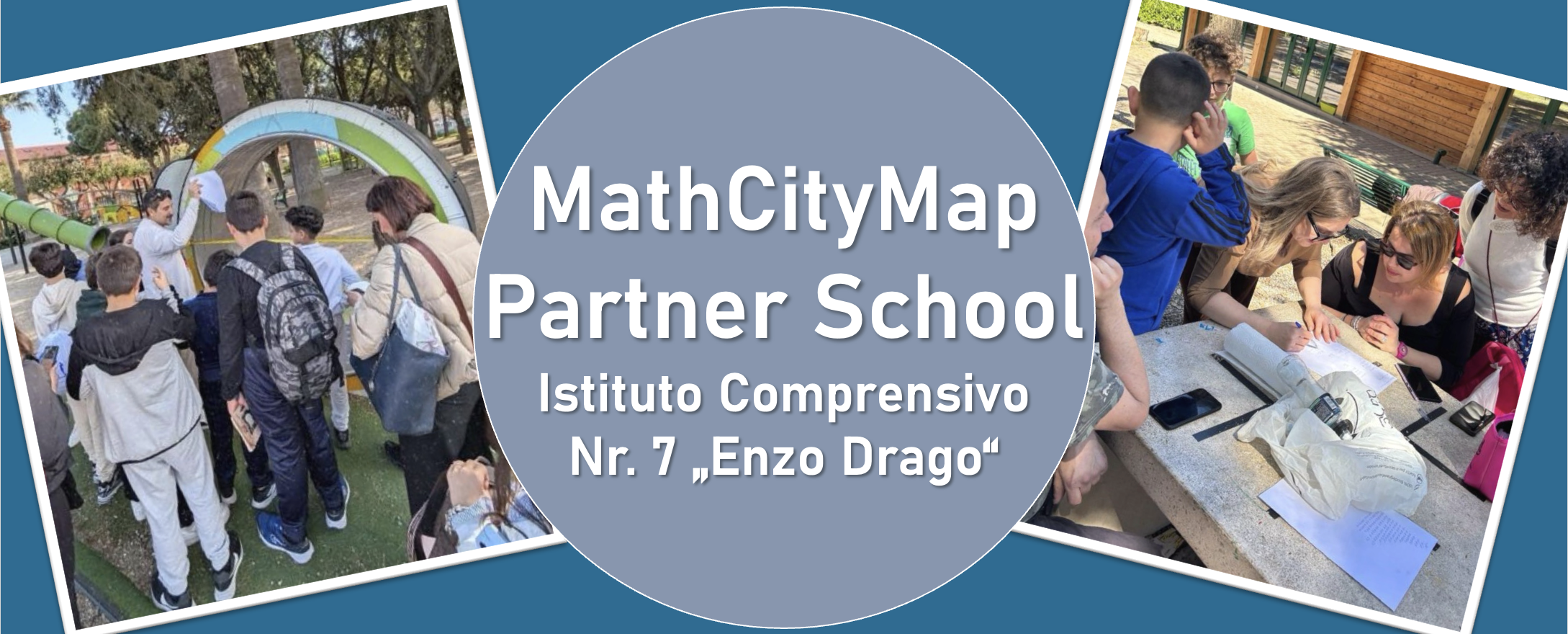
We are very pleased to welcome l’Istituto Comprensivo n. 7 “Enzo Drago” in Messina as a new MathCityMap Partner School!


Teacher Virginia Ruggeri shares her experiences with MathCityMap:

“At our school, we have successfully developed and trialled various outdoor educational activities based on the MathCityMap platform, aimed at promoting active, hands-on and engaging mathematics learning through exploration of the local area and problem-solving in real-world contexts.

In particular, the following courses have been developed and already tested with students:


  • “Math in Action” – Code: 7931657
  • “Calcoli in villa” – Code: 3831314
  • “Matematica in Villa” – Code: 8931302


All the courses have been designed with the aim of bringing mathematics to life outdoors, encouraging problem-solving, collaboration and motivation among pupils. The activities have been enthusiastically embraced by pupils from both the school and the local school district.”


We are thrilled to welcome l’Istituto Comprensivo n. 7 “Enzo Drago” to the growing network of schools using MathCityMap and look forward to seeing many more exciting trails from Italy in the future!


The package with the official partner school badge and the MCM measuring instruments has already been delivered and we are looking forward to receiving more applications from all over the world.


All further information on the partner school programme and the requirements for application can be found both in the article on the first MCM partner school and on the homepage of our MaSCE³ project.