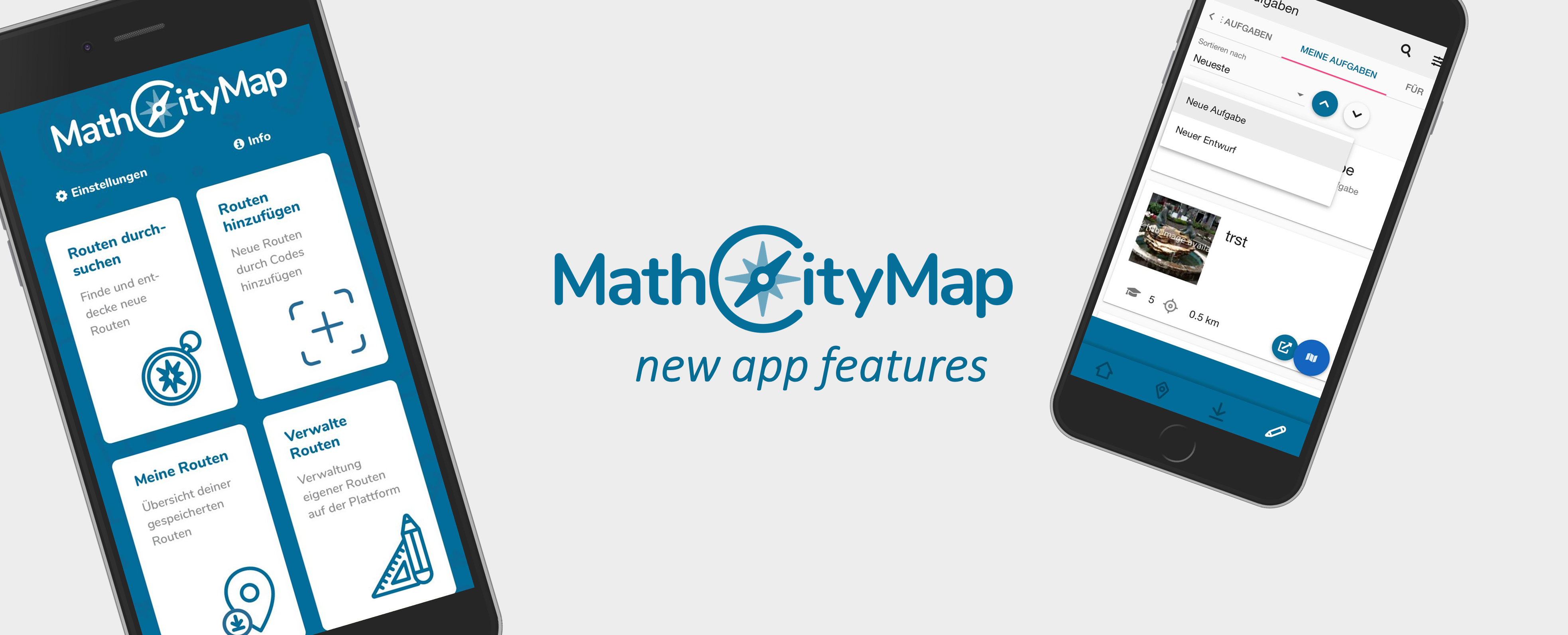
After launching our new web portal three weeks ago, we now celebrate our new MathCityMap App Update! In the following we present the new features:

New features:

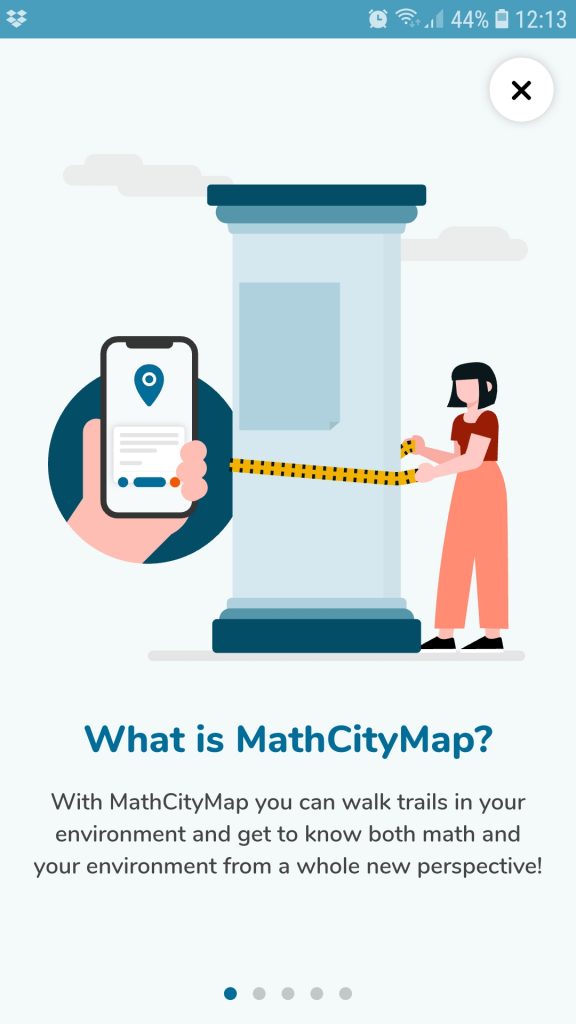
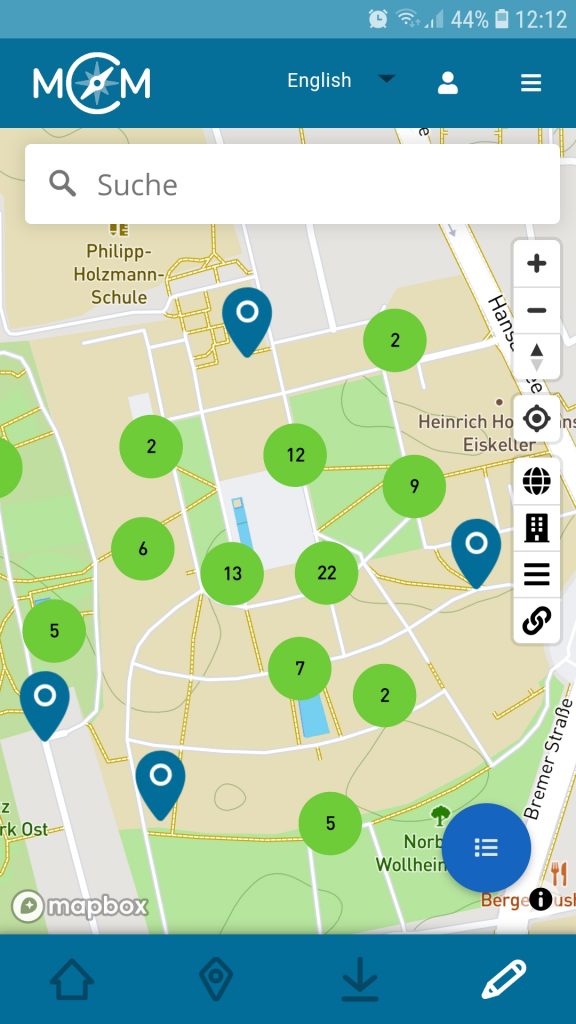
  • Our onboarding introduces the system with just a few clicks: With the help of our explanations the start into the world of MathCityMap is now even easier (photo 1).
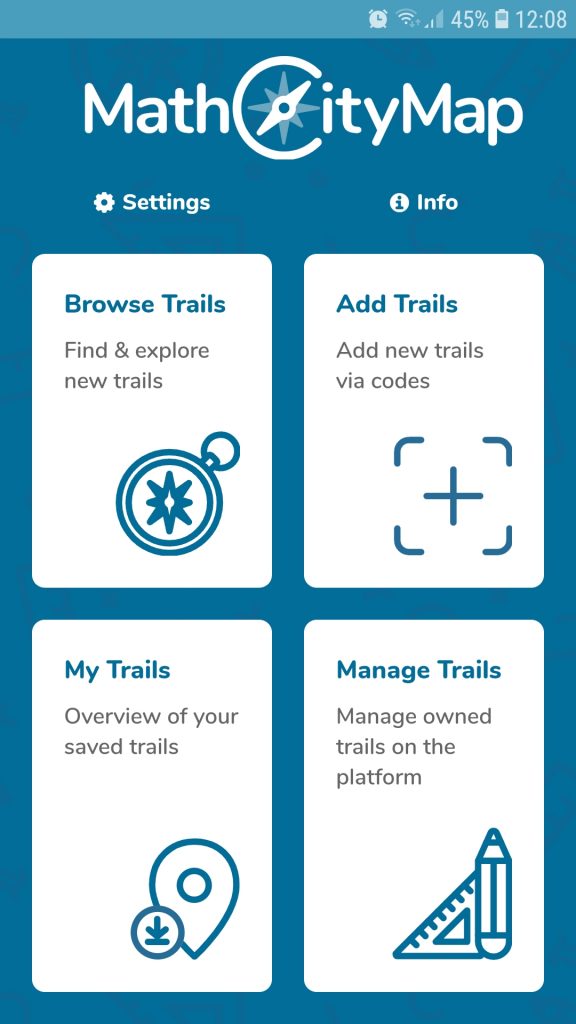
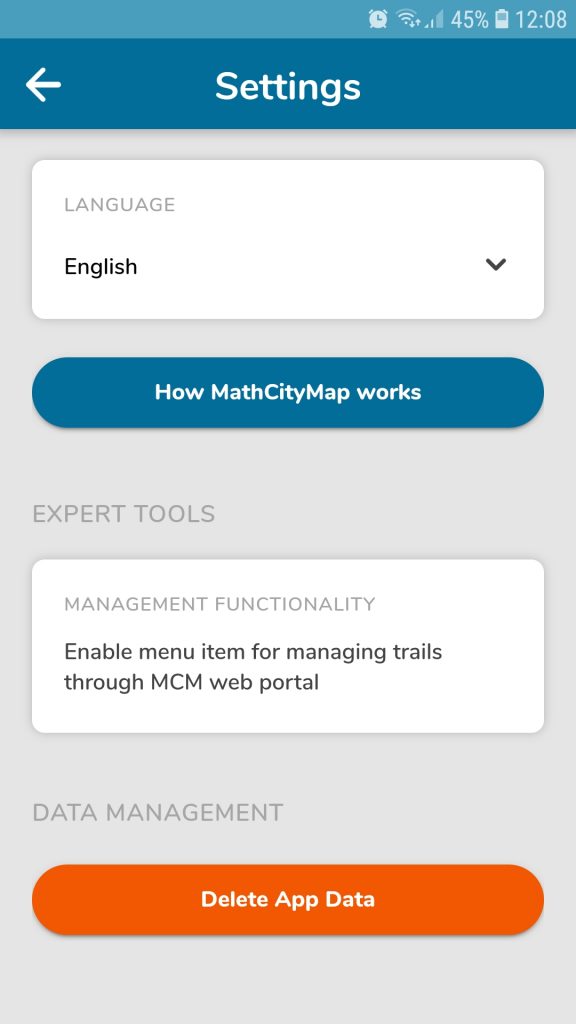
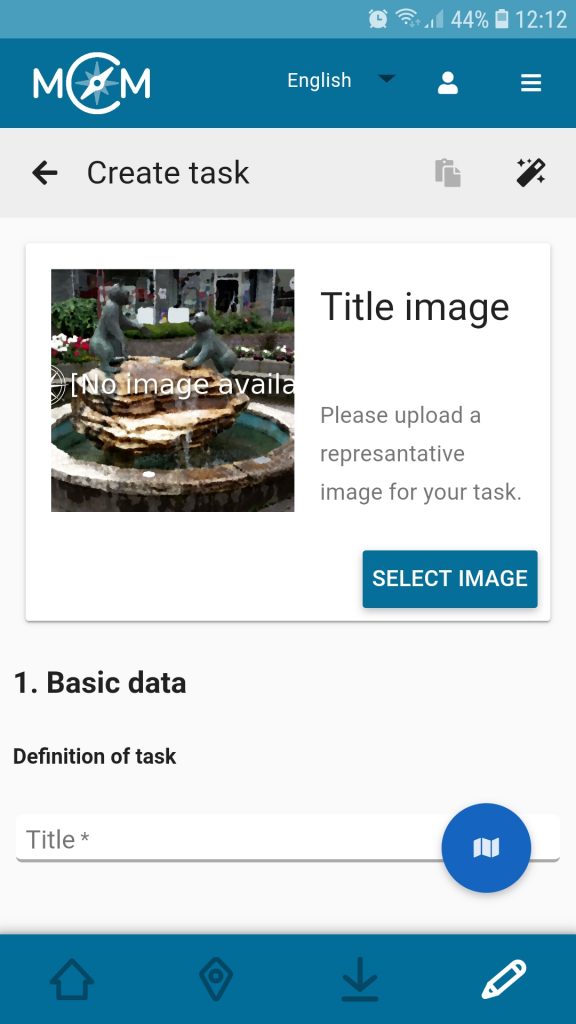
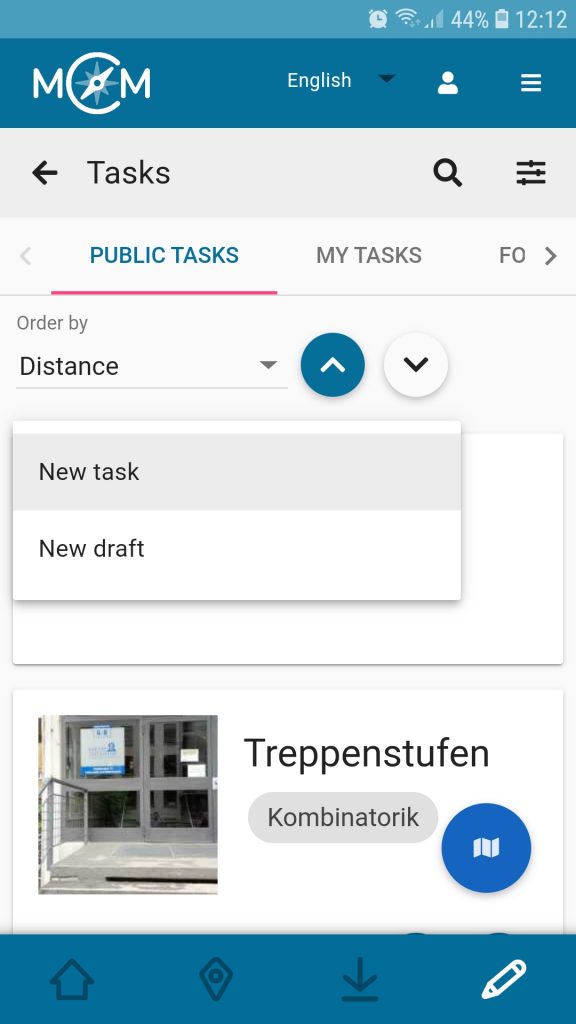
  • The author area is now available: With the MathCityMap app, registered users can create tasks while on the go via smartphone or tablet. Here it is possible to either create a complete task analogous to the web portal or to prepare a short draft which can be edited later at any time (photos 2 to 6).
  • The chat in the Digital Classroom was extended: Now it is also possible to send voice messages or pictures besides classic text messages. This allows teachers to support learners even better and more specifically via chat.

The new app version can be downloaded here for Android (Google Play Store) or here for Apple iOS. We hope you enjoy the new functions!

The MathCityMap idea:

With the MathCityMap app, students, teachers and individuals can rediscover their own environment from a mathematical perspective: Mathematical hiking trails, so-called maths trails, can be followed all over the world with the help of the MathCityMap App. After all, there are a multitude of mathematically interesting objects everywhere!

MathCityMap combines the editing of mathtrails with the possibilities of modern technologies such as GPS localization for orientation purposes, a support system through stepped hints and a feedback system. Mathtrails, once downloaded, can also be used in offline mode. The app is available in eleven different languages, including German, English, Spanish, Italian and French.

On our website you can become active yourself after a free registration and create your own tasks and mathtrails.

Webportal & App are developed by the working group MATIS 1 at the Institute for Didactics of Mathematics and Computer Science at the Goethe University Frankfurt am Main. Due to funding within the framework of the Erasmus+ projects MoMaTrE and MaSCE³ we can provide the app free of charge and free of advertising as well as conforming to data protection regulations.

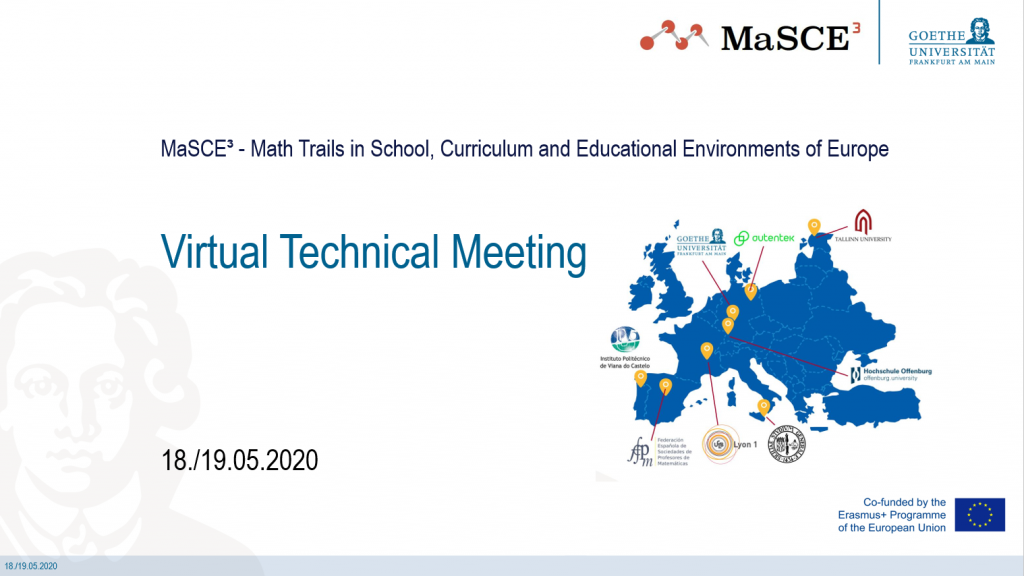
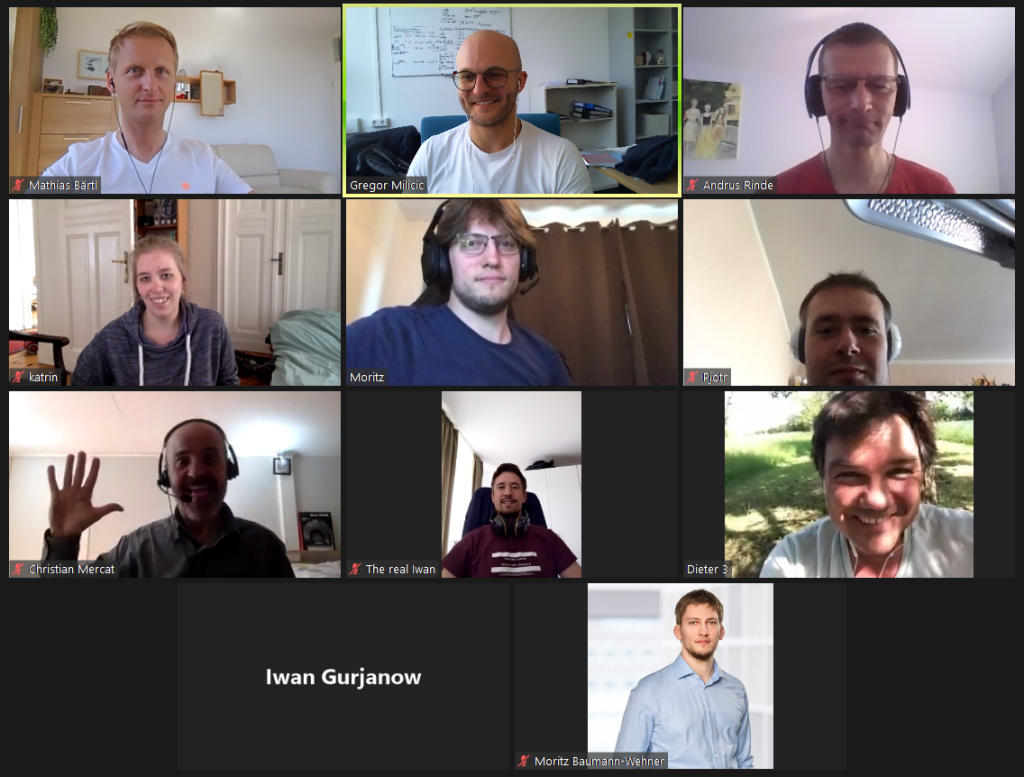
On the 18th and 19th of May we conducted our technical meeting of the MaSCE³ project. Unfortunately, due to the restrictions about personal contacts and international travelling, we had to more our meeting into the virtual space.

Apart from the MathCityMap team from Goethe University Frankfurt, our project partners from the universities of Lyon (France), Tallinn (Estonia) and the university of applied Sciences Offenburg (Baden-Wuerttemberg) also took part. Furthermore, we were actively supported by representatives of the the Berlin app developer from autentek.

 The development of the digital classroom as one of the intellectual outputs of the MaSCE³ project is nearly finished. The digital classroom provides the teachers with the possibility to create a time wise limited learning environment for their students. Apart from the e-portfolio, where all of the during the conduction of a math trail occurring events are stored and displayed, the chat functionality proofed to be a very useful tool for teachers. Especially during the corona crises and therefore the spatial separation of teachers and students, the digital classroom was often used for MathCityMap@home.

During the group works, we discussed the next steps of implementing also augmented elements into the MathCityMap system, as well as to define new task formats. By using augmented elemtns, it would be possible to pose completely new tasks and create problems for a variety of mathematical topics. For example, it could be possible for the teacher to attach virtual information to a real object. The students can discover and use that information by scanning the environment of the object with the camera of their smartphone inside the MathCityMap app. Furthermore, we also want to implement subtasks as a new format for tasks. Using subtasks, it would be possible to structure complex tasks and divide them into smaller, easier to solve problems. The students could then verify their solutions step by step.

The mandatory mathtrail had to be postponed. However, we hope to have soon the possibility to meet again face-to-face and will of course run again a mathtrail together!

We would like to thank all partners for the productive project meeting!

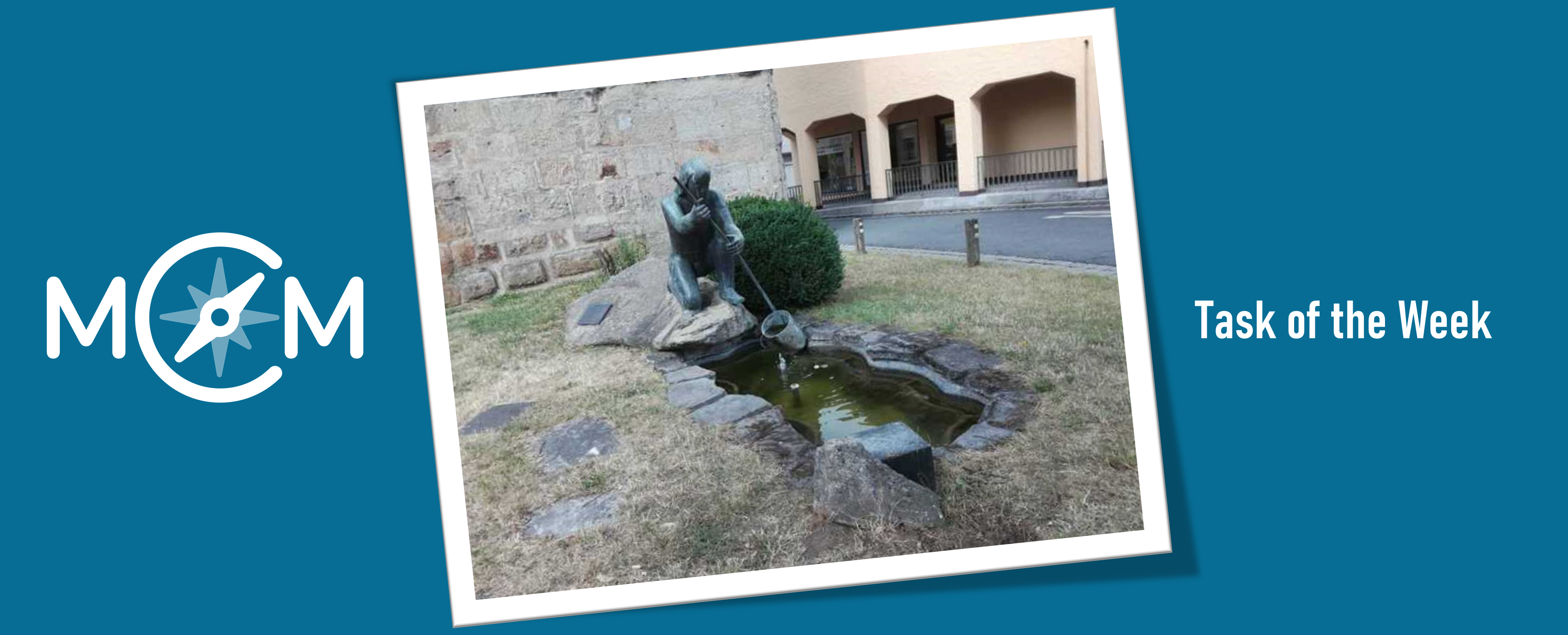
The current task of the week is located in Lichtenfels, Germany. In this Franconian town the teacher Jörg Hartmann created the task “Der schöpfende Dümpfelschöpfer“ [engl. “The scooping ‘Dümpfelschöpfer’”] and answered several questions about it.

How did you get in contact with the MathCityMap project?

I first discovered the MathCityMap idea through a teacher training by Matthias Ludwig, head of the MCM team Frankfurt. During a project week at my school, the Meranier-Gymnasium in Lichtenfels, I offered a course on MCM trails.

Supported by six students of the nineth to the eleventh grade I created the math trail “Bergauf und Bergab, über Stock und Stein in Lichtenfels” [engl. “Uphill and downhill, over rough and smooth in Lichtenfels”], which contains the tasks “Der schöpfende Dümpfelschöpfer“. Subsequently I worked several times with different classes on the trail. A preparation of 20 minutes is suitable for this; the pupils then run the trail for two or three school lessons. The joy of the pupils is enormous, while the pupils experience mathematics in the open air – and the pupils learn an amazing amount.

Please describe your task. How can it be solved?

The famous sculpture in Lichtenfels, the so-called “Dümpfelschöpfer”, represent a man scooping water from an irregularly shaped pool. In the task I ask how often the man have to scope until the pool is empty. To solve the task, the students have to divide the problem into smaller subtasks, e.g. what the volume of the pool is or how units can be converted.

Which didactic goals do you want to promote?

I would like to encourage students which work on the math trail to perceive their environment from a mathematical perspective as well as to recognize the connection of school math and the real world. They might ask themselves which mathematical object has a similar shape to the bucket and how to convert a volume in m³ in litres.

Furthermore, I want students to do mental arithmetic and make rough estimation. By working on this task, they should realise how useful rough calculation is in everyday life.

Do you have any further commentary of MathCityMap?

I am enthusiastic about the idea of outdoor mathematics, and my students really enjoy to run a math trail. A lot of mathematical creativity is required to create a math trail. To be honest, at school the time to foster students’ mathematical creativity is limited – unfortunately I think the creation of a trail together with students is only possible during a project week.

Overall, the MathCityMap project is great! I really hope that some other users create trails around Lichtenfels, because I would definitely enjoy working on a “foreign” trail to get new ideas for math trail tasks.

Like we announced last week, the new web portal 2.0 has been online since yesterday. It improves many existing features and looks stylish as well. The new design builds on the so-called Material Design by Google and allows for a flawless operation on all kinds of devices (computers, tablets and smartphones).

An overview about the 11 most important changes:

  • General:
    • Two-column-fullscreen layout: In the layout of the new web portal, we no longer have a navigation menu on the left and thus have even more space for what really matters: Mathtrails! All important information is now consistently clustered in the left column while the map finds a home in the right column.
    • Mobile layout: Using a mobile device, the two columns are “on top of each other”. Pressing a button located on the bottom right of the screen, you can switch from one view to the other.
    • Map search: Using the search field on the map, it is possible to search for streets, cities or countries.
    • Favourites: Save your favourite trails and tasks and look them up quickly navigating to the favourites tab.
    • Sort and filter tasks and trails: In the list of trails and tasks it is possible to sort all items in an ascending or descending order according to different criteria. Additionally, it is now possible to filter items according to grade, date of creation or text. And, what is even better, the filter will also be applied to all items displayed on the map!
  • Mathtrails:
    • Restructuring of Mathtrails: The following sub-pages will simplify the creation and use of Mathtrails:
      • Edit Mathtrail: Change meta information (description, duration, place) and settings (enable / disable hints etc.) of a trail.
      • Edit tasks list: In this area, you can add tasks that are nearby your trail. Tasks that are already part of the trail can be rearranged or removed.
      • Digital classroom: The digital classroom has evolved into our favorite feature and as such, now gets its own separate area.
      • All sub-pages can be reached via the grey toolbar, once a trail is opened.
    • Creating a trail: The creation of a trail is now divided into two steps. In the first step, you create a “shell” for your trail. This shell contains meta information (name, place, description, image) and settings. New to this step is the need to define a center where your trail will roughly take place. To add tasks to your trail, simply open your trail and click on “Edit tasks list”
    • The trail carousel: When opening a task from inside a trail, it is now possible to “zap” through the tasks of this trail using the arrows below the grey toolbar.
  • Tasks:
    • Task drafts: A task draft is meant to quickly capture an idea for a task, for example while not at home. In contrast to the regular task form, you can fill in less fields when in draft mode (only image, position, title, description and tags). To be able to add your draft to a trail, it must be modified later.
    • Copy tasks: Sometimes you stumble across a nice task which you would like to also have near you, however, there is no wizard for this task yet. It is now possible to duplicate tasks. By default, this feature is activated for all tasks. However, if you do not want your tasks to be copied, you can disable this feature.
  • Digital Classroom :
    • Choose from more trails: You can now create a digital classroom for all public trails and not just your own.
    • Extend your classroom: While your digital classroom is active, it is possible to extend its duration by up to 30 minutes.
    • Push notifications: Activate push notifications to get notified in your browser as soon as a user joins the classroom or sends you a message.
    • Multimedia: In the chat in the digital classroom, it is now possible to receive images and audio files. The corresponding app update will come soon.


Further Changes:

  • General:
    • Main Menu: Forget the old toolbar. The entry point into the webportal is the new main menu. It is made up of tiles which will lead the user to the different areas of the webportal if clicked on. In the future, new content can be added easily to the main menu.
    • URL: The URL of all content has changed. Right now, it is not possible anymore to use the old URLs.
    • Languages: You can change the language of the webportal via the blue toolbar.
    • Profile preview: Every content now contains a profile preview (name, role, level) of its author.
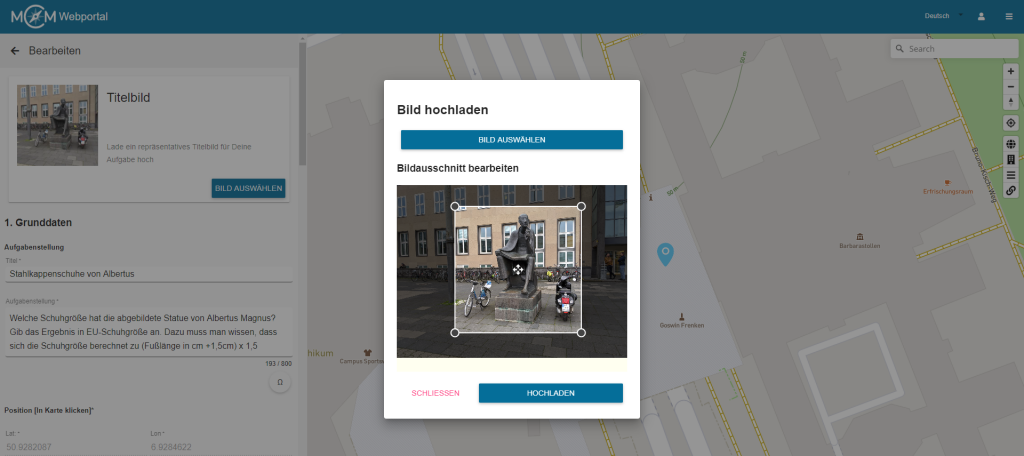
    • Optimised image upload: All images are now uploaded via a separate dialog. In the case of cover photos, you need to slice your image so it has a quadratic shape. For all other images, it is elective to slice them. Automatically scaling the image before it gets uploaded, there should be less upload errors.
    • Share Content: In the grey toolbar, you will find a share icon which enables you to share content with others. Right now, it is possible to share content with a group. More sharing options will be added in the future.
    • State: Tasks and trails now have a section in the left column called „state“. In this section you will find information regarding the completeness of the form, the visibility and the review process.
    • My tasks / my trails: In these tabs you will find all content authored by you, independent from the currently visible map section.
    • New tab „For me“: This tab contains all content that was shared with you via a group
    • New tab „Favourites“: This tab contains all items which the user has marked as “favourite”.
    • Public content: In the tab „Public“, not all items will be loaded at once but only those in the currently visible map section and a little more. This helps to optimise performance.
  • Mathtrails:
    • Mathtrails that do not contain any tasks will be highlighted in the list
    • The fields „country“ and „city“ are filled in automatically when creating a trail using so-called reverse geocoding.
    • The list of the trails now contains – apart from the code, the place and the number of downloads – also the numbers of tasks in the trail as well as the distance to the current location
  • Tasks:
    • Task drafts are highlighted in the list of tasks. When they are opened, an additional notification informs you that this is only a draft.
    • Copied tasks contain a reference to the original task in the “state” section
    • Tasks that were created using the wizard contain a reference to the title of the wizard in the “state” section
    • You can open the task wizard when creating a new task by clicking on the magic wand symbol which is located in the grey toolbar
    • Tags are separated and confirmed pressing “Enter” and automatically get converted into so-called “chips”
  • Groups:
    • Groups now contain lists with all shared content. Via the list, it is possible to directly open the respective items
  • Reviews:
    • Before you are able to submit a task or trail into the review process, you will see a list containing all review guidelines and you must confirm that you are in possession of all image rights
    • The list of reviews now also contains information about how long an item has been in the review process
    • There are two new tabs “My history” and “History”. Here, it is possible for reviewers to see which and how many tasks or trails they have reviewed so far

Found a bug?

Just email info@mathcitymap.eu!


We are looking forward to your questions, suggestions and comments.

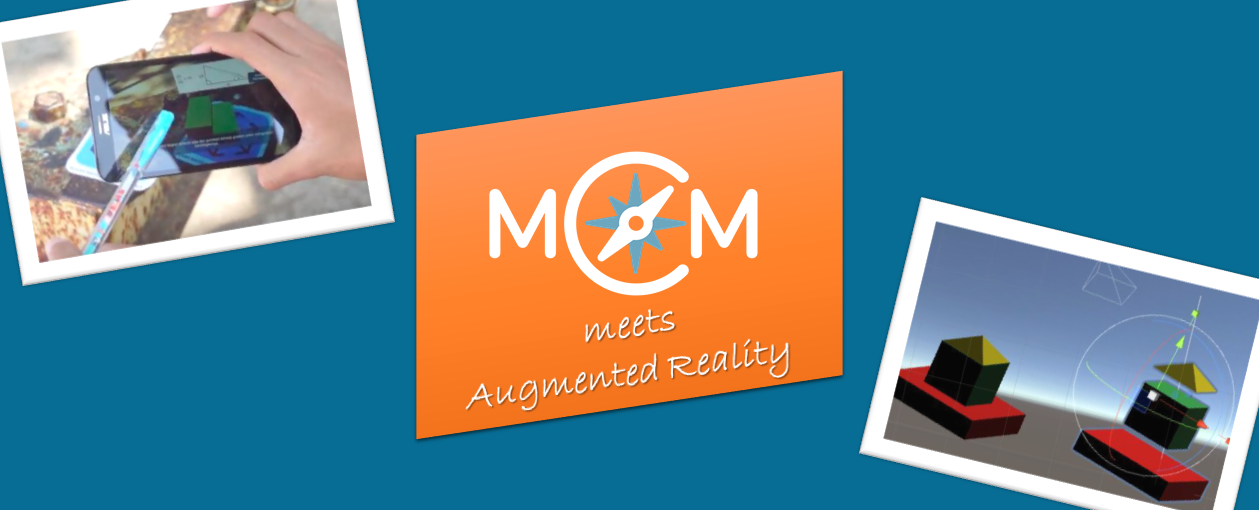
Adi Cahyono, our MCM Educator of Indonesia, and Matthias Ludwig, head of the MCM Team Frankfurt, present how an augmented reality mobile math trails program can provide opportunities for students to engage in meaningful mathematical modelling activities. Therefore, an explorative study was conducted involving two mathematics teachers and 30 eight grades in Semarang, Indonesia. The students worked on several math trail tasks using an Augmented Reality Mobile Math Trails App, which was specifically created for this study.

The findings indicate that a mobile app with augmented reality features is helpful for students as a tool that bridges the gap between real-world situations and mathematical concepts in problem-solving following the mathematical modelling cycle.

The article „Learning mathematical Modelling with Augmented Reality Mobile Math Trails Program: How can it work?” was published in the Journal on Mathematics Education. The full text is available online here. The cover pictures are taken from this article.

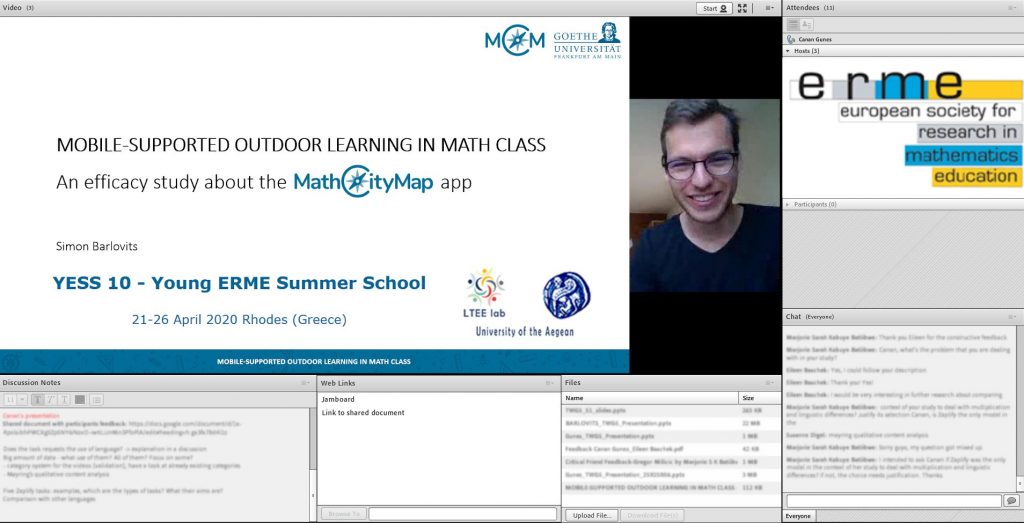
At the YESS10 conference last week, Simon presented his upcoming study about students’ learning progress using the MathCityMap app. Of course, the YESS10 (YERME Summer School) took place online.

The MathCityMap idea was enthusiastically received by the participants of the conference. For example, the Israeli High-school Math teacher and researcher Eli Netzer, who analyzes Hebrew educational video (Link to Eli’s website), gave us this feedback:

I believe that MathCityMap is a valuable project for extracurricular mathematics learning. The project affords profound mathematical learning since it is based on three strong aspects: social, mobile and real mathematics learning.
I am looking forward to using the project site with my students, explore and add new mathematical interesting tasks and Math trails in the Tel-Aviv city.

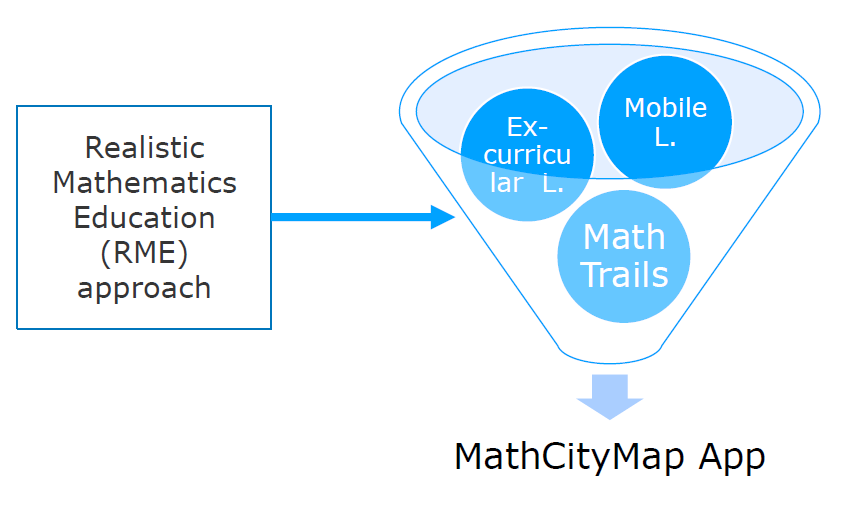
In addition, Eli created this really cool illustration about the theoretical framwork of MathCityMap (left picture).

The usage of MathCityMap math trails is well-tested for the revision of various learned topics. However, math trails can also be used – as so-called Theme-based Trails – for the aimed work on one specific curricular topic.

Possible topics are proportion, fractions, linear functions, parabolas and quadratic functions as well as the intercept theorem. Click here to see an example for a Theme-based Trail about stereometry.

Theme-based Trails could be used for learning mathematics at home during the Corona breakdown: According to the motto MCM@Home, we prepared several trails in five languages which could be solved from home [click here to see all MCM@Home trails]. Two of them deal with only one topic. In other words, our MathCityMap team created two Theme-based Trails for MCM@Home. One is about linear functions and suitable for 8th graders. The other one treats quadratic functions and could be solved by 9th grade students. We also created Theme-based Trails for students from grade 3 up to grade 6 which deal with sequences & series as well as basical combinatorics.


Have fun by working on our Theme-based Trails!

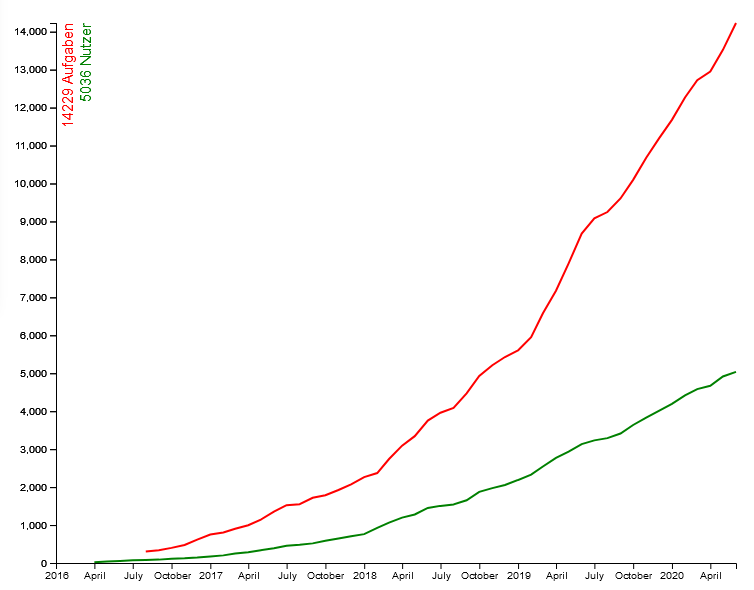
During the Corona crisis, exponential curves, e.g. infection rates, are presented daily in the media. Therefore, we want to show you one – very pleasing – exponential development about our MathCityMap system:

In April 2017, MathCityMap had around 300 registered Users, 1.000 tasks were created in the web portal. One year later MathCityMap provided 3.200 tasks for the 1.200 Users. In spring 2019, the MCM community already consisted of 2.700 users, who created 7.200 MathCityMap tasks.

Today MathCityMap has ca. 4.600 registered users. In total, 12.800 tasks and 2.050 math trails were created in many different languages all over the world. Our MCM video is now available in nine (!) different languages (click here to see the YouTube playlist).

Dear user,

MathCityMap owes this fantastic development in recent years to your interest and creativity. In the current situation, we are happy to see the creation of numerous MCM@Home tasks and trails. After the crisis, we are looking forward to many mathematical outdoor tasks.

We wish you and your families all the best. Stay healthy!
Your MathCityMap team

How learning can be organized in Europe during the Corona crisis, is one urgent question in these days.

MathCityMap provides several MCM@Home-Trails in different languages. Students can work on them at home. As usual, the learners get hints and can compare their own solution with a sample solution. The possibility to get both support and an immediate feedback, can structure students’ learning progress at home.

In the last days, those potentials of MathCityMap for learning at home were highlighted by the German institution Pädagogischer Austauschdienst (PAD) and by the initiative Land of Ideas. The first-mentioned PAD lists here several Erasmus+ projects which supply Open Educational Resources. According to the motto #beyondcrisis, the Land of Ideas promotes diverse projects which can help to handle the Corona crises.

Stay healthy!

Background information:
MathCityMap is very proud to be an award winners of the competion Land of Ideas 2019.