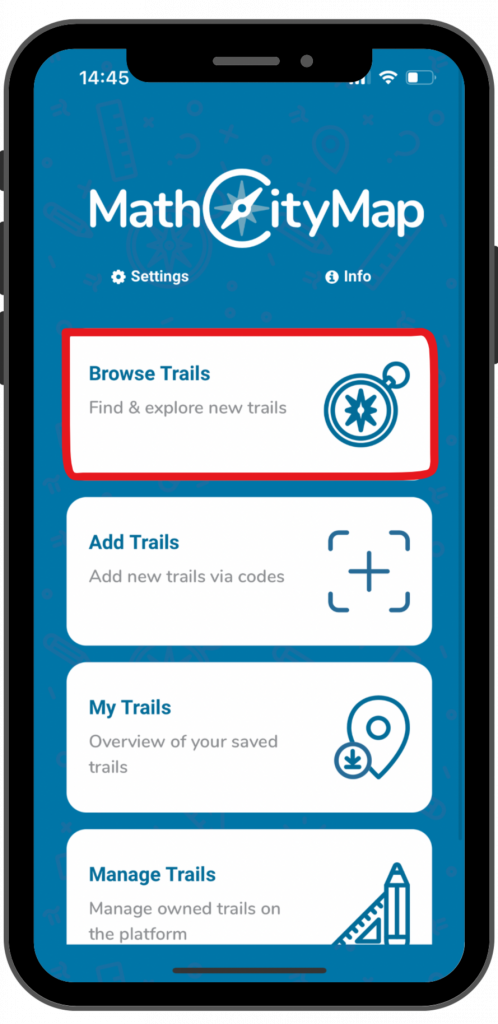
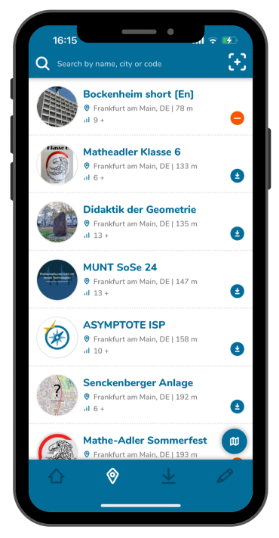
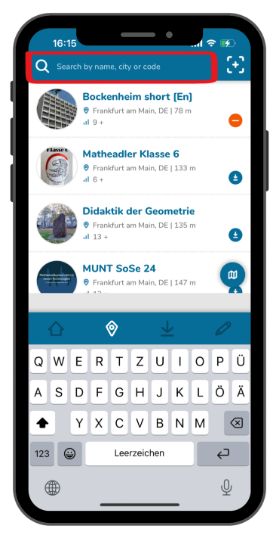
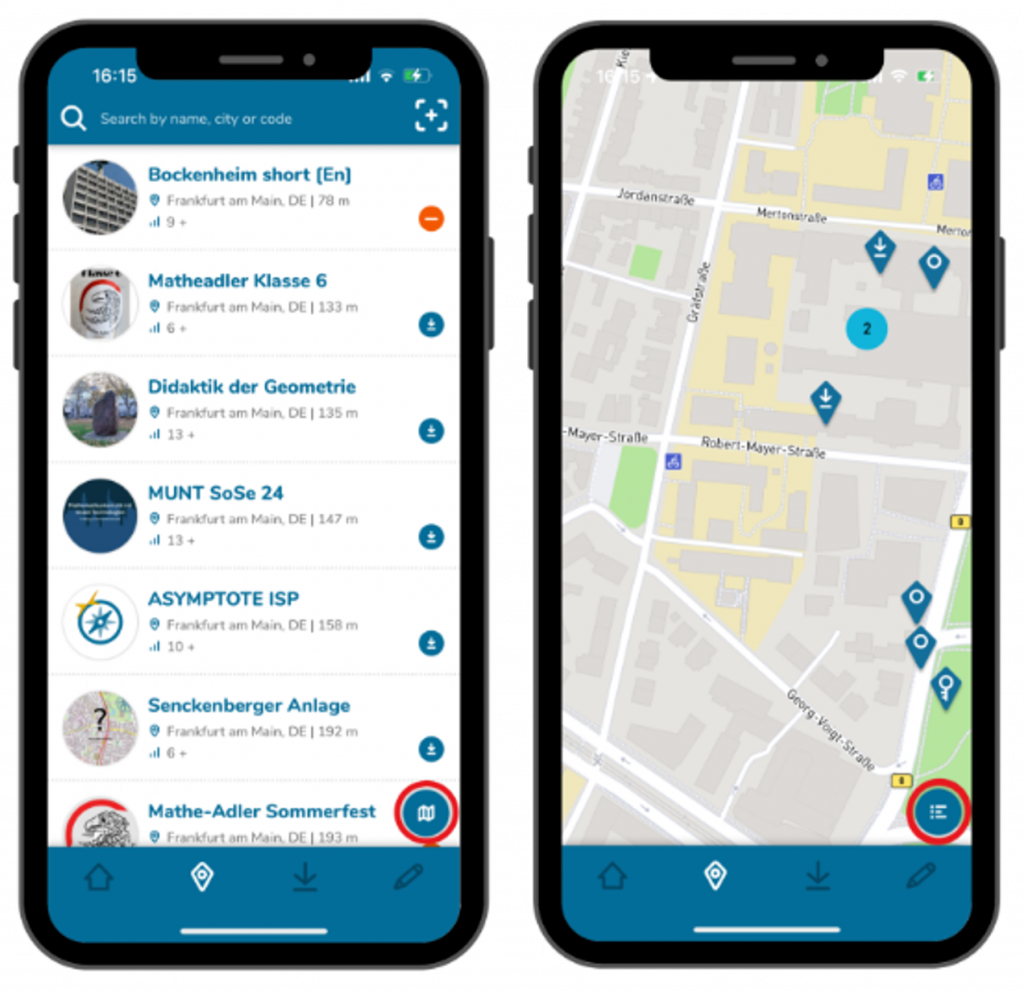
Browsing trails is a useful feature for discovering new trails nearby or at specific locations. This feature only allows you to find public trails. Here’s a step-by-step guide to browsing public trails:
Partner schools play an important role in the MathCityMap project. These schools create new tasks themselves and put the concept of outdoor math learning into practice. In the web portal, teachers can join their school and participate in joint activities.
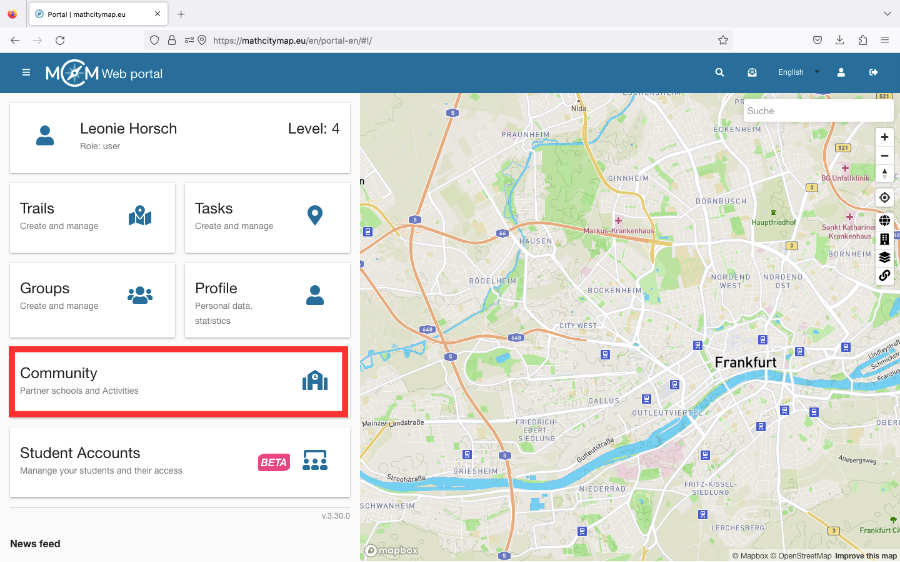
Click on the “Community – Partner schools and activities” field on the homepage or select “Community” in the menu bar on the left-hand side.
A list of partner schools will open, sorted in alphabetical order according to the country in which they are located.
If you click on a school, you will find an e-mail address as a contact and the location of the partner school.
Students and teachers can also join their school.
Step 2 – Activities
There are various activities that teachers from partner schools can take part in to learn about the development of the project or to have the various applications explained to them.
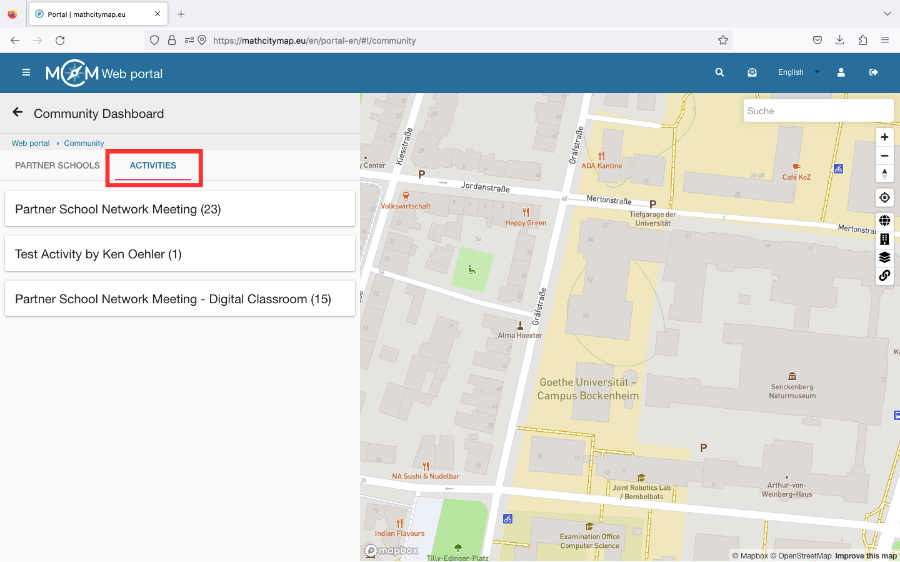
To see if and when an activity is offered, click on “Activities” under “Community”.
Then click on the desired activity. If you are authorized to participate, the field “Participate in this activity” will appear.
Step 3 – Become a new Partner School
To become a partner school, you need to create 15 tasks and two trails for different grades near your school.
These should be published in our system and reviewed by the school’s math teachers.
They should also have been downloaded at least five times by learners.
If these conditions are met, an application to become a partner school can be sent to info@mathcitymap.eu.
This should contain the codes of the trails as well as a short report on the experience with MCM.
Only tasks that fulfill all technical requirements can be published. Therefore, make sure that you fill in all fields and also add a title picture.
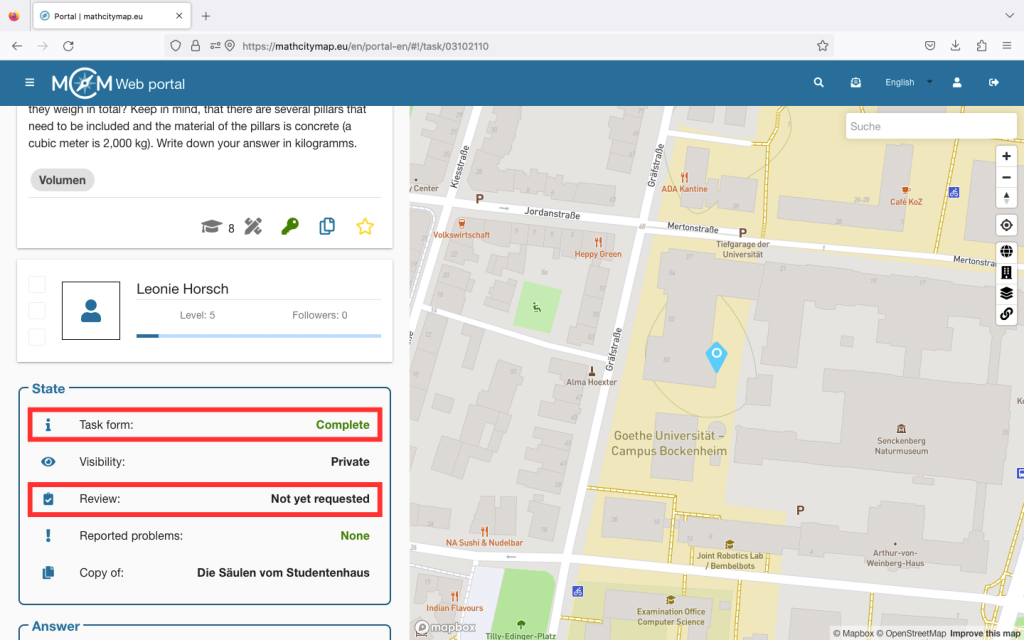
If you click on your task, you can see under “State” whether your task form is complete or not. The same applies to your trails.
Step 2 – Request publication
You need a review to publish a task. This ensures that not only all technical requirements are met, but also that the quality of the task, the sample solution and the notes are appropriate.
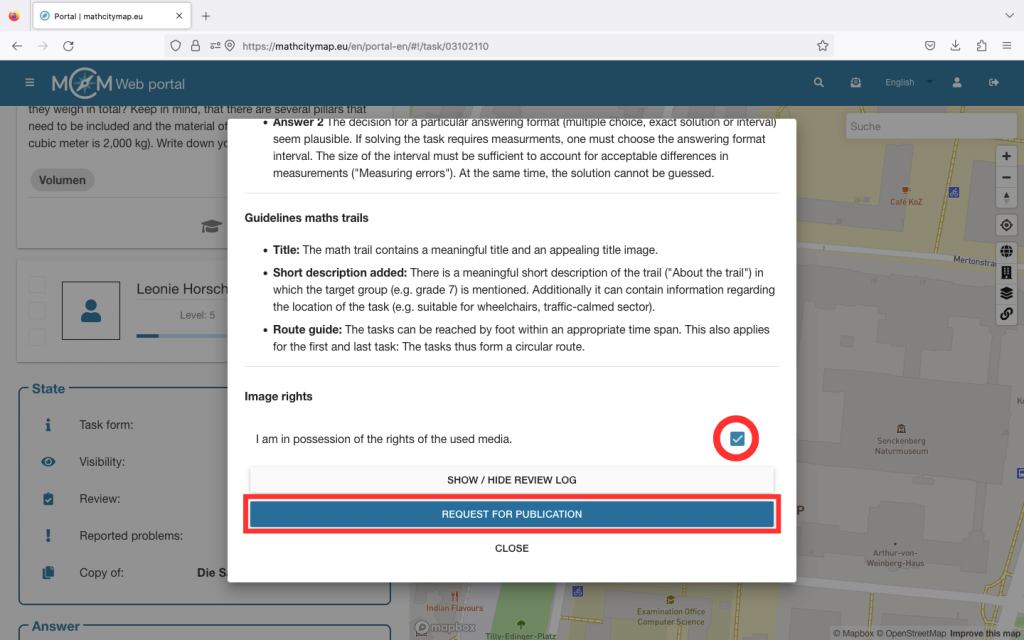
Click on “Review” under “Status”. A window will open with all the information regarding the requirements for your task or trail.
Make sure that you have the image rights for the media you are using and confirm this by ticking the box at the bottom.
Then click on “Request for publication”. This process may take a few days.
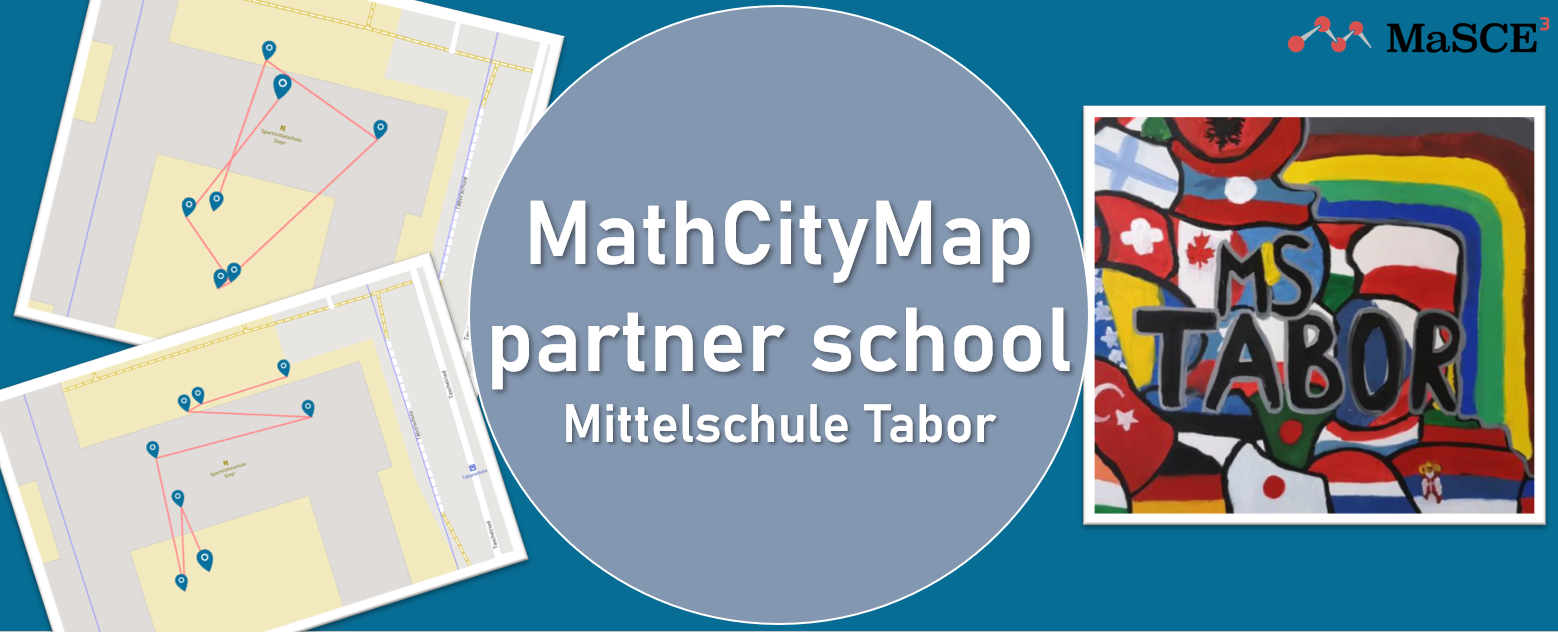
We are very pleased to welcome Mittelschule Tabor as a new MathCityMap partner school!
At the beginning of this school year, a workshop day took place at the school: students from grades 2 to 4 explored their school building and schoolyard using MathCityMap trails. The four trails created by their teachers (trail codes 2329200, 6929201, 4929196 und 3429202) took the children on a mathematical discovery tour through their everyday environment.
Whether measuring tables and seating areas, estimating the amount of waste in the classroom, or comparing surfaces, tiles, and angles – the 11- to 14-year-old students experienced mathematics in a new and engaging way.
Working in small teams, the children collaborated with great motivation, searched for solutions, and supported each other. Their teachers reported high levels of concentration, enthusiasm, and team spirit during the trails. It was particularly emphasized that the activities not only strengthened mathematical skills but also promoted movement, communication, and cooperation.
We would like to sincerely thank Mittelschule Tabor for their commitment and wonderful collaboration – and we warmly welcome them to the MathCityMap community!
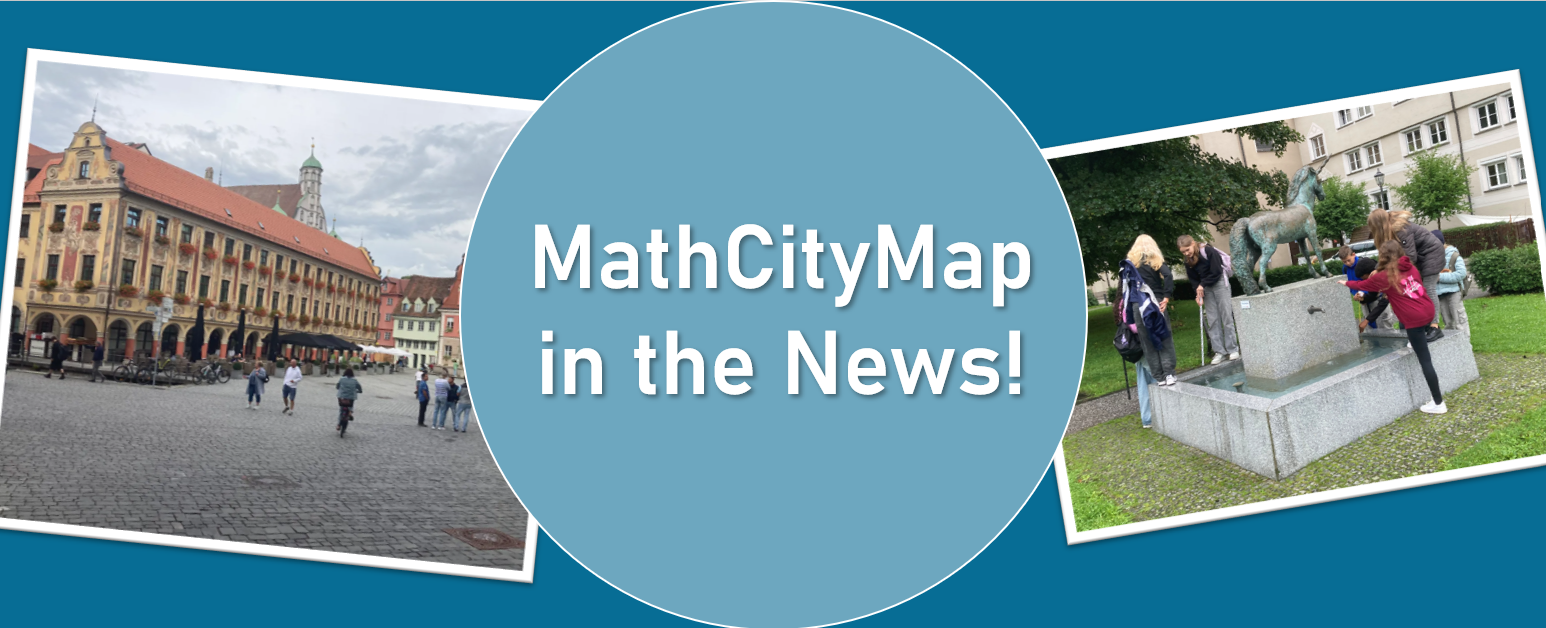
We are very pleased to share the following article by Patrick Schreiber, mathematics teacher at Vöhlin-Gymnasium Memmingen, which was recently published in a local newspaper. In his text, he describes how the MathCityMap app combines mathematics and city exploration in an exciting way. We are delighted to feature the article here on our website – offering a glimpse into the practical implementation of our project.
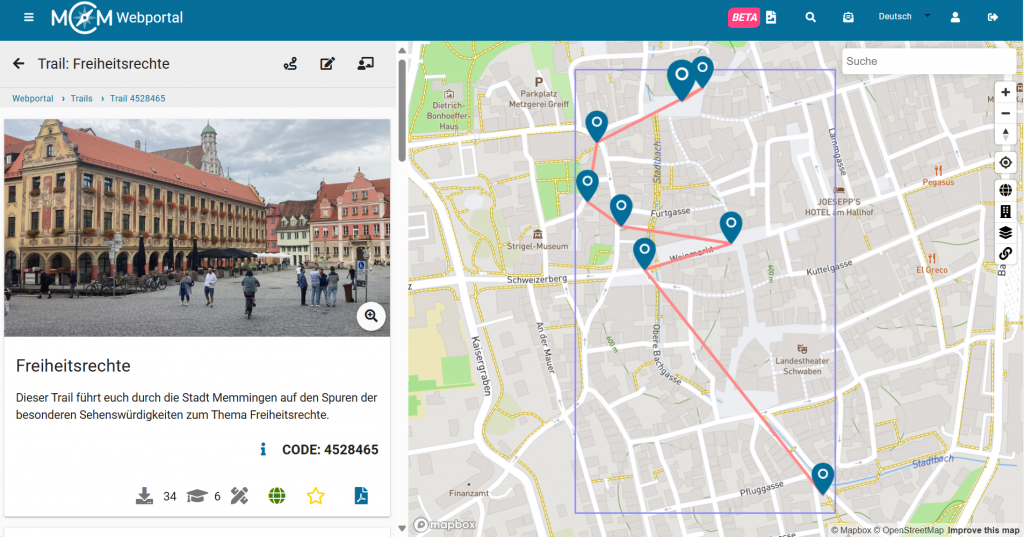
The trail (4528465) created by him is now publicly available and invites everyone to discover Memmingen from a completely new – mathematical – perspective.
In the following you’ll find the complete newspaper article (translated from German):
The Vöhlin mathematics teacher Patrick Schreiber has, with the help of the MathCityMap app, created a trail for students and for all those who enjoy facing small and larger mathematical challenges while exploring Memmingen at the same time. The free software is provided by the team around Prof. Dr. Matthias Ludwig of the Goethe University Frankfurt. The GPS-guided tour through the city follows the route provided by the city information office under the title “Memmingen – City of Freedom Rights.” Stations include, among others, the Frauenkirche, the Freedom Fountain, and the Kramerzunft. It deals with geometric objects, combinatorial aspects, and functional relationships that are hidden behind concrete objects, in buildings, paths, and patterns.
At the stairs leading from Herrenstraße up to the Martinskirche, one has to calculate how many steps the staircase would need to be extended in order to reach the top of the Martinsturm. At the fountain on the marketplace, the task is to calculate the base area, with the measuring tape function on the smartphone providing assistance. Things get noticeably trickier at the Lotzerhaus.
Whereas math lessons in the classroom often make students’ heads spin and cause frustration, MathCityMap offers mathematics at concrete objects – outside, right in the middle of city life. And it’s all about teamwork: solutions are developed together, and successes are celebrated together. The whole thing can, of course, also be organized as a competition. And if the right idea or formula is missing, the app gives helpful hints – all without the pressure of grades. A great idea for a school excursion, a few math lessons in the fresh air, but also for locals of Memmingen or visitors. The app is available at www.mathcitymap.eu. The Memmingen Math Trail is publicly accessible there. Trails can be found for many locations across Europe.
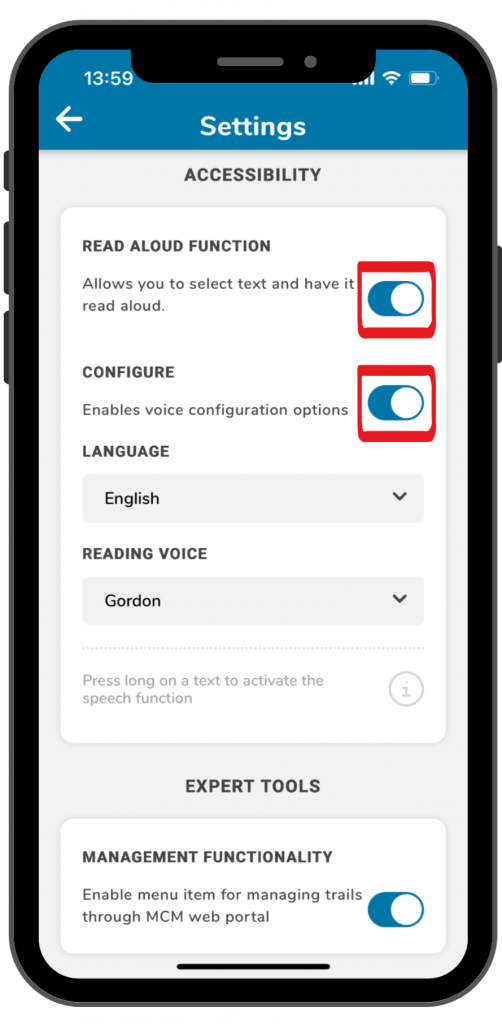
The read aloud function enables app users to listen to trail information or task assignments. Here is a step-by-step guide on how to activate and use this function:
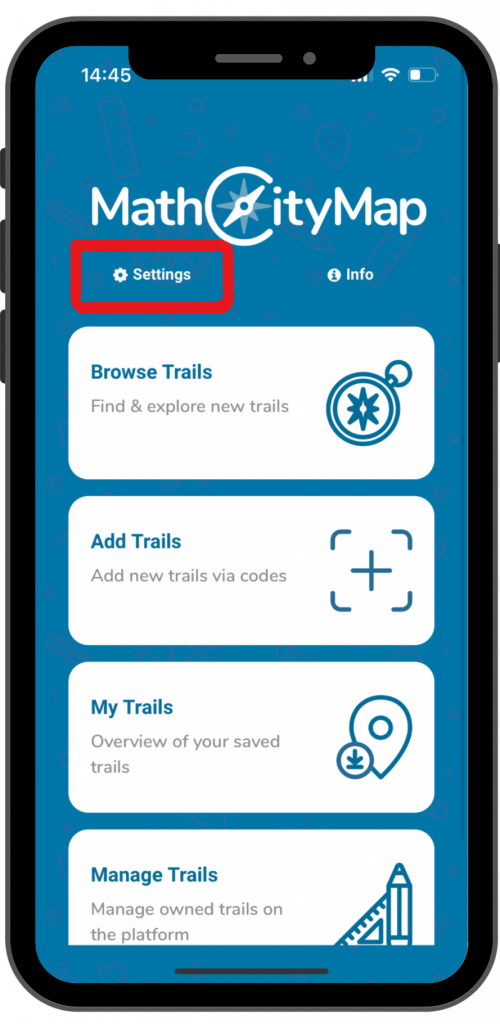
Click on “settings” next to the cogwheel symbol at the top left of the start screen.
A view with various setting options will open.
Step 2 – Activate read aloud function
Under the title “accessibility” you will find the read aloud function.
Click on the switch on the right side to activate the function.
By clicking on the switch next to “configure”, you can select different languages and voices.
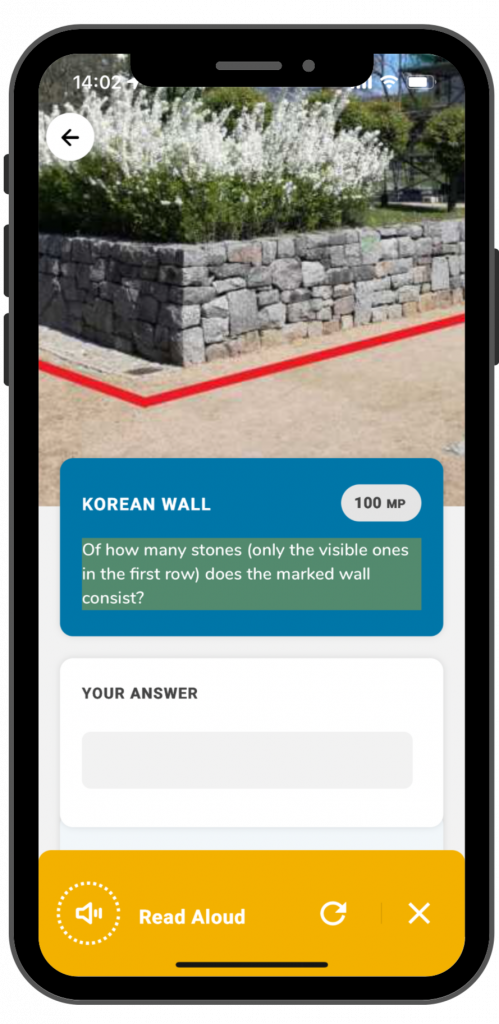
Step 3 – Use read aloud function
As soon as the read aloud function is activated, you can use it in the app. This works for trail information and task assignments.
To use the read aloud function you have to click on the text for a longer time.
A yellow field will come up at the bottom of the screen. By clicking on the arrow, the read aloud process will be repeated. By clicking on the X, the yellow field will disappear.
With automatic translations you can walk trails or solve tasks in different languages that you normally wouldn’t understand. Here is a step-by-step guide on how to activate and use translations in the app:
Click on “settings” next to the cogwheel symbol on the top left of the landing page.
A view with various setting options will open.
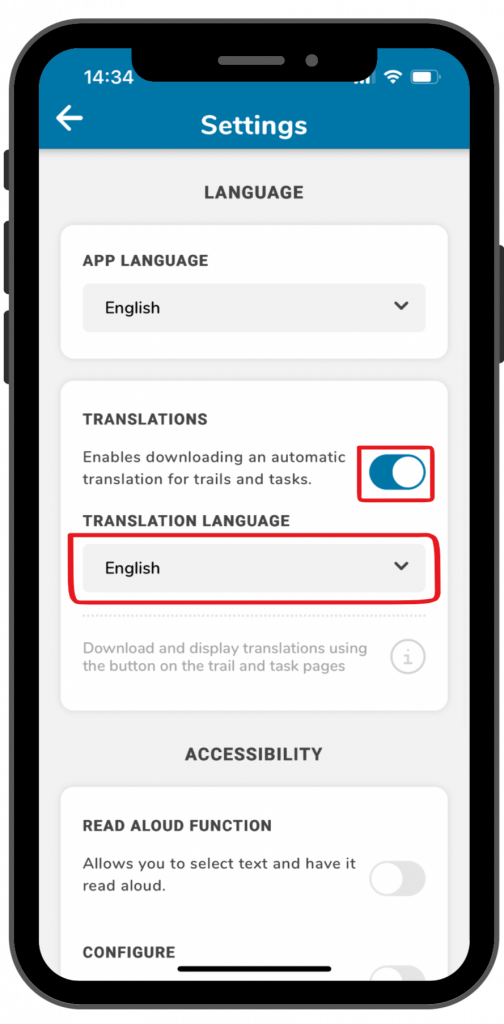
Step 2 – Activate translation function
Under the title “language” you can select different languages for the app, but you can also activate translations.
Klick on the switch next to “translations”, to enable translations for trails and tasks.
Under “translation language” you can select different languages.
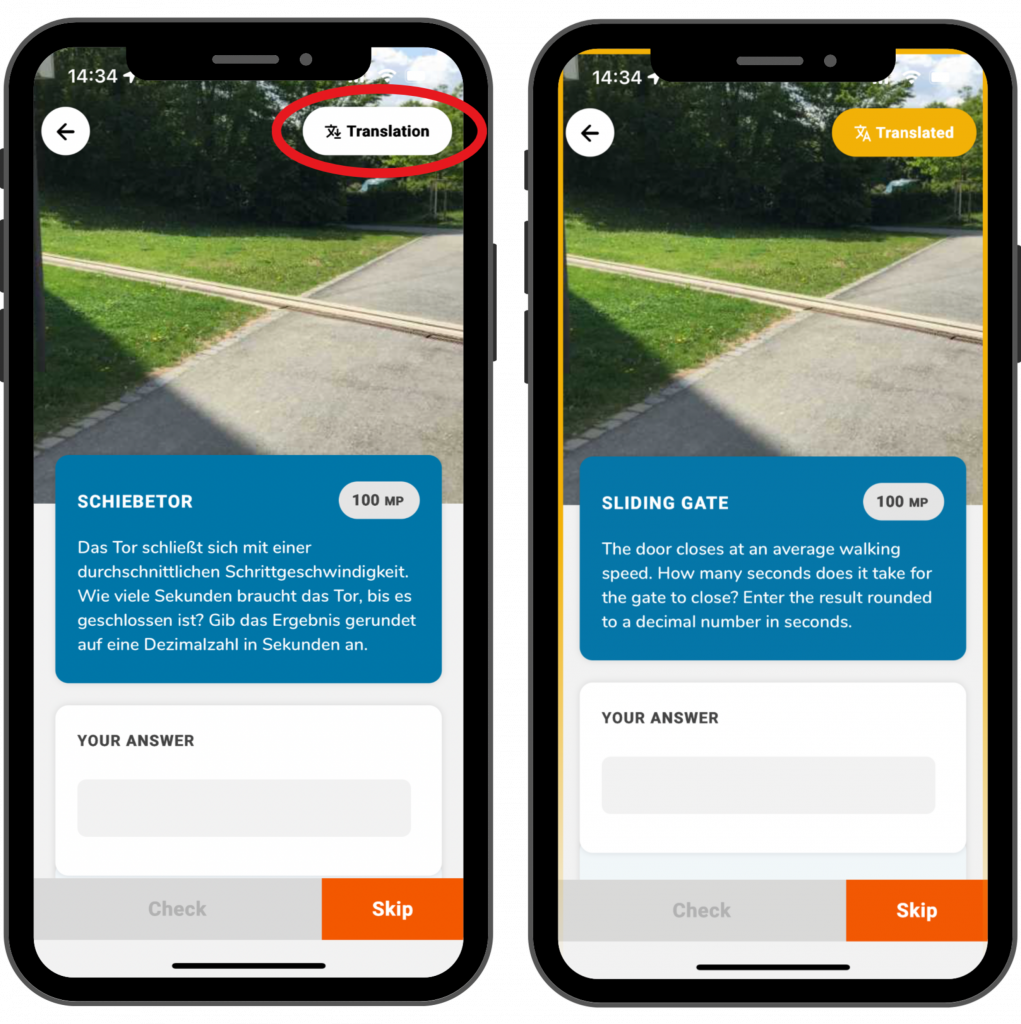
Schritt 3 – Using the translation function
As soons as the function is activated in the settings, a translation button will come up for trails and tasks in the top right corner of the screen.
By clicking on the button, the trail or task will be translated in the language that you have selected in the settings.
As soon as you request the translation, a yellow frame will come up on the screen. That way you know that you are not looking at the original, but at the translation. By clicking on the translation button again, you will come back to the original.
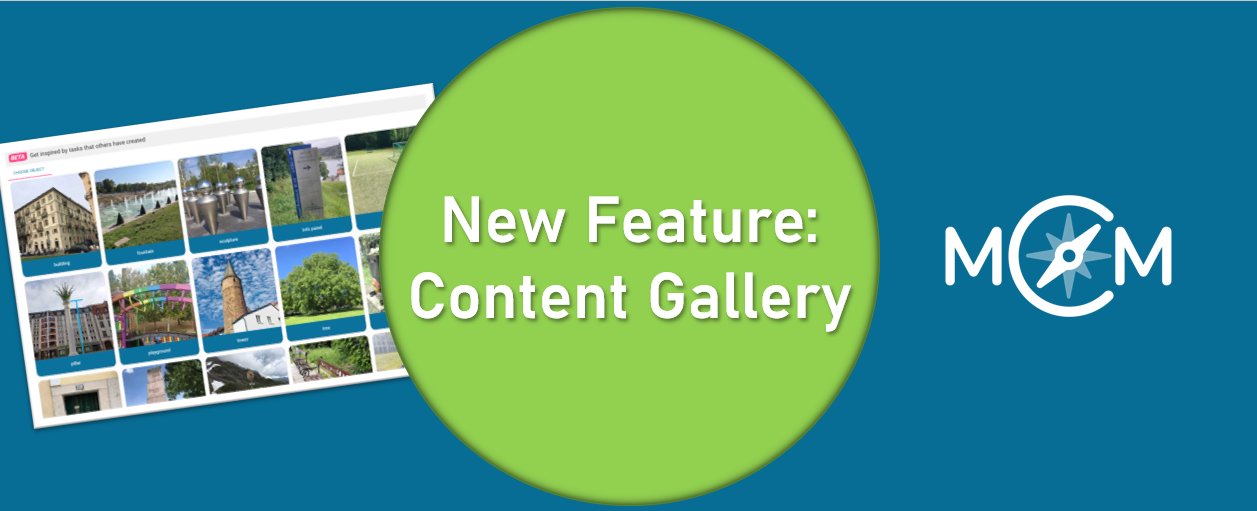
You might have read it in our last MCM update post or come across it in the web portal already: Say hello to the Content Gallery — the newest source of inspiration for your MathCityMap tasks. Designed as a collaborative collection of the most creative, diverse, and high-quality public math tasks, this gallery showcases interesting tasks created by teachers, MathCityMap experts and developers.
Why a Gallery?
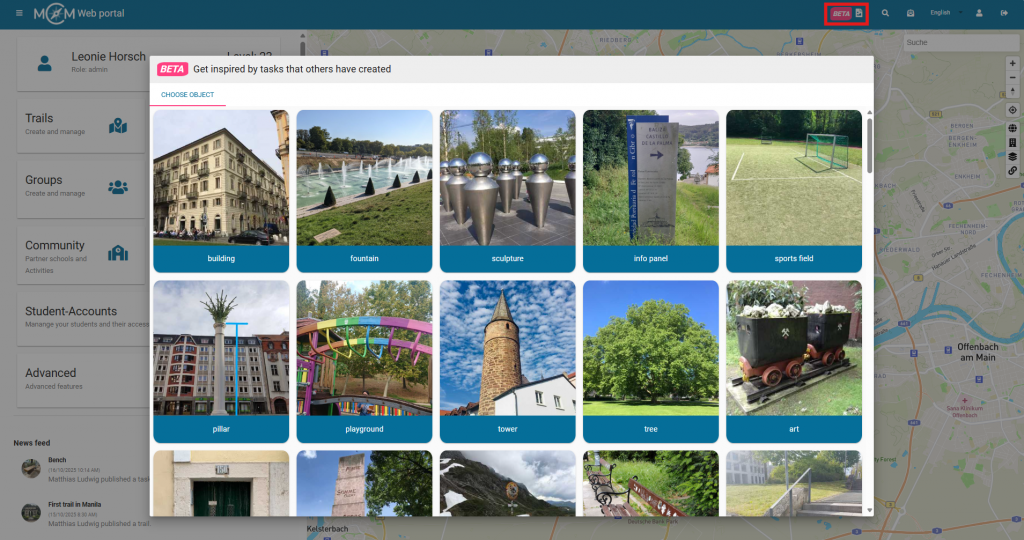
As educators explore their environments, they discover math in the most unexpected places — whether it is a tree, a sculpture, or a playground. Until now, these gems were scattered. The Content Gallery brings them together in one place, making it easier to browse, learn, and get inspired by real-world examples.
How to get there:
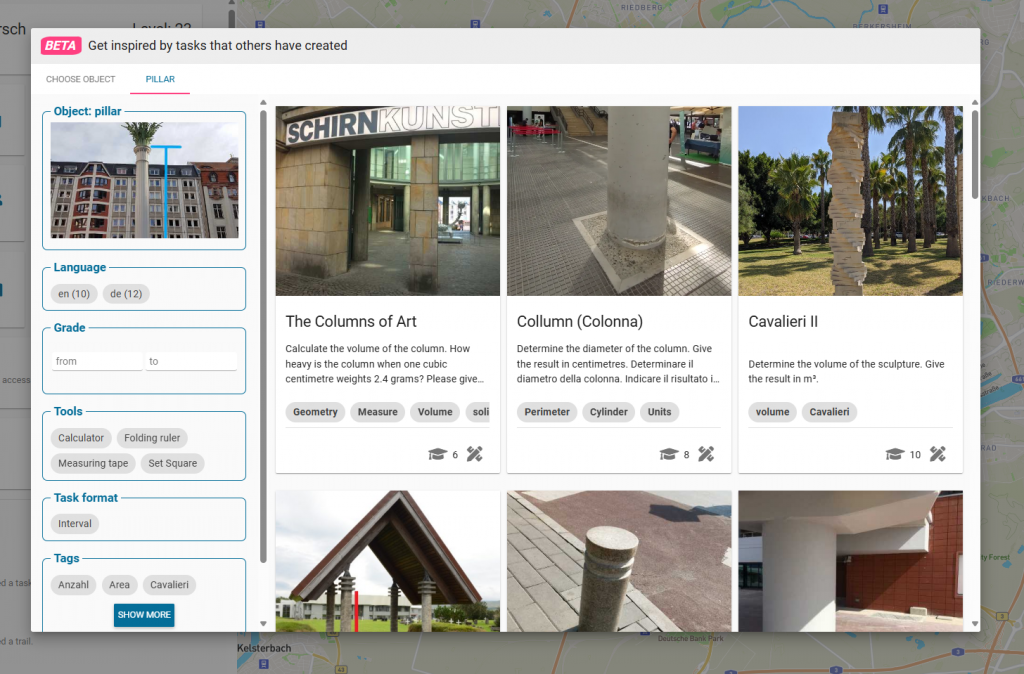
In the web portal, you’ll now find a new button in the menu bar at the top. Click on the image symbol, and the content gallery will open. You can browse tasks across different object categories. When you click on an object, related tasks in English and German will appear. If you’re looking for something specific, use the filters on the left side. By clicking on a task, you’ll access its detailed information — including the solution — and you can even copy the task to create a similar one in your own area.
Whether you’re looking to refresh your next trail or simply curious about how others integrate math into everyday objects, the Content Gallery is here to spark your creativity.
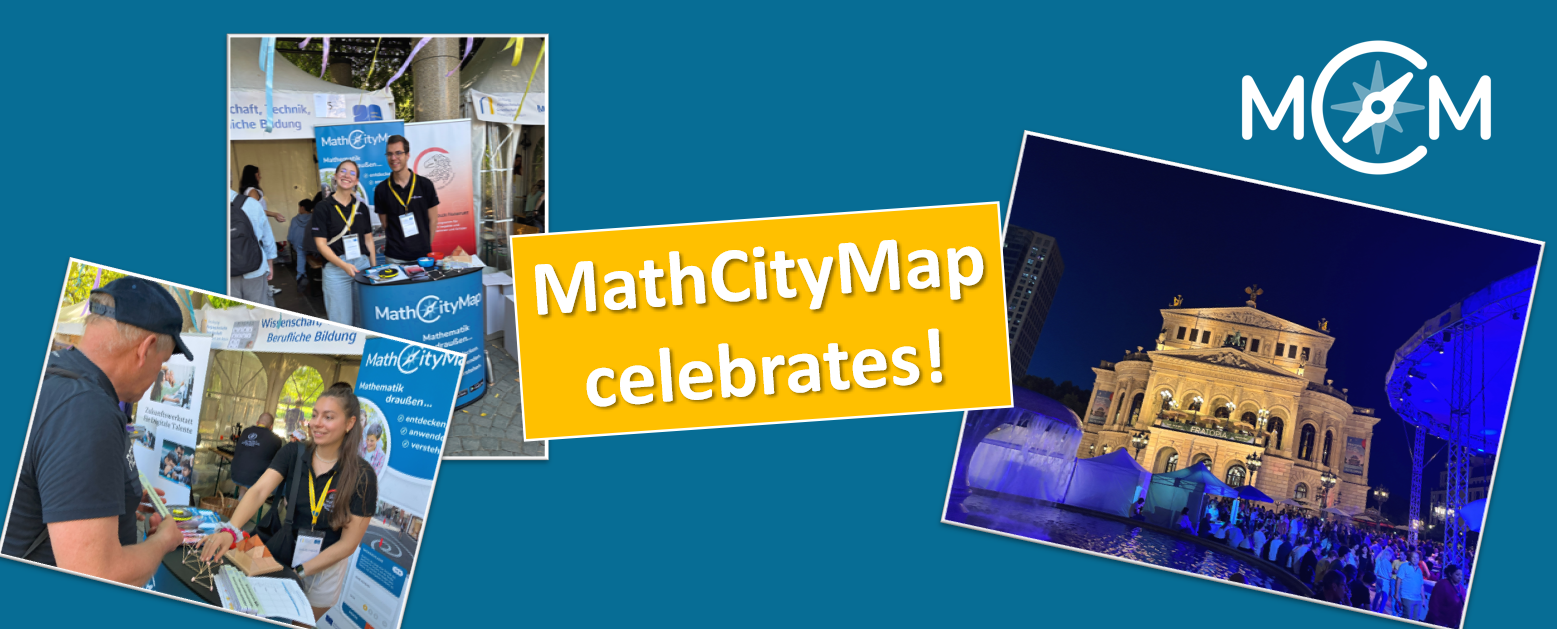
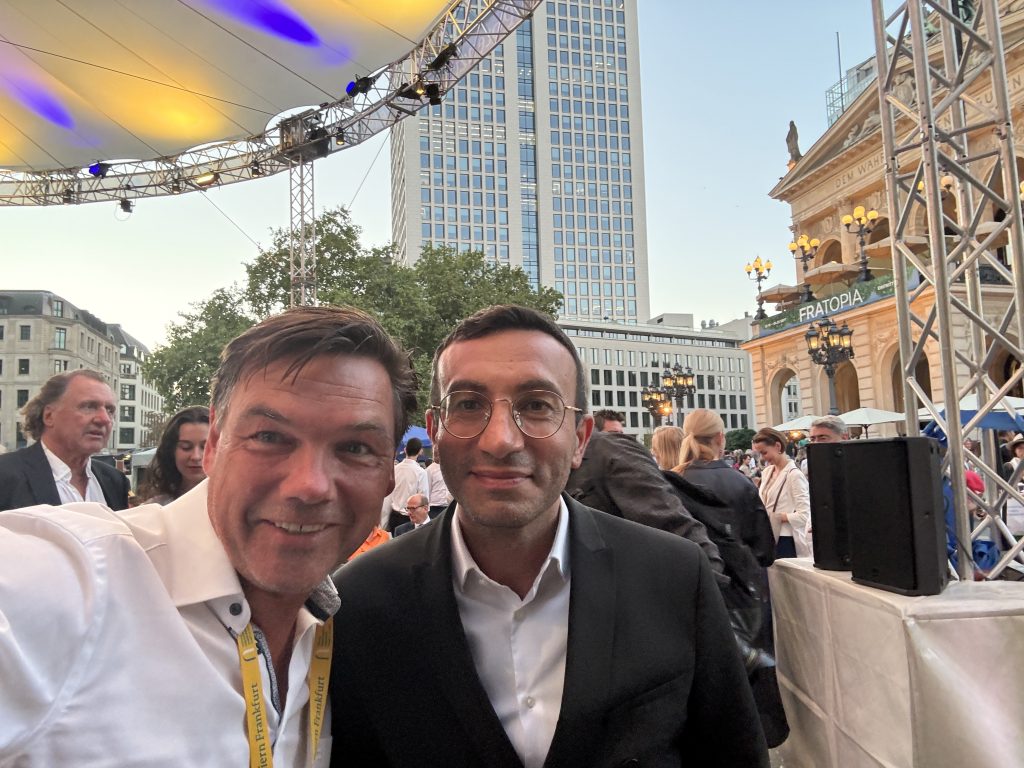
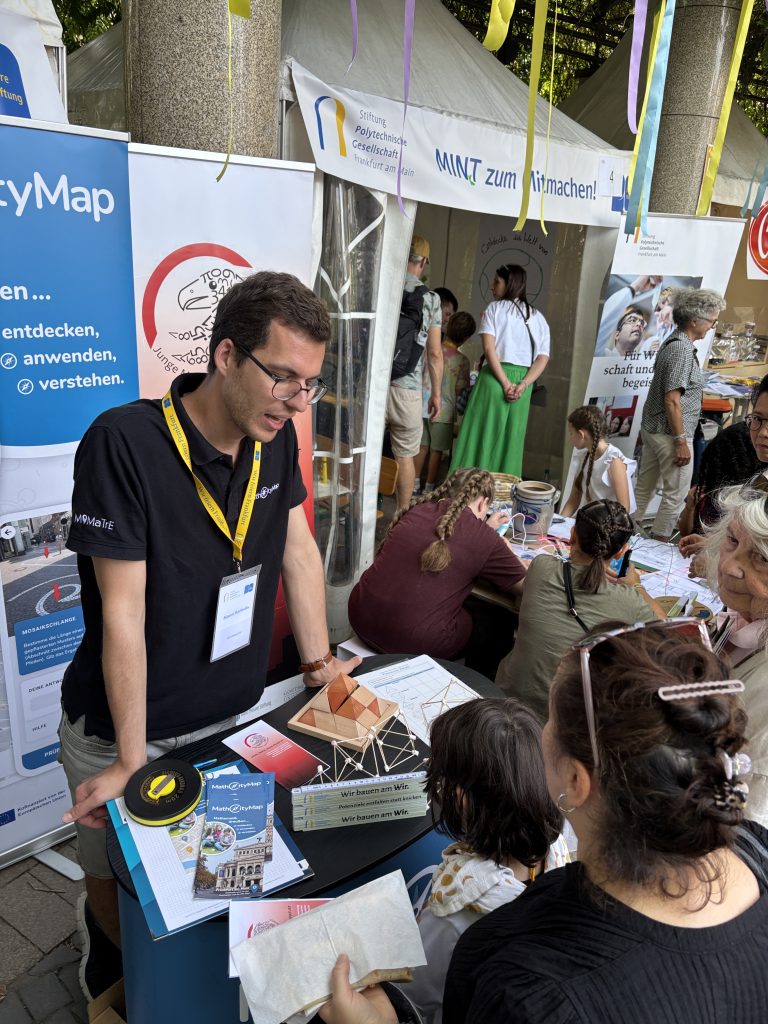
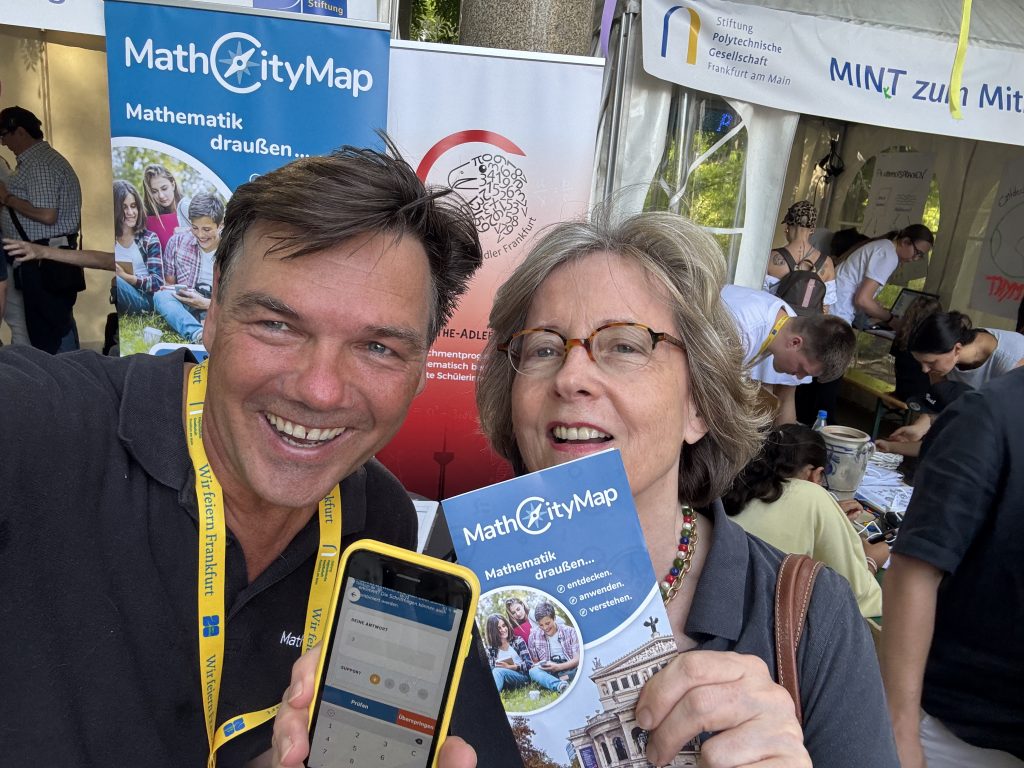
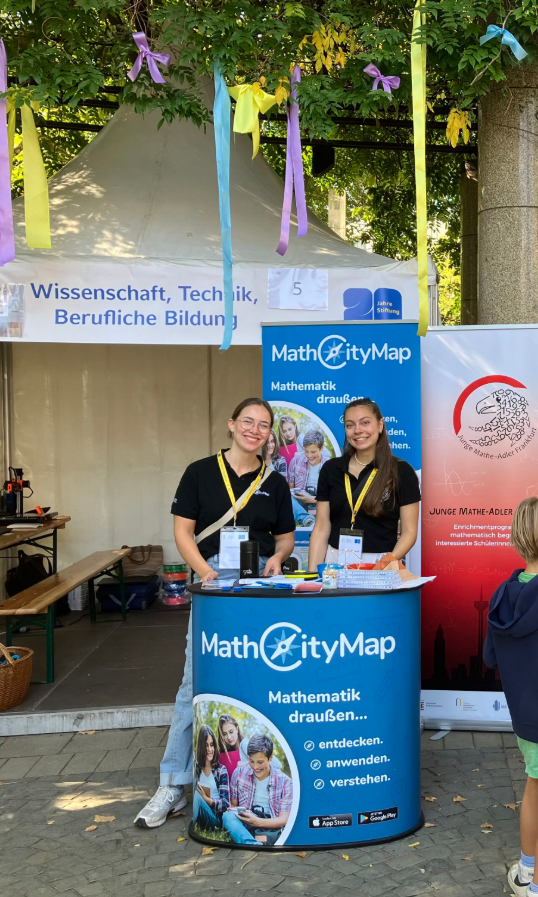
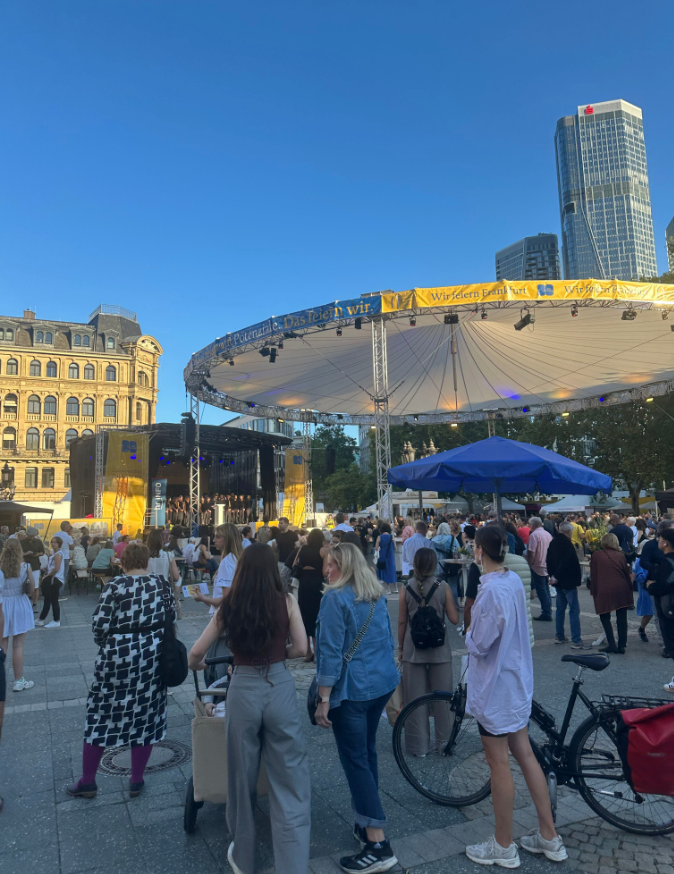
On the weekend of September 19–21, there was a festive atmosphere on Frankfurt’s Opernplatz: the Polytechnic Society Foundation celebrated its 20th anniversary—and MathCityMap was there!
It was a special honor for us to be part of these celebrations. The foundation recognized the potential of MathCityMap early on and provided us with active support, especially in the early days. We were therefore all the more delighted to be there with our team.
At our booth, we were able to introduce MathCityMap to numerous visitors – from people who happened to be passing by to math enthusiasts to representatives of other projects. Many were interested and enthusiastic about the idea of learning math outdoors.
Away from our booth, the anniversary celebration also offered a diverse and exciting program: numerous initiatives and projects presented themselves and ensured a varied weekend full of exchange, discoveries, and inspiration.
We would like to thank the Polytechnic Society Foundation for the invitation and support. It was a pleasure to be part of this special celebration!
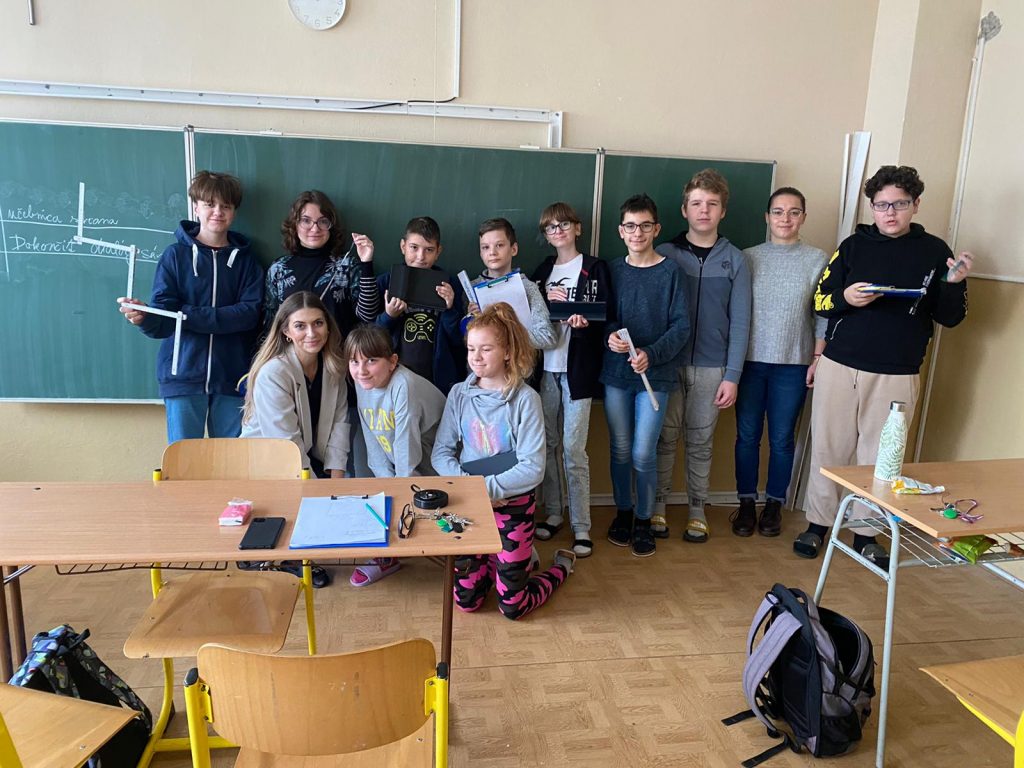
We are delighted to welcome Základná škola sv. Marka as a new partner school in the MathCityMap network! Under the guidance of teacher Kristína Mrázová, the students regularly use mathematical learning trails to experience mathematics in a practical and creative way.
Three trails have already been published and can be accessed using the following codes: 1. ZŠ sv. Marka (Code: 3912202) 2. Jarná prechádzka na ZŠ sv. Marka (Code: 6815304) 3. ZŠ sv. Marka II. (Code: 1317889)
The teacher reports about the experiences she has made with her class: „The pupils enjoyed solving mathematical trails outside the classroom. Working in groups, they applied their knowledge to real objects and practical examples. They supported each other, discussed different strategies and discovered that mathematics can be useful and fun in everyday situations. Mathematical trails are regularly used at our school, and this activity is very popular among the pupils.“
The package with the official partner school badge and the MCM measuring instruments is on its way and we are looking forward to receiving more applications from all over the world.
All further information on the partner school programme and the requirements for application can be found both in the article on the first MCM partner school and on the homepage of our MaSCE³ project.