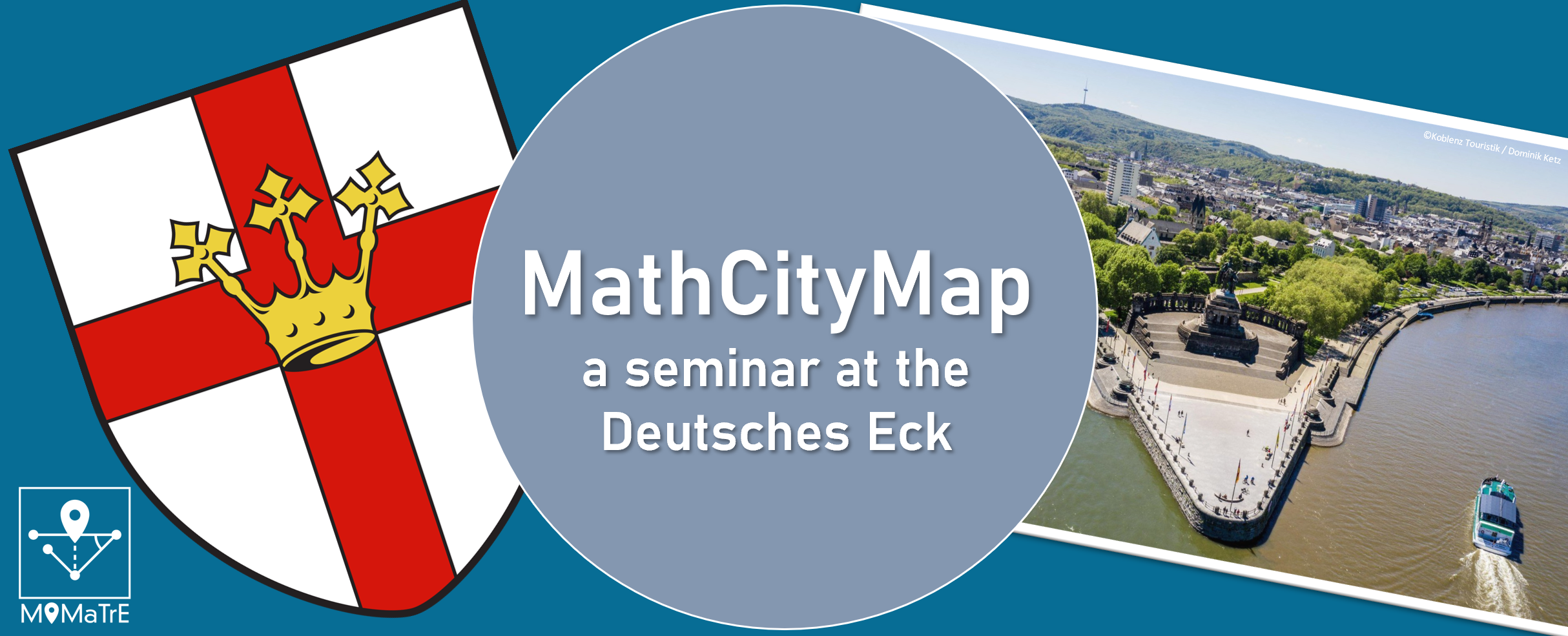
In the summer semester of 2021, the first MCM seminar was held at the University of Koblenz-Landau, Koblenz Campus. Despite the difficult conditions caused by the pandemic, the students were able to work in small groups in compliance with the applicable rules, first learning the theoretical basics at home and then moving out into the field. In the first step, they put themselves in the role of students and explored Simone Jablonski’s Koblenz Trail in groups. After that, they went to work themselves. The focus of the seminar was on the primary level and accordingly many trails suitable for primary schools were created throughout Rhineland-Palatinate.

Unfortunately, the flood disaster of July also left its mark on the MCM Seminar. The floods of Ahrweiler completely destroyed a mathtrail in the Ahrweiler valley. Thankfully, the student who created it remained unharmed.

The seminar was very well attended with two times 45 students and the students visibly enjoyed the unusual way of doing mathematics. The seminar is part of the dissemination of the EU funded MoMaTrE project.

In the course of the seminar, various video contributions were made by the students. In each of the videos, they present an MCM task from the trail they designed, and they also go into more detail about the didactic background of their task. We would like to share one of these videos with you. Have fun watching it!


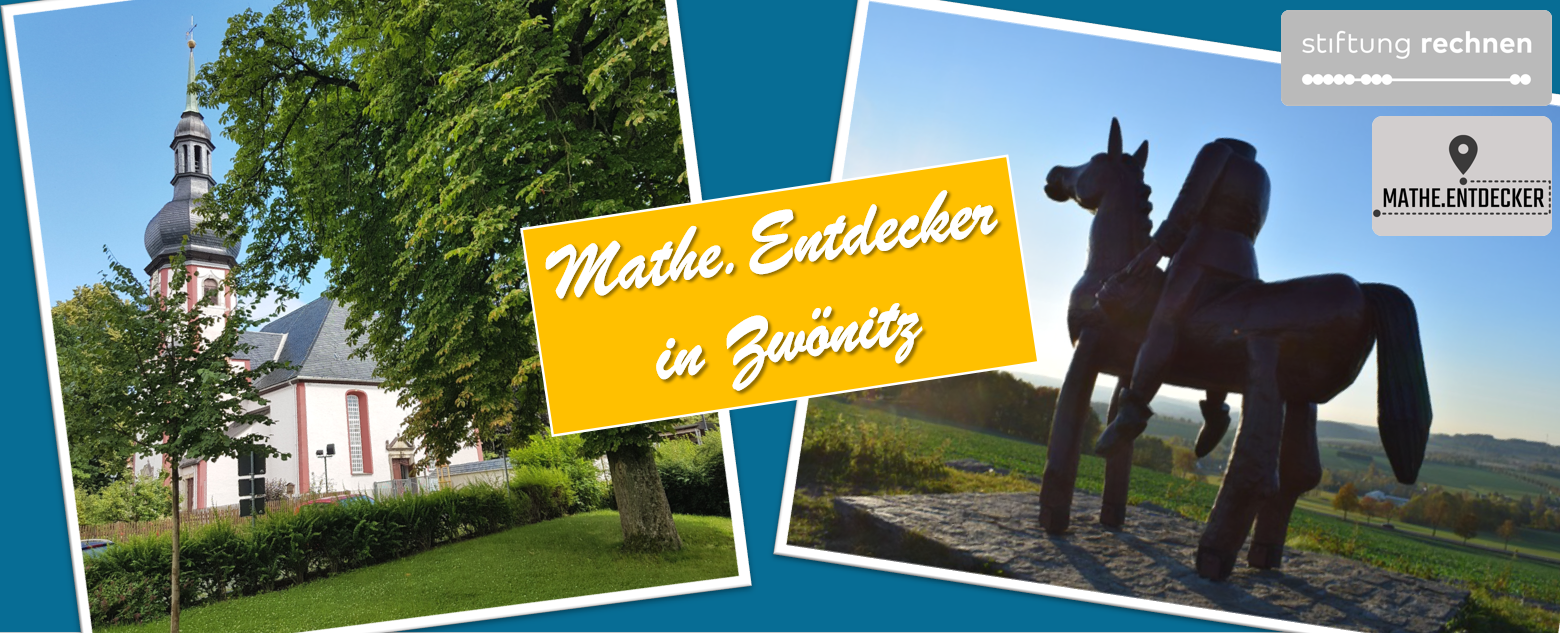
In the past months of July and August, the MathCityMap team from Frankfurt visited the German city of Zwönitz. Here our team created a total of 17 new trails, which were now officially opened and published!

With the support of Stiftung Rechnen, the town of Zwönitz and its Smart City Zwönitz project, we have created Math.Discoverer trails (Mathe.Entdecker-Pfade) for classes and families in and around the town, which is located in the middle of the Ore Mountains. On the website of Stiftung Rechnen and in a video report by erzTV, you can find more background information about the Math.Discoverer paths and the Smart City Zwönitz project.

The Mathtrails lead through different parts of the Smart City Zwönitz: the city center, past the train station and through the Austelpark, along the Sendigmühle and the Knochenstampfe. The grand opening with school classes trying out the Mathtrails took place on 12.10.2021 in the presence of the mayor of the city of Zwönitz. You can find a flyer with descriptions of the trails here.

Below we list all our created trails in Zwönitz. We wish you a lot of fun and success trying them out!


Title incl. Link

Code

Duration | Distance

Eröffnungstrail Klasse 5

[Opening Trail – Grade 5]

156358

2h 20 min | 700 m

Eröffnung Klasse 6

[Opening Trail – Grade 6]
476359

1h 40 min | 800 m

Innenstadt Familie

[City Center for families]

696049

2h 50 min | 1.300 m

Innenstadt Klasse 3/4

[City Center – Grade 3/4]

496048

2h 40 min | 1.300 m

Innenstadt Klasse 5-7

[City Center – Grade 5-7]

046050

2h 30 min | 1.400 m

Innenstadt Klasse 8-10

[City Center – Grade 8-10]

056052

2h 30 min | 1.000 m

Zwönitz für Familien 3/4

[Zwönitz for families – Grades 3/4]

255938

1h 40 min | 1.600 m

Zwönitz für Familien 5/6/7

[Zwönitz for families – Grades 5/6/7]

085939

2h 20 min | 1.600 m

Austelpark Familie

[Austelpark for families]

466044

2h 00 min | 900 m

Austelpark Klasse 3/4

[Austelpark – Grades 3/4]

292265

1h 20 min | 700 m

Austelpark 5/6/7

[Austelpark – Grades 5/6/7]

026046

2h 10 min | 800 m

Austelpark 9/10

[Austelpark – Grades 9/10]

296047

2h 00 min | 900 m

Ziegenberg Familie

[Ziegenberg for families]

786039

2h 00 min | 1.300 m

Ziegenberg Klasse 7/8

[Ziegenberg – Grades 7/8]

896038

2h 00 min | 1.400 m

Ziegenberg Klasse 9/10

[Ziegenberg – Grades 9/10]

576040

2h 00 min | 1.300 m

Knochenstampfe Familie

[Knochenstampfe for families]

136043

1h 50 min | 200 m

Knochenstampfe Klasse 5/6

[Knochenstampfe – Grades 5/6]

036042

1h 50 min | 200 m

From September 9 to October 8, we were able to collaborate with Simon Fraser University in Vancouver, Canada on a new project on outdoor mathematics and MathCityMap. Visiting the research group of Prof. Dr. Nathalie Sinclair, we dedicated ourselves to research on embodiment and gestures while walking a mathtrail: When students work on real objects, it seems natural that they interact with the object and describe mathematical concepts through gestures.


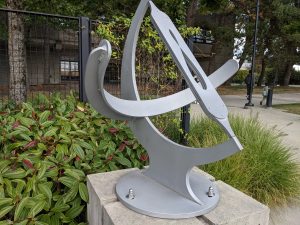
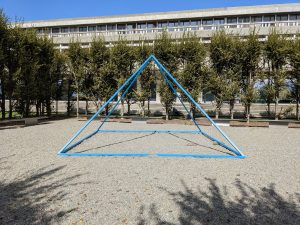
We started by looking at the SFU campus, and we didn’t have to search long for suitable tasks! Not only the pyramid seemed to be made for MCM! In the course of an advanced training with 20 teachers, the tasks could then be tested directly. Afterwards, five groups were filmed solving the tasks. In the evaluation, we will focus on when and with which function different gestures were used. We will submit these results at the next PME conference (2022 in Valencia).

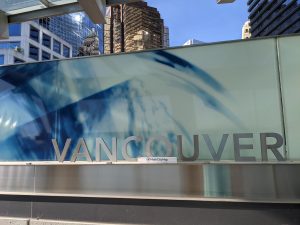
Of course, we did not miss the opportunity to create some trails in downtown Vancouver – both the Waterfront Station and the Stanley Park were ideal addresses for our first “Canadian Math Trails”.


The study and the accompanying research stay are funded by the DAAD and the BMBF within the framework of the Project-related Exchange of Persons (PPP) Canada.


The third article in our “Behind the Scenes” category is intended to conclude the first thematic block, the process of publishing and reviewing tasks. The two previous articles dealt with the steps up to the request for publication on the side of the users and the criteria according to which we, the MCM team, decide whether a task is to be published or not yet. In the following, we would like to illustrate the steps of a review by means of a specific example.


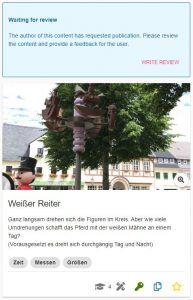
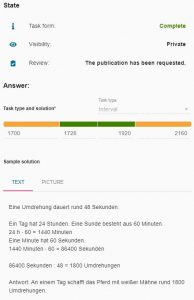
In the task “Weißer Reiter” (“White Rider”) you have to observe the rotation of a figure and on the basis of the duration of a rotation you have to calculate how often the figure would rotate around its mounting in a whole day. The task actually corresponds to all criteria discussed in “Behind the Scenes Part II”, but the solution interval is designed in such a way that it does not lie evenly around the value of the sample solution. Here a duration of the rotation of 48 seconds was assumed. In the green solution interval one remains if one would measure 45 to 50 seconds. So, downwards there is a tolerance of three seconds, upwards a tolerance of only two seconds. The situation is similar for the orange interval. So before the task is published, we would contact the person who created the task. To do this, we click on the “Write Review” button that can be seen in the upper part of the left image.


Now you reach a screen where you can choose whether the task should be published or whether it should be revised again or, as in our case, checked. In addition, you can write a written feedback, in which you can either inform that the task has been accepted or address the criticisms and suggestions in such a way that the creator is encouraged to revise or review his task and resubmit it.
By clicking on ” Send “, the task creator will receive a email with the written text. In case of a preliminary rejection, he can now revise and resubmit the task. In addition, he will receive the contact details of the reviewer in order to be able to discuss the points mentioned before the resubmission, if necessary.
If the person who created the task or trail requests publication again, the MCM team member who reviewed the task or trail the previous time will receive a notification by email. The described process now starts again, whereby all previous developments and messages can be tracked and followed via a review log.

The topic of the second post in our new “Behind the Scenes” category is reached by clicking on “Review” in the trail or task view in the web portal, as described in the last post. Here, users can request that their trail or task be published. But how can we the MCM team actually access the requests and according to which criteria are the requests accepted or rejected? We will answer these questions in the article below.


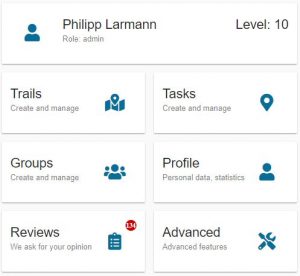
All requests for publication converge on the MathCityMap team’s side in the “Reviews” section of the web portal. This special area is only visible to reviewers. Reviews can currently only be performed by members of the MCM teams at universities around the world. In the long term, however, a review seminar is planned in which one can obtain the authorization to perform reviews of trails and tasks.
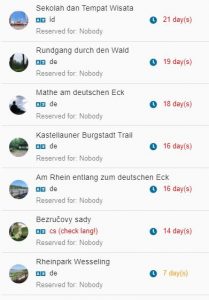
By clicking on “Reviews” we now get to an overview where all trails and tasks are listed whose review process has not yet been completed. This is either the case if the review has not been started yet or if there are still ambiguities in the tasks or trails that are being reworked by their creating users. In the image below you can see this overview for trails. It shows the title of the trail, in which language the trail was created and when the trail or task was submitted for the first time.


After selecting a trail we get to its overview where we review all tasks individually. When reviewing the tasks, we pay special attention to various criteria:

  1. Uniqueness. For each task, an image must be used to accurately identify the situation, or object, that the task is about.
  2. Presence. The task can only be solved on the spot, which means that the task data must be collected on the spot. This also means that the picture or the task text may not be sufficient to successfully complete the tasks.
  3. Activity. To solve the task an activity is necessary, i.e. you have to do something yourself (e.g. estimating, measuring or counting).
  4. Reality. The task should have an application, be realistic and not appear too artificial.
  5. Tiered aids. At least two tiered hints should be added to each task.
  6. School math and tags. The task should have a relationship to school mathematics, which are assigned to the task as keywords (tags). Similarly, the task should be assigned a grade level.
  7. Solution Formats. Each task should be based on a meaningful answer format, such as intervals for measurement tasks.
  8. Sample solution. A sample solution should be added to each task (visible to learners only after the task has been completed) to allow comparison of the learner’s own solution with the expected solution.

If all tasks meet the above criteria, there is one last criterion for the publication of the trail in addition to those already mentioned. This is especially relevant if the trail is explicitly designed for school classes.

9. Practicability. The tasks of the trail should be within an appropriate radius for the intended time of realization. Furthermore, it makes sense if the tasks are arranged in such a way that they form a circular trail with the start and finish as close to each other as possible.

However, we would like to show you in the next article of our category “Behind the Scenes” what exactly happens from the application to the publication and how this looks in the portal on the MCM teams side with an example task.

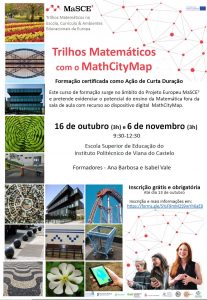
The MathCityMap Team Spain is offering training for teachers on mathematical walking paths with MathCityMap. The training will start on the second of October with a face-to-face session in four different cities – Gijón, Guareña (Extremadura), Jaén and Santander. The rest of this training will be held online. The necessary information to register can be found on the poster in this post. The MCM Team Spain looks forward to your participation.

In this small new category, we’ll be taking a look at topics that normally play a big role behind the scenes at MathCityMap. With this, we would like to give you a brief insight into things that would otherwise remain hidden from you. In today’s post, we want to look at the difference between public and private tasks and trails. Herewith we already want to tease the topic of the next post of this category.


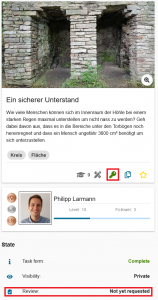
After successfully creating a trail or task, there are two ways in which this trail or task exists in the MathCityMap portal. On the left image you can see the normal way. The task or trail is private, which is indicated by the green key icon. This means that the trail or task can only be found by users to whom the creator has submitted the associated code. When users search for trails in their area with the app, private trails are not displayed and thus cannot be experienced.

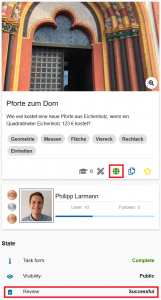
The second state for a trail or task is “Public.” Public trails and tasks can be found by all users around the world. This is indicated in the portal beside the field “Visibility” by the green globe, which can be seen in the picture on the right. Public trails and tasks are the heart of MathCityMap, with the help of which the whole community can benefit from the creativity and inventiveness of all its individual members. 

But how can you make your own trail public? There is a central button in the web portal for this purpose, which makes MathCityMap accessible to many people who only use the app and do not create tasks and trails in the portal themselves. Clicking on “Review” (shown in both images) brings you to a pop-up window where you can request publication. What happens behind the scenes on the MathCityMap team until the trail or task is public will be the topic of the next article in this category…

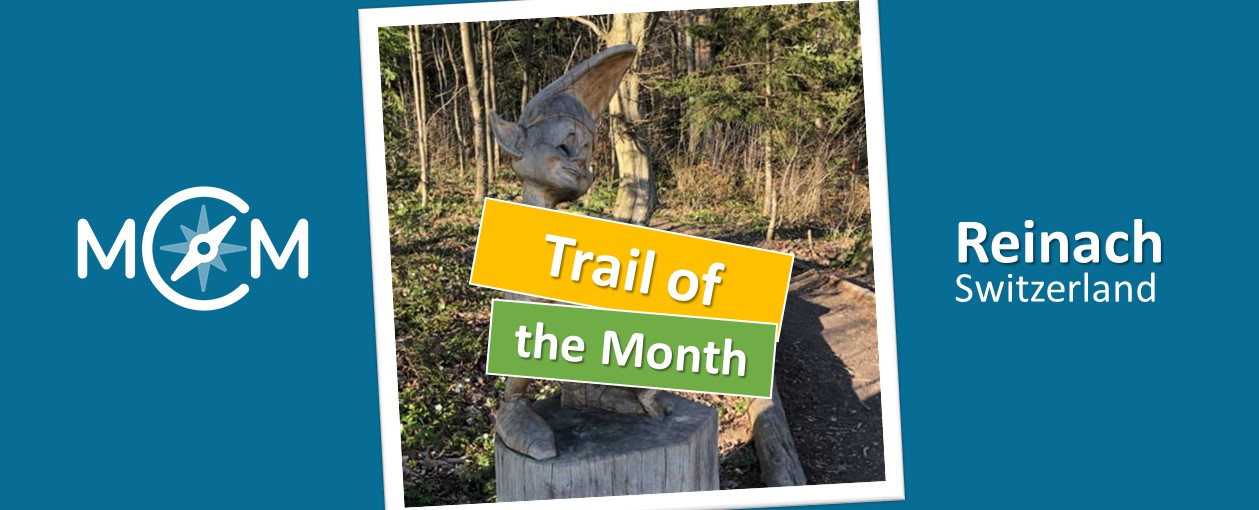
The trail of the month September comes from Switzerland. Here, primary school teacher Roger Pellaton created the “Skulpturenweg Leywald Reinach” which can be accessed via MCM app using the code 384906. It is available on the web portal here.

There are a total of twelve tasks on this math trail, most of which were designed directly on the trail’s magnificent wooden sculptures. 


How did you come across the MathCityMap project?

I’ve worked with Actionbound before, and even earlier with GeoCaching. This year, students from the FHNW (University of Applied Sciences Northwestern Switzerland) are on a year-long internship at our school. The students were given the task of digitally implementing map work in a 6th grade class. From the FH they brought the hint MathCityMap, which was unknown to me until then, and they wanted to know from me what other alternatives there were. After a bit of exchange and joint evaluation, we decided to implement the project with MathCityMap. MCM was new to all of us, so we experimented a bit together and immediately documented our experiences for the rest of the college, so that other teachers could benefit from the preliminary work already done.


Please describe your Mathtrail.

The sculpture trail in Reinach is well-known all around. Most of the children already knew it when I tried this trail with them. They were already there in kindergarten, most likely in junior high school, and with their parents often as well. Nevertheless, they see it with completely different eyes when they have to solve a very specific math problem at a certain sculpture. In the middle of the forest! The device in their hand gives them additional feedback as to whether they have solved the task correctly. You can’t get any further away from the classroom than being in the forest, surrounded by artistically carved wooden figures that exude a peculiar calm and fascination. What’s more, with a trail like this, you’re not only carrying the math out of the classroom, you’re also carrying it right into the parents’ home when the next walk-through involves the parents.


How do you use MCM and why?

At our school, all middle school students (4th/5th/6th grades) are equipped with iPads in ascending order. We started with the 4th graders this year, and the new 4th graders will join them after the summer vacations. As a class teacher of such a class, I also accompany the entire IT project at our school on the pedagogical side. This is called PICTS (Pedagogical IT Support). As PICTS, one of my tasks is to show the teachers ways in which they can use the iPads of their class profitably in the classroom. So I visualize such tools and projects on an ongoing basis, trying out much of these in my own class first, then bringing them back to my colleagues.

Since I consider self-directed interpretation of assignments and tasks to be one of the most central key competencies of modern life, I am grateful for tools such as MCM that allow my students to have experiences that are highly effective for learning in a protected setting. The fact that Corona, Lockdown, and distance learning have given IT a noticeable boost on the one hand is great, but on the other hand this crises shrinks the world of children to an unpleasantly small 13 inches, which does not make me happy. MCM starts exactly there and puts math tasks outside the classroom into a new context. I liked that, and unsurprisingly, so did my students.


Describe your favorite task of the trail. How can this be solved?

I don’t really have a “favorite” task. I generally like tasks that hold something surprising, or open a previously closed door. The Snow White task, for example, where the children have to put themselves in the dwarves’ shoes and figure out which dwarf can see which other dwarf or not, that’s one such task. Or when, during the task with the “Gluggerbahn” (Glugger = Swiss German for marble), they suddenly find out what the piece of string is for that they were supposed to stuff into their pockets at the beginning of the trail. Sometimes, as a teacher, you are lucky enough to be present at such moments.
 

The online portal “FREE APPS FOR ME” regularly presents and reviews apps that are publicly available and free of charge. In one of its latest articles, the portal’s team presents the MathCityMap App and reports on their impressions of using the app.


Here, the portal focuses mainly on the technical features and user-friendliness of the app, but also refers to the idea of making the relevance of mathematics visible and comprehensible on real objects in the environment.


You can find the full article here. Enjoy reading!