Step 1 – Start the peer review
Once your learners have created their assignments in the web portal, you can start the peer review. This means the technical setup of the web portal, allowing your learners to write comments there.
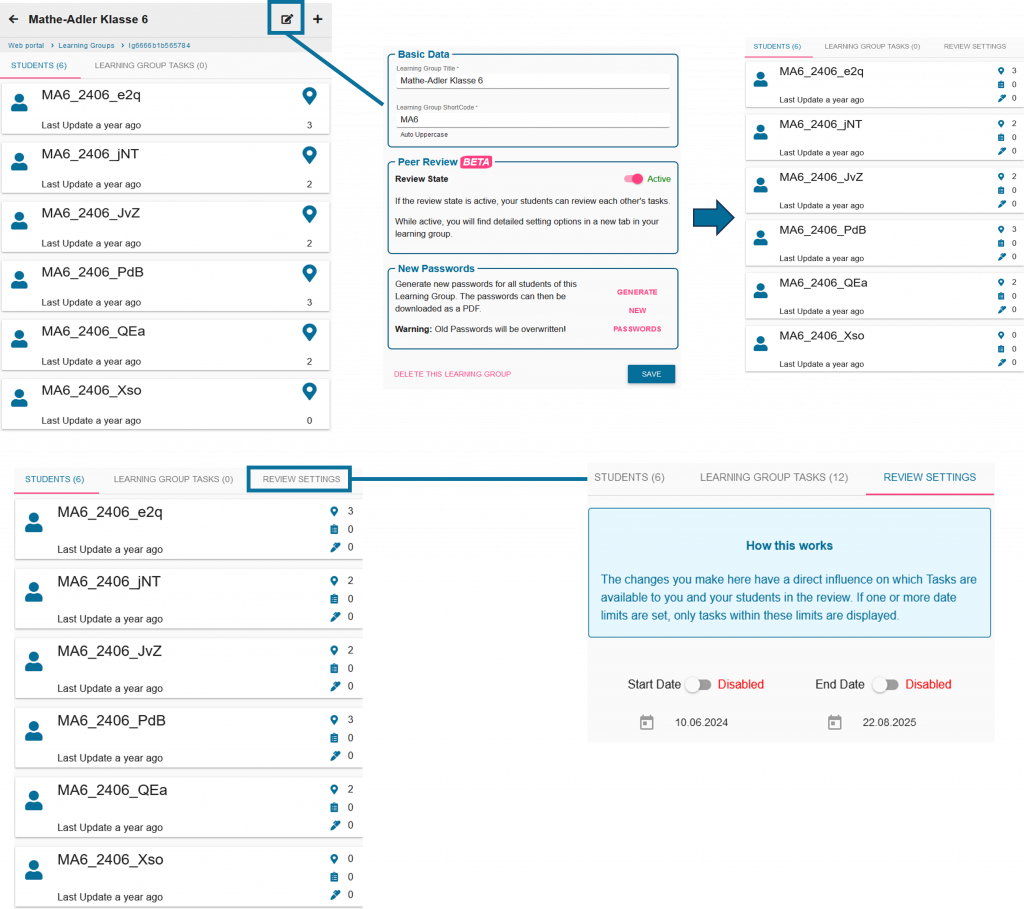
To do this, click on the editing symbol next to your study group and activate peer review.
You can also set a start and end time via the review settings.
Step 2 – Organizing the peer review
Discuss with your learners which small groups will test which tasks. Your learners will then go outside again with their measuring tools.
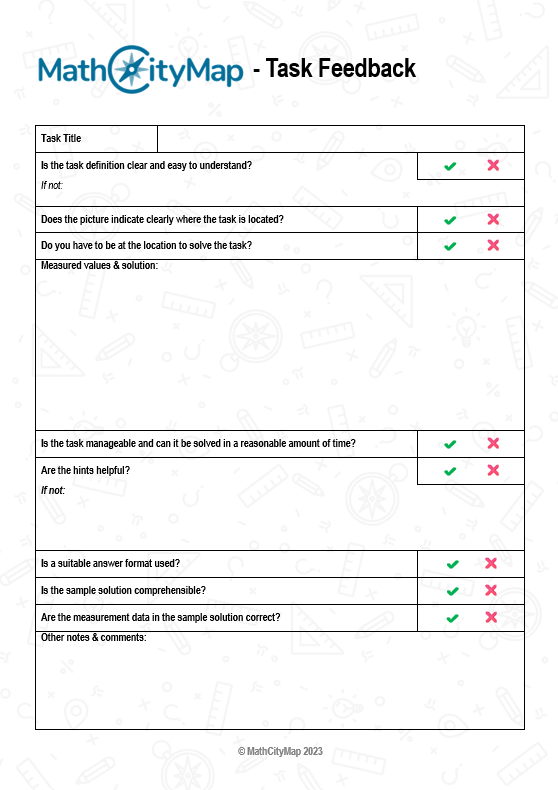
In addition, they are supported by the Peer Review worksheet (see materials page) in the form of a checklist to give appropriate feedback.
Step 3 – Write comments and incorporate feedback
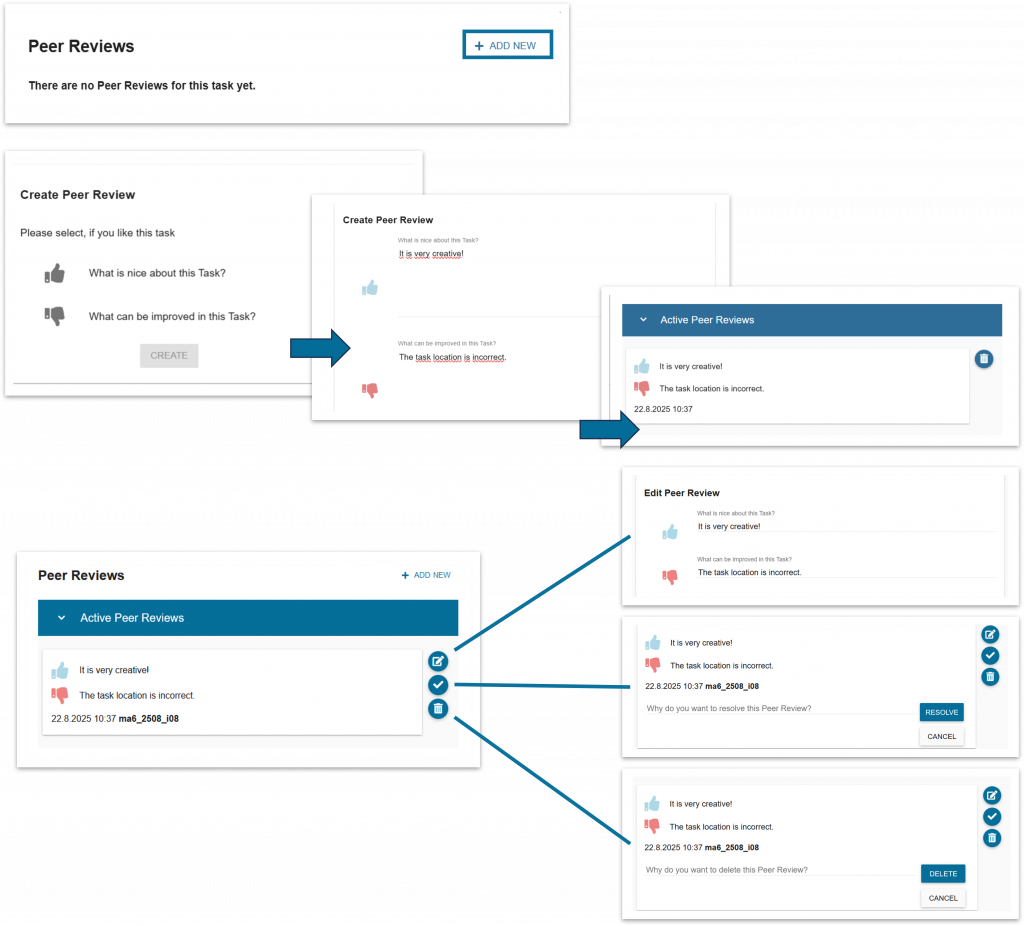
Once the tasks have been tested, the learners enter their feedback in the web portal.
You can also see your learners’ comments and intervene if necessary.
Then give your learners time to incorporate the class feedback and revise the tasks.
Step 4 – Create the trail
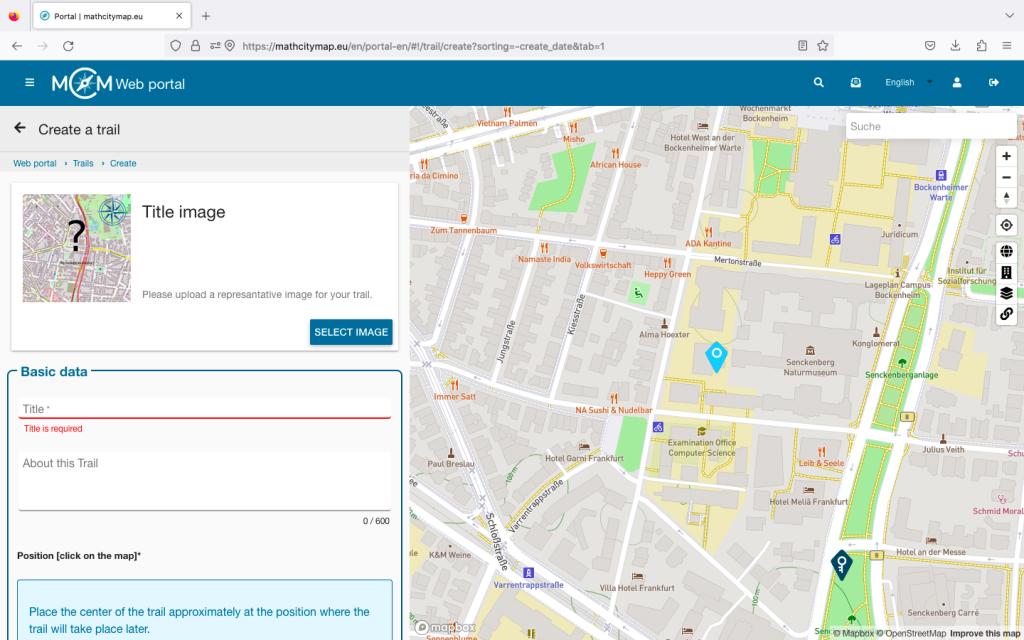
Once everyone has completed this process, you can compile a trail from your learners’ tasks.
This works via the normal trail field.
Student tasks are always displayed as pink pins.

