Note: In the MATRIX project, we have created a self-study course for your students that guides them through some of the steps listed here. Your students will find this course as soon as they log into the portal with a student account. It includes instructions on creating assignments and using the web portal, and you can assign it as homework in advance if needed.

Step 1 – Search for task ideas
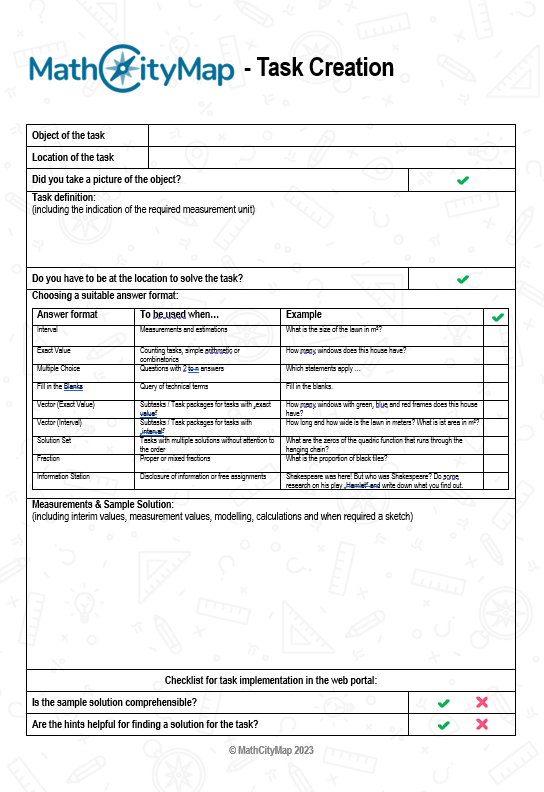
Once all the organizational details are sorted out, you can divide your class into teams of three and equip each team with measuring tools. Also, give them enough copies of the worksheet for completing the task (see materials page).
Take your class outside to the location where the tasks will be created. Give your students enough time to search for task ideas and document them using the worksheet.
Provide them with assistance if they don’t have their own ideas, and give feedback on their ideas.
Step 2 – Complete task ideas
Once each small group has gathered task ideas, you go back to the classroom.
The students first fill out the worksheet for creating tasks inside (see material page), i.e. they complete their task ideas with hints and a sample solution.
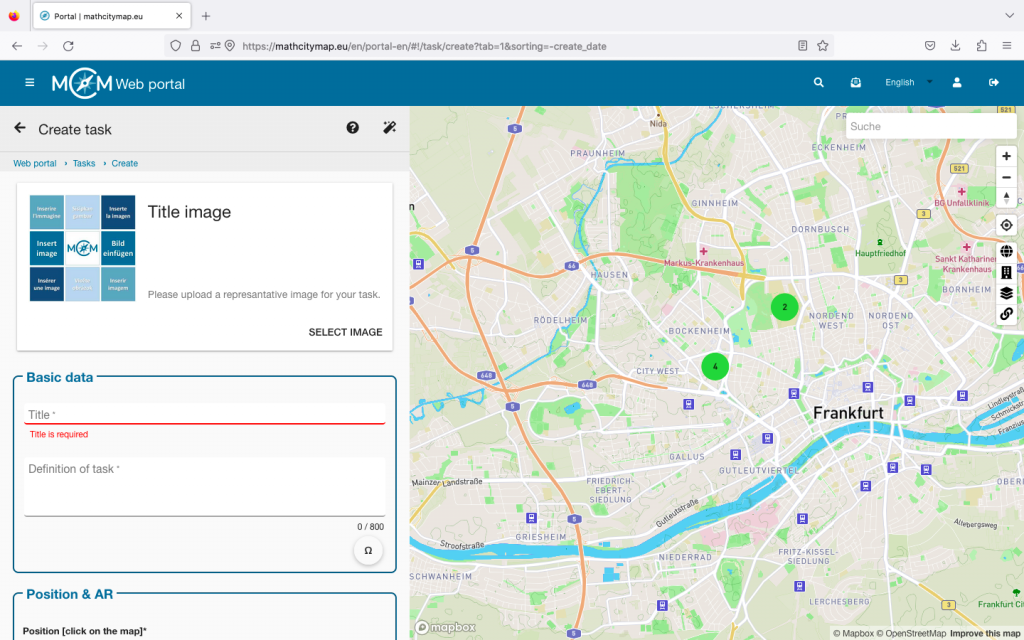
Step 3 – Create tasks in the portal
Next, you give the students an introduction to using the web portal, specifically how to create an assignment with their student accounts. This works exactly the same way as with regular accounts.
In the next step, you give each student the login details for a student account you previously created. You can learn how to create these accounts in the tutorials “Creating Learning Groups” and “Managing Learning Groups”.
Now have your learners create the tasks in the web portal.
