Step 1 – Accessing the Content Gallery Wall
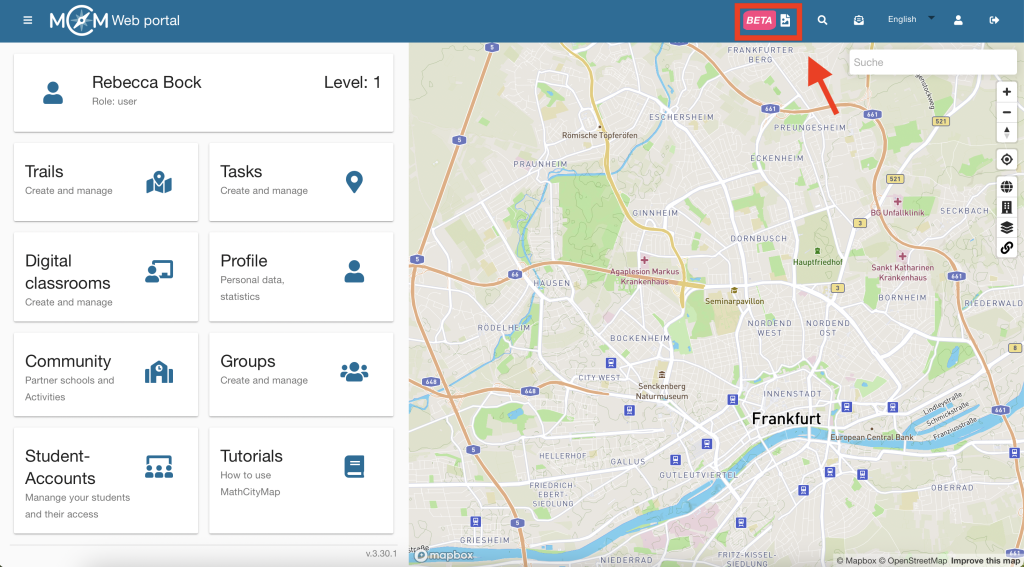
Click on the photo icon in the top right-hand corner of the bar.
A photo gallery containing photos of various objects opens.

Step 2 – Select an object
Click on the photo of an object of your choice to search for maths problems that feature that object.
Step 3 – Filter tasks
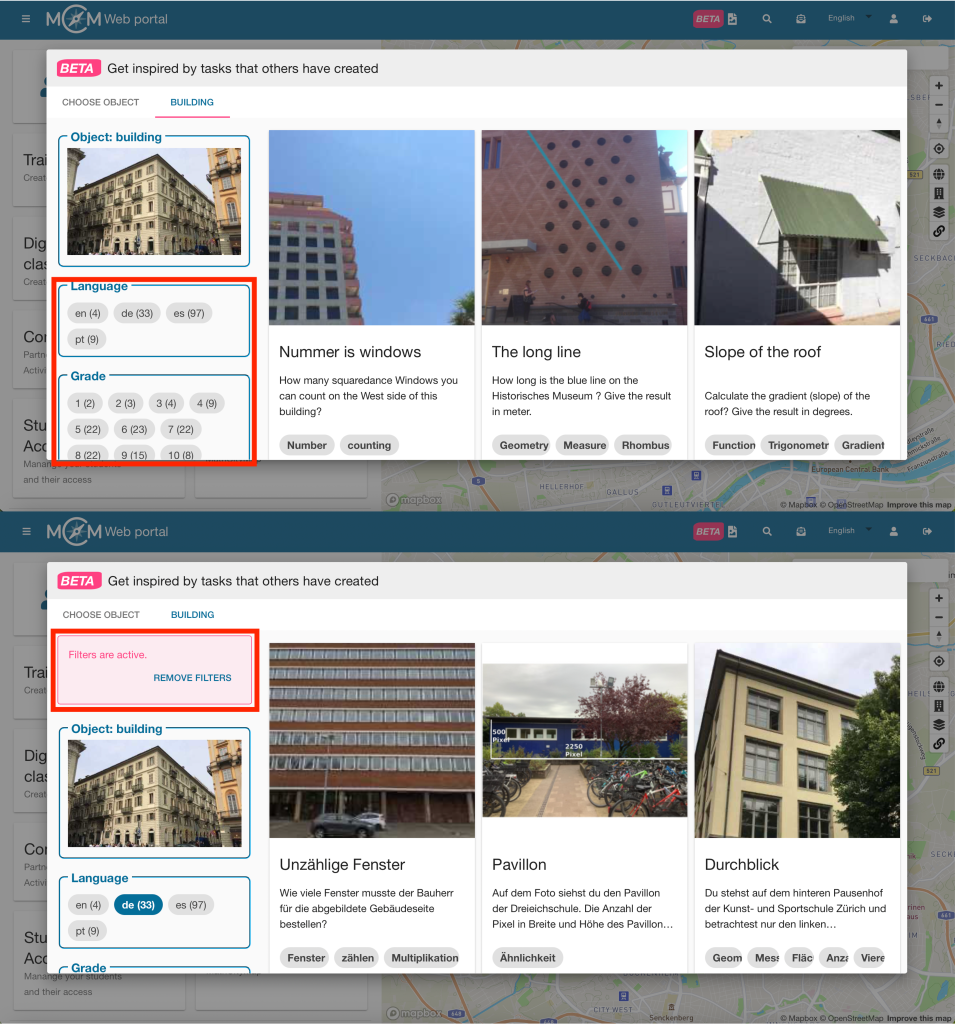
The activities can be filtered by language, year group, resources required, activity formats and keywords (you can find further filters by scrolling down).
Simply tick the relevant boxes and the filter will be applied automatically. You can also select several boxes at the same time.
Once you have selected filters, a red box will appear in the top left-hand corner to show that the filters are active. Click on ‘Remove filters’ to view all tasks again.
Step 4 – Example
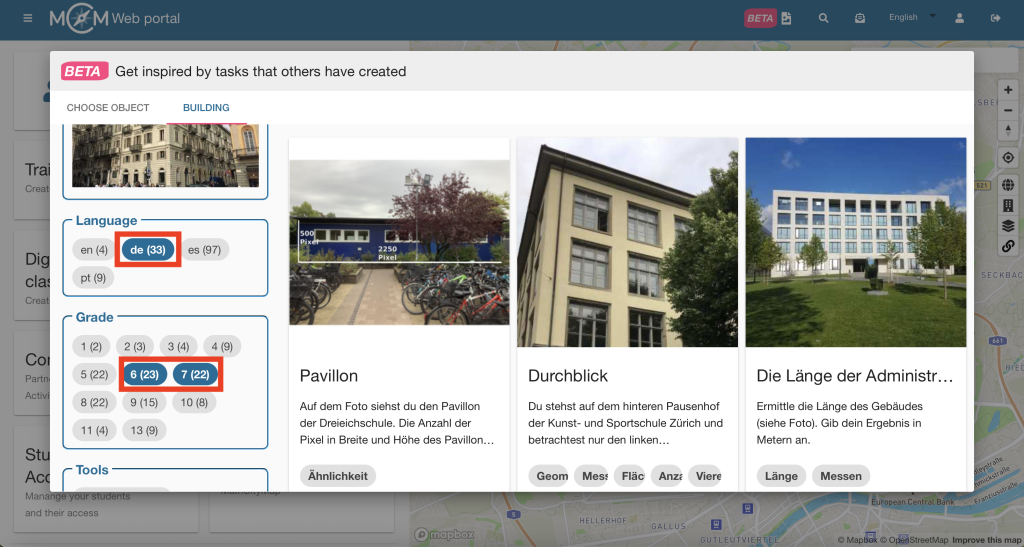
You’d like to find activities about a building that are in German and suitable for Years 6 and 7.
Open the Content Gallery Wall and select the image for ‘Buildings’.
Select the ‘German’ filter and the year groups ‘6’ and ‘7’.
You will now see all the jobs that match your enquiry.


